Activate remote desktop from command line
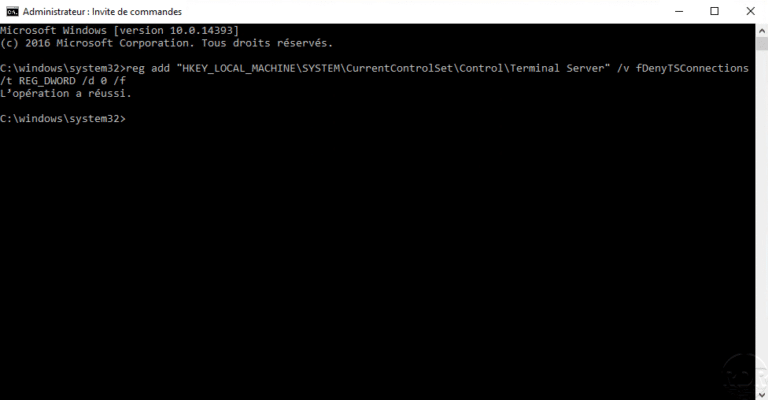
In this tutorial how, we will see how to activate the remote desktop from the command line. Activating the remote desktop can be done from the command line by modifying a key, so we will use the command line utility reg.exe to modify the registry and thereby activate the remote desktop.