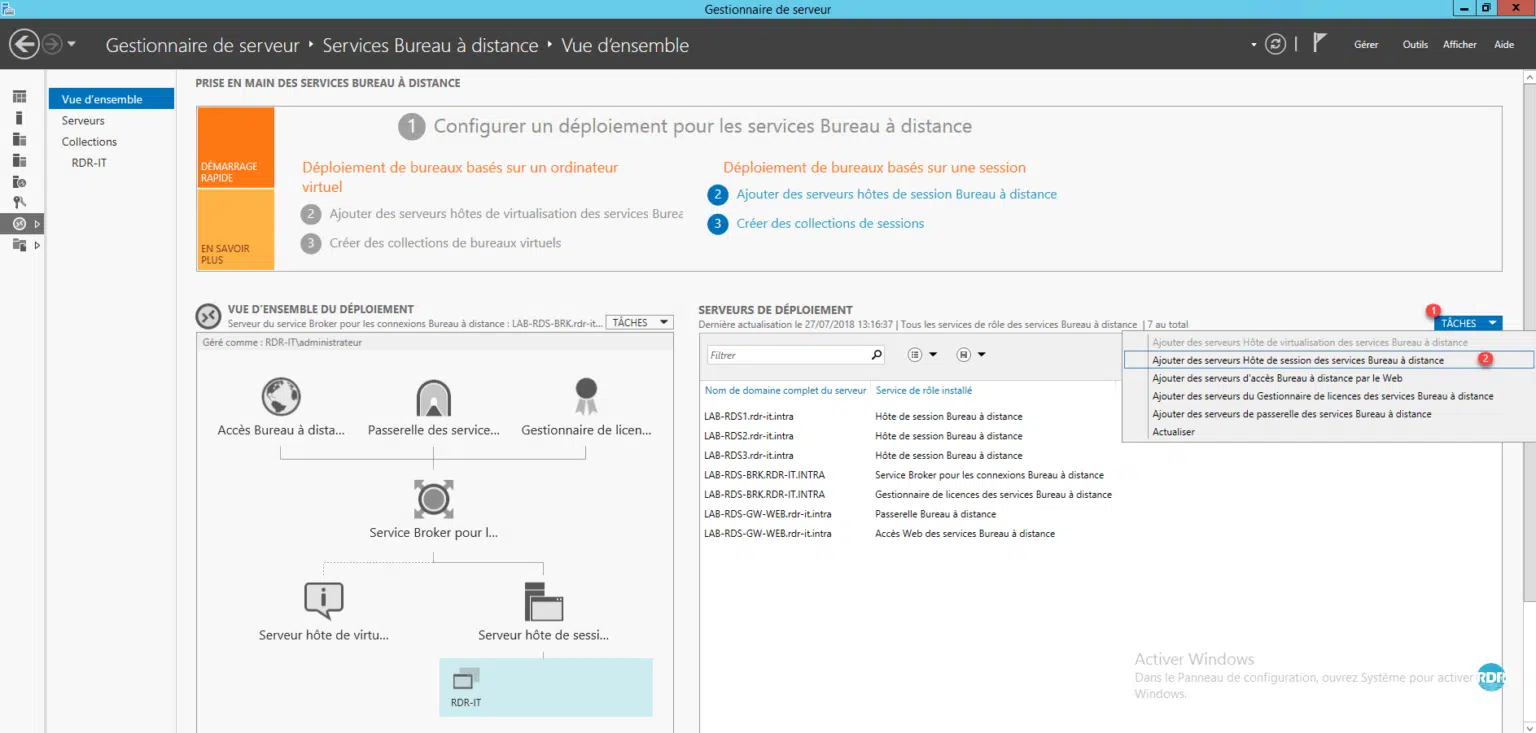
Context : Temporary profile error on logon
For multiple and often unknown reasons, users are connected to their session on a temporary profile.
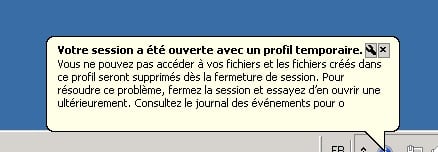
The user does not find his settings including the Outlook profile.
All that is stored in the folder C:\Users\TEMP is not saved when they log off.
If you apply a folder redirection GPO (desktop / documents …), the files and folders modified in it will be saved instead.
Solution to resolve temporary profile issue
The solution is to delete .BAK registry keys in the following location: HKEY_LOCAL_MACHINE\SOFTWARE\Microsoft\Windows NT\CurrentVersion\ProfileList
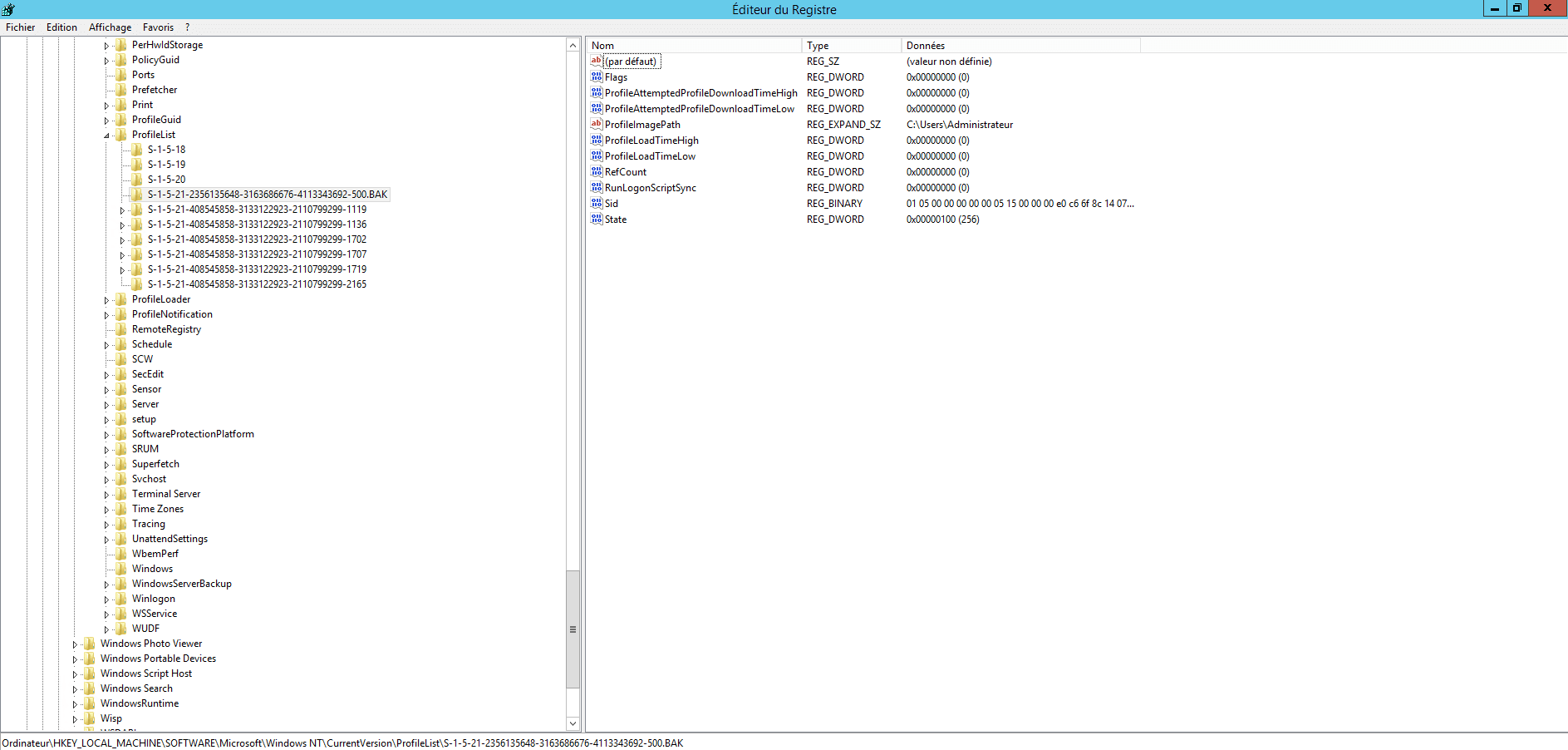
On a farm RDS 2012R2, I had the problem regularly with 3 users and so I looked for a way to do this cleaning automatically by script using a scheduled task.
VBS Script :
' Repo : https://git.rdr-it.com/root/scripts/-/blob/master/VBS/RDS-temporary-profile-cleaning.vbs

Const ForAppending = 8
Const HKEY_LOCAL_MACHINE = &H80000002

Dim CheminScriptActuel, ScriptFileName, Position, CheminLog

CheminScriptActuel = Left(wscript.scriptfullname,Len(wscript.scriptfullname)-Len(wscript.scriptname)-1)

ScriptFileName = wscript.scriptname
Position = InstrRev(ScriptFileName,".")
if (Position > 0) Then ScriptFileName = Left(ScriptFileName, Position - 1)

CheminLog = CheminScriptActuel & "" & ScriptFileName & "_Log.txt"
strComputer = "."

'On Error Resume Next
Set objRegistry=GetObject("winmgmts:\" & strComputer & "rootdefault:StdRegProv")
Set objFSO = CreateObject("Scripting.FileSystemObject")
Set objTextFile = objFSO.OpenTextFile (CheminLog, ForAppending, True)
objTextFile.WriteLine("-------------------------------")
objTextFile.WriteLine("Debut de la suppression des profils temporaires : " & now)
objTextFile.WriteLine("-------------------------------")

strKeyPath = "SOFTWAREMicrosoftWindows NTCurrentVersionProfileList"
objRegistry.EnumKey HKEY_LOCAL_MACHINE, strKeyPath, arrSubkeys
For Each objSubkey In arrSubkeys
  If Instr(UCase(objSubkey),".BAK") Then
    'wscript.echo objsubkey
    'wscript.echo strkeypath & "" & objSubkey
    objTextFile.WriteLine(now & " clé a supprimer détectée : " & strKeyPath & "" & objSubkey)
    Call DeleteRegEntry(HKEY_LOCAL_MACHINE, strKeyPath & "" & objSubkey)

  End if
Next

objTextFile.WriteLine("Fin de la suppression des profils temporaires : " & now)
objTextFile.WriteLine("")
objTextFile.Close 'Fermeture du fichier
Set objTextFile = Nothing
wscript.quit

Function DeleteRegEntry(sHive, sEnumPath)
  ' Attempt to delete key.  If it fails, start the subkey
  ' enumration process.
  lRC = objRegistry.DeleteKey(sHive, sEnumPath)
  'wscript.echo sHive
  'wscript.echo sEnumPath
  ' The deletion failed, start deleting subkeys.
  If (lRC <> 0) Then

    ' Subkey Enumerator
    On Error Resume Next
    lRC = objRegistry.EnumKey(HKEY_LOCAL_MACHINE, sEnumPath, sNames)
    For Each sKeyName In sNames
      If Err.Number <> 0 Then Exit For
      'wscript.echo sHive, sEnumPath & "" & sKeyName
      lRC = DeleteRegEntry(sHive, sEnumPath & "" & sKeyName)
      objTextFile.WriteLine(now & " Suppression de la sous clé : " & sEnumPath & "" & sKeyName)
    Next

    On Error Goto 0
    ' At this point we should have looped through all subkeys, trying
    ' to delete the registry key again.
    lRC = objRegistry.DeleteKey(sHive, sEnumPath)

  End If

End Function
PowerShell script :
# Chemin du script et du fichier log
$ScriptPath = Split-Path -Parent $MyInvocation.MyCommand.Definition
$ScriptName = [System.IO.Path]::GetFileNameWithoutExtension($MyInvocation.MyCommand.Name)
$LogFile = Join-Path $ScriptPath "$ScriptName`_Log.txt"

# Fonction pour écrire dans le fichier log
function Write-Log {
    param ([string]$message)
    Add-Content -Path $LogFile -Value $message
}

# Écrire en-tête du log
Write-Log "-------------------------------"
Write-Log "Début de la suppression des profils temporaires : $(Get-Date)"
Write-Log "-------------------------------"

# Chemin de la clé de registre contenant les profils utilisateurs
$RegPath = 'HKLM:\SOFTWARE\Microsoft\Windows NT\CurrentVersion\ProfileList'

# Récupérer les sous-clés
$SubKeys = Get-ChildItem -Path $RegPath -ErrorAction SilentlyContinue

foreach ($Key in $SubKeys) {
    if ($Key.PSChildName -like '*.bak') {
        Write-Log "$(Get-Date) Clé à supprimer détectée : $($Key.Name)"
        Remove-RegistryKeyRecursive -KeyPath $Key.Name
    }
}

Write-Log "Fin de la suppression des profils temporaires : $(Get-Date)"
Write-Log ""

# Fonction pour supprimer une clé de registre et ses sous-clés récursivement
function Remove-RegistryKeyRecursive {
    param ([string]$KeyPath)

    try {
        Remove-Item -Path "Registry::$KeyPath" -Recurse -Force -ErrorAction Stop
    }
    catch {
        # Suppression récursive manuelle si échec
        $SubKeys = Get-ChildItem -Path "Registry::$KeyPath" -ErrorAction SilentlyContinue
        foreach ($SubKey in $SubKeys) {
            Remove-RegistryKeyRecursive -KeyPath $SubKey.PSPath.Replace("Microsoft.PowerShell.Core\Registry::", "")
            Write-Log "$(Get-Date) Suppression de la sous-clé : $($SubKey.Name)"
        }

        # Essayer de supprimer à nouveau la clé principale
        try {
            Remove-Item -Path "Registry::$KeyPath" -Force -ErrorAction Stop
        } catch {}
    }
}
Copy the above script to a file with a vbs / ps1 extension and do a scheduled task that runs every night on each RD Session Host.
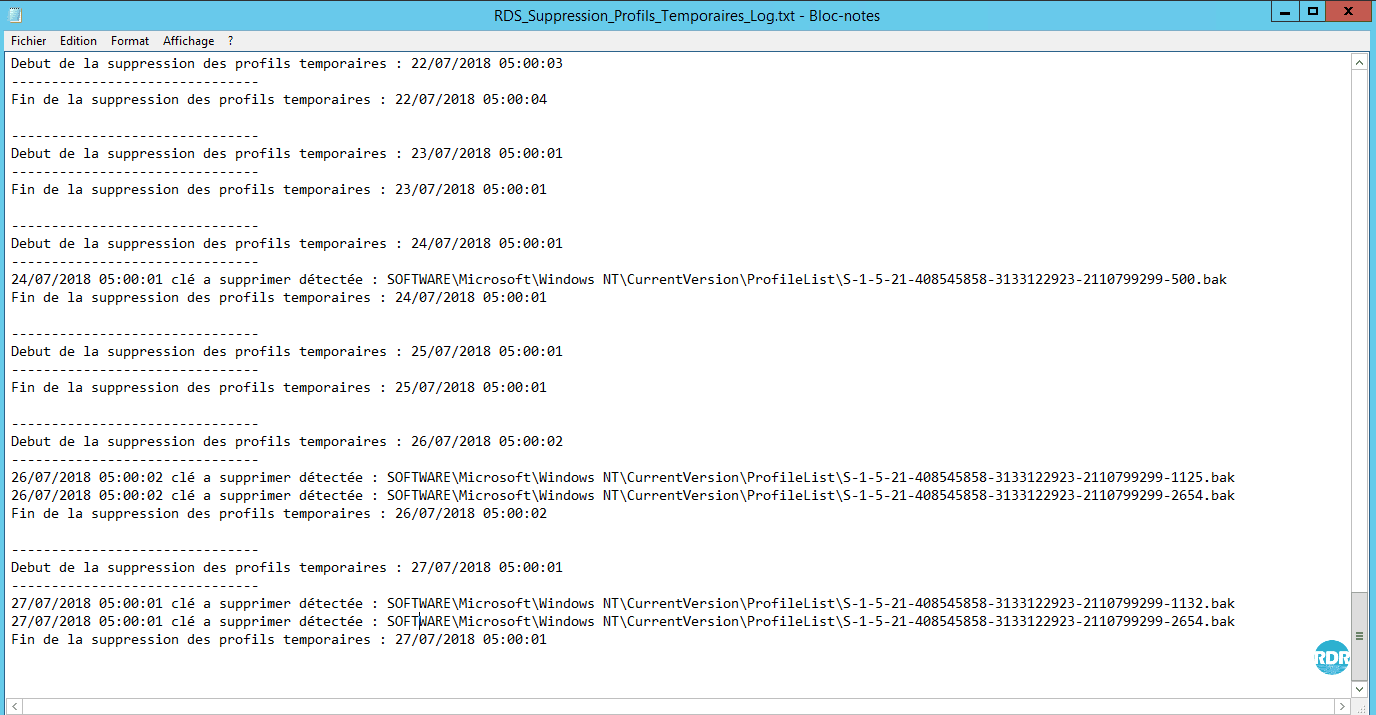
The script generates a log file with the deleted registry keys.
Temporary profile errors were due to the Windows XP RDP client that does not support auto-balancing with the Broker service.