If you want to supervise the firewall using the SNMP service with software (PRTG, Centreon …), you must activate and configure the agent on the firewall.
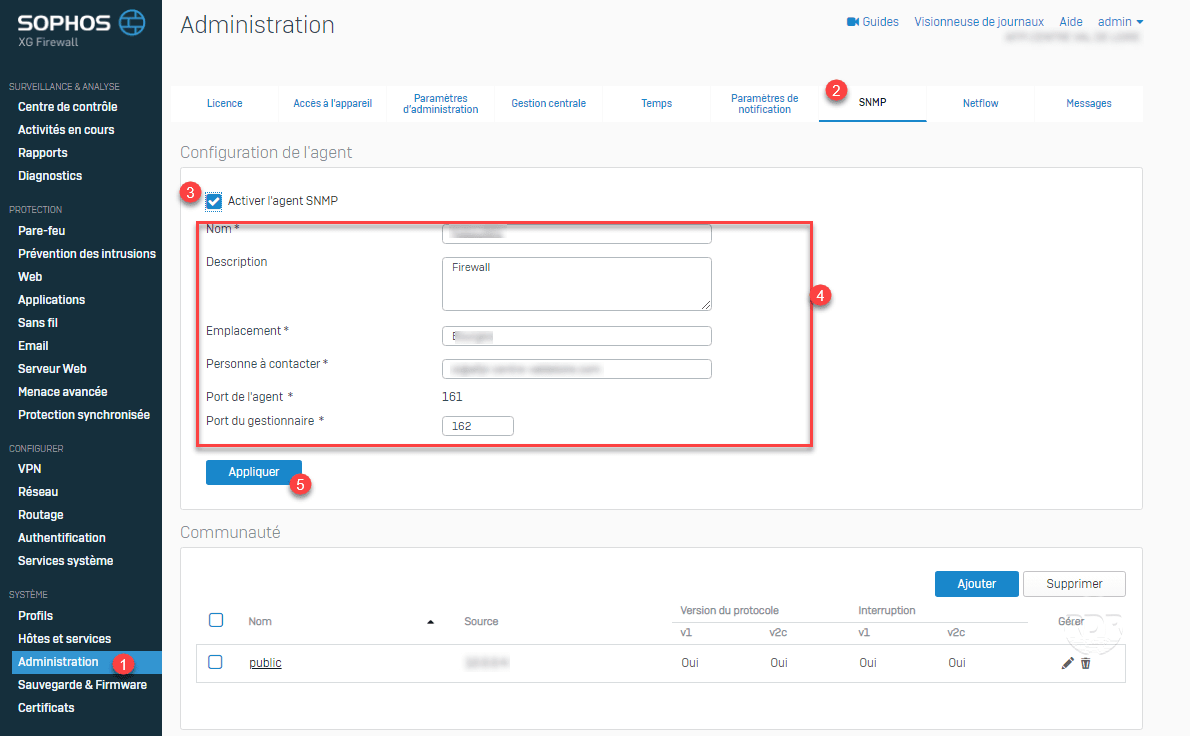
1. From the administration interface, go to Administration 1 / SNMP 2 . Check the box 3 to activate the agent, enter the information 4 then click on Apply 5 .
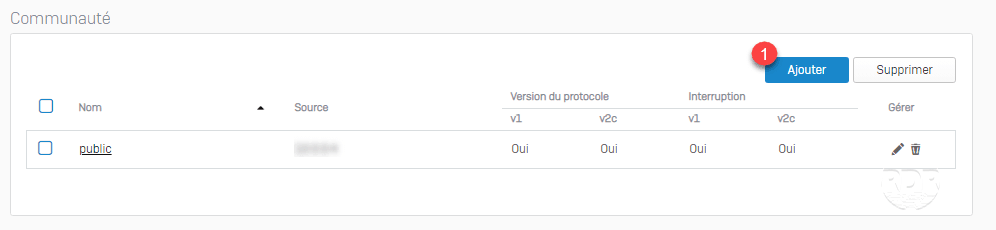
2. Once the agent is activated, click the Add 1 button to declare a community.
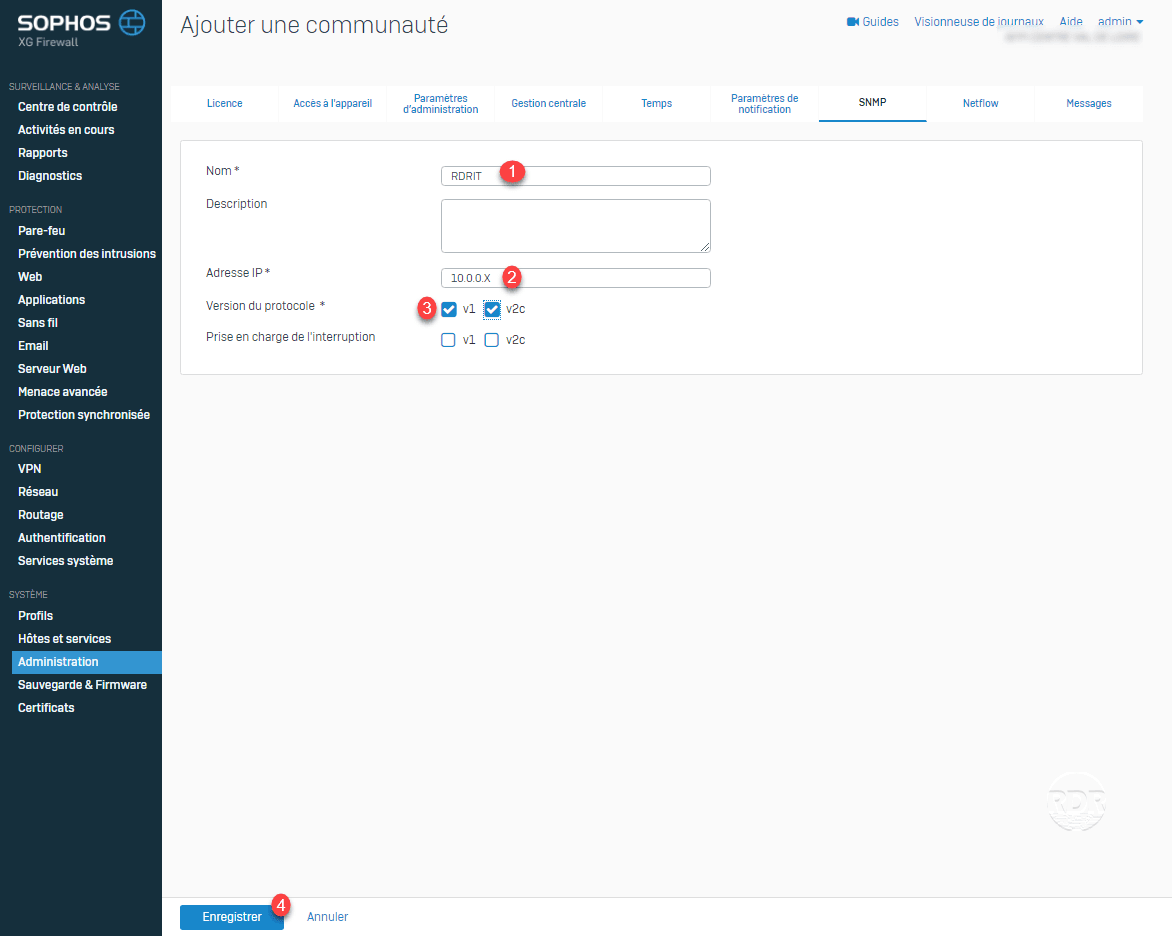
3. Enter the name 1 of the SNMP community, the IP address 2 of the server that is going to poll, select version 3 and click on Save 4 .
4. The community is added 1 .

All that remains is to configure your monitoring tool.
