If you want to supervise the firewall using the SNMP service with software (PRTG , Centreon …), you must activate and configure the agent on the firewall.
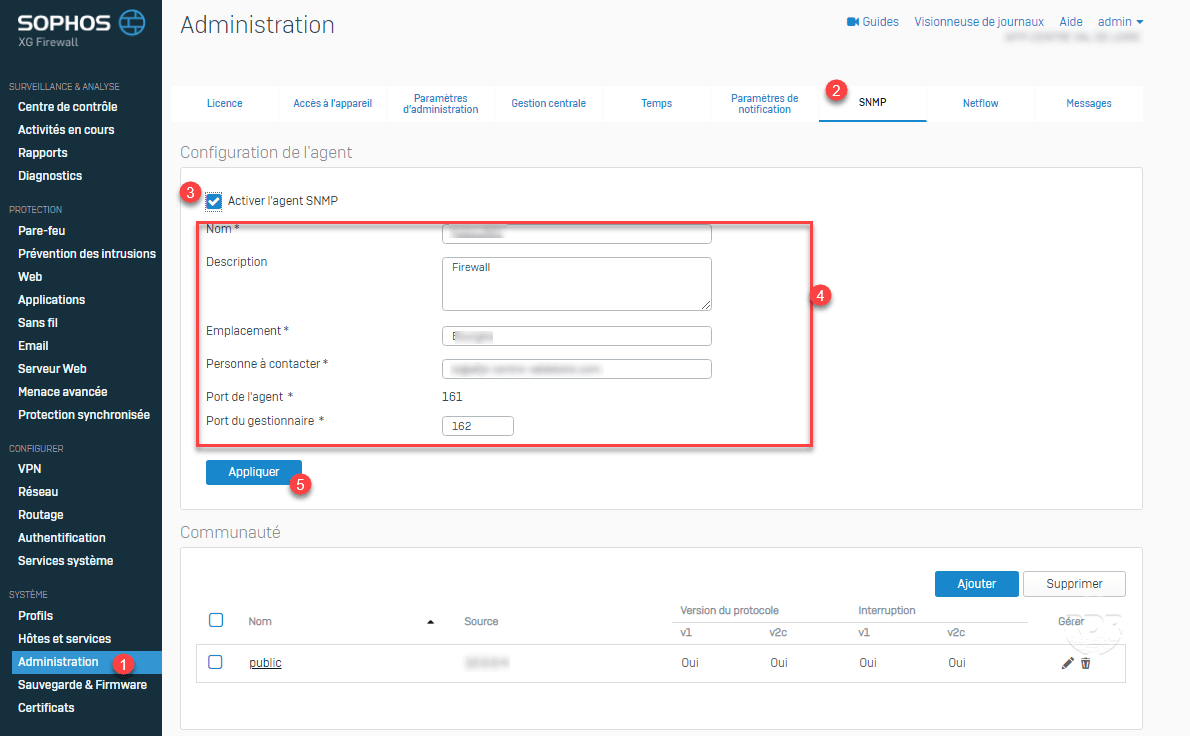
1. From the administration interface, go to Administration 1 / SNMP 2 . Check the box 3 to activate the agent, enter the information 4 then click on Apply 5 .
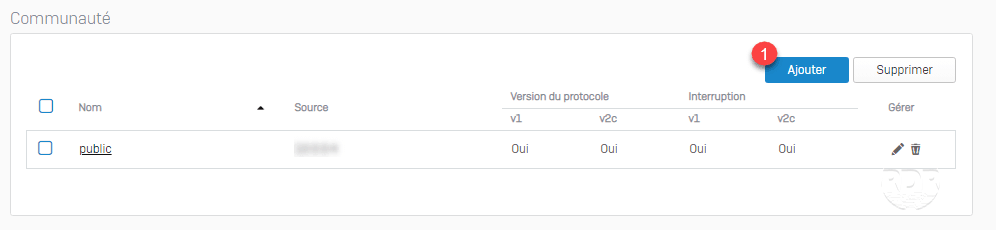
2. Once the agent is activated, click the Add 1 button to declare a community.
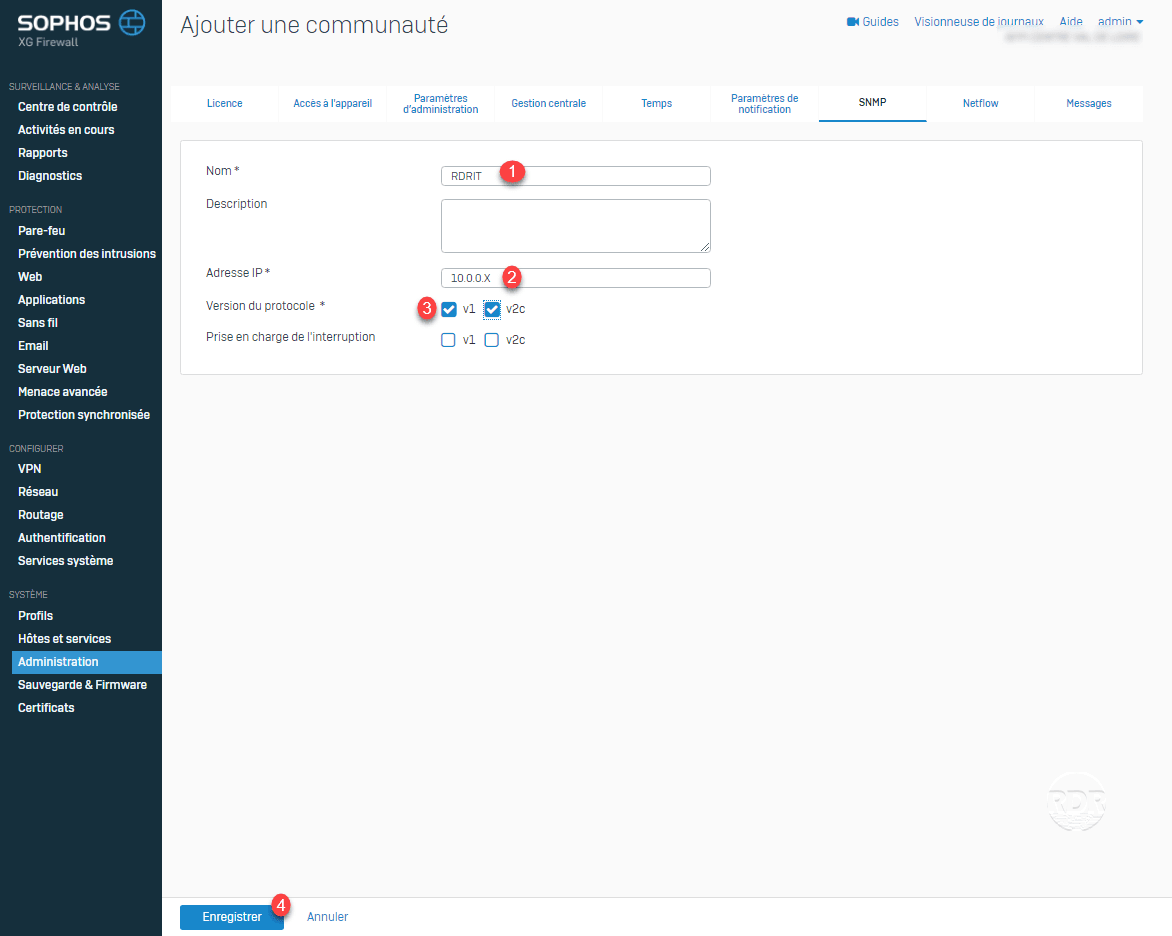
3. Enter the name 1 of the SNMP community, the IP address 2 of the server that is going to poll, select version 3 and click on Save 4 .
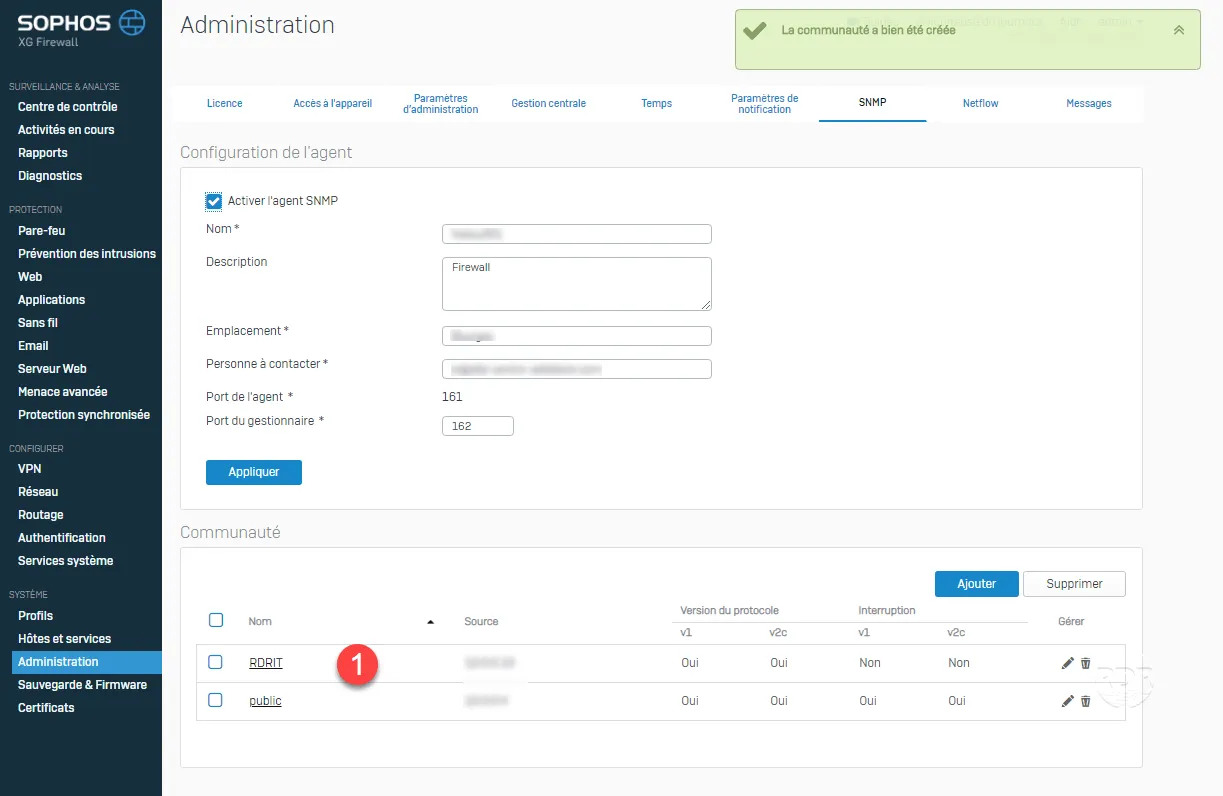
4. The community is added 1 .
All that remains is to configure your monitoring tool.