Create a folder with PowerShell
In this “How To” tutorial, I will show you how to create a folder in PowerShell.
To create a folder in PowerShell, use the New-Item cmdlet indicating the location and name of the folder and set the itemType parameter with the value Directory to indicate that you want to create a folder.
Example to create the SharedFolder folder at the root of drive C:
Open a PowerShell window
On a server or a computer with a graphical interface, open a PowerShell prompt, preferably as an administrator to make sure you have the rights.
Use the New-Item Cmdlet to create the folder.
Enter the following command to create the SharedFolder folder at the root of the C drive:New-Item "C:\SharedFolder" -itemType Directory
The folder is created
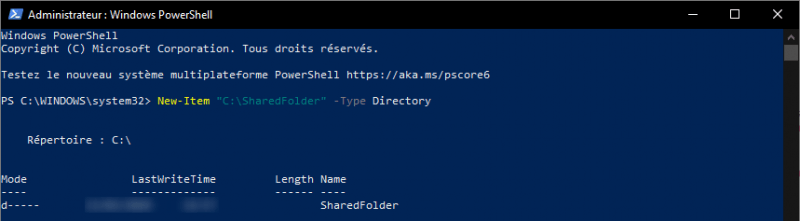
On the screenshot above, you can see the return of the command, which indicates that the folder has been created.
The New-Item cmdlet is used in PowerShell to create different types like folders, registry key, file …