In this tutorial, I’ll explain how to convert a certificate to PFX format from .key and .crt files.
To convert a certificate to PFX format, you’ll need OpenSSL. In this tutorial, I’m using a computer running Ubuntu.
In a folder, copy the following files
- .key: which contains the private key
- .crt: which is the public part of the certificate
- .bundle: which contains the complete certificate chain (CA and intermediate CA).

Now use OpenSSL to export a certificate to PFX format.
Here is the command to use:
sudo openssl pkcs12 -export -out cert01.pfx -inkey cert01.key -in cert01.crt -certfile cert01.bundle
Enter the PFX file’s password twice to protect the private key.

If the command returns no output.
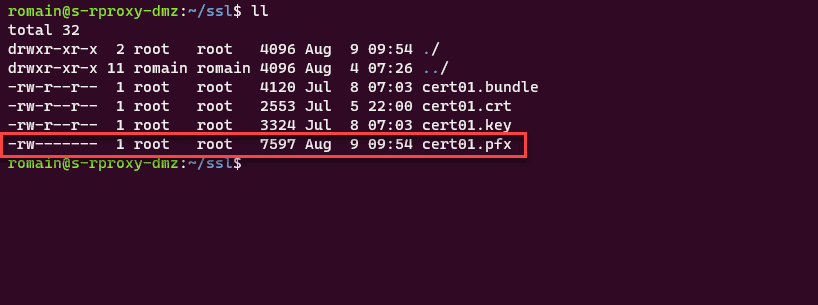
By listing the files, you can see that the PFX file has been generated.
You now know how to generate a PFX certificate for use on Windows from a .crt certificate along with its private key (.key).
Certification authorities generally distribute certificates with CRT and KEY files.
For security reasons, I recommend that you avoid using online tools.