In this article, I’ll explain how to manage mailbox delegation: Full access using a security group in Exchange.
The following applies to both user mailboxes and shared mailboxes.
If you’ve already managed Exchange environments, auditing full access to mailboxes can quickly become a nightmare, since it’s not easy to see, for example, which shared mailboxes a user has access to.
To get around this problem, we can use security groups; by looking at a user’s security groups, we can determine which mailboxes they can access.
At this point, you may run into two problems:
- If the group is created directly in the ECPActive Directory, you won’t see the group to assign it to the mailbox, because the group must have a Universal ID and an email address.
- If you created the group via the ECP, you can assign it, but the mailboxes do not automatically appear in the Outlook client; we’ll see why later.
How Full Access Works on a Mailbox
Before we get into the nitty-gritty, I’ll show you how Exchange applies permissions and mappings in the Outlook client.
To illustrate this tutorial, I’ve created a shared mailbox named: Test
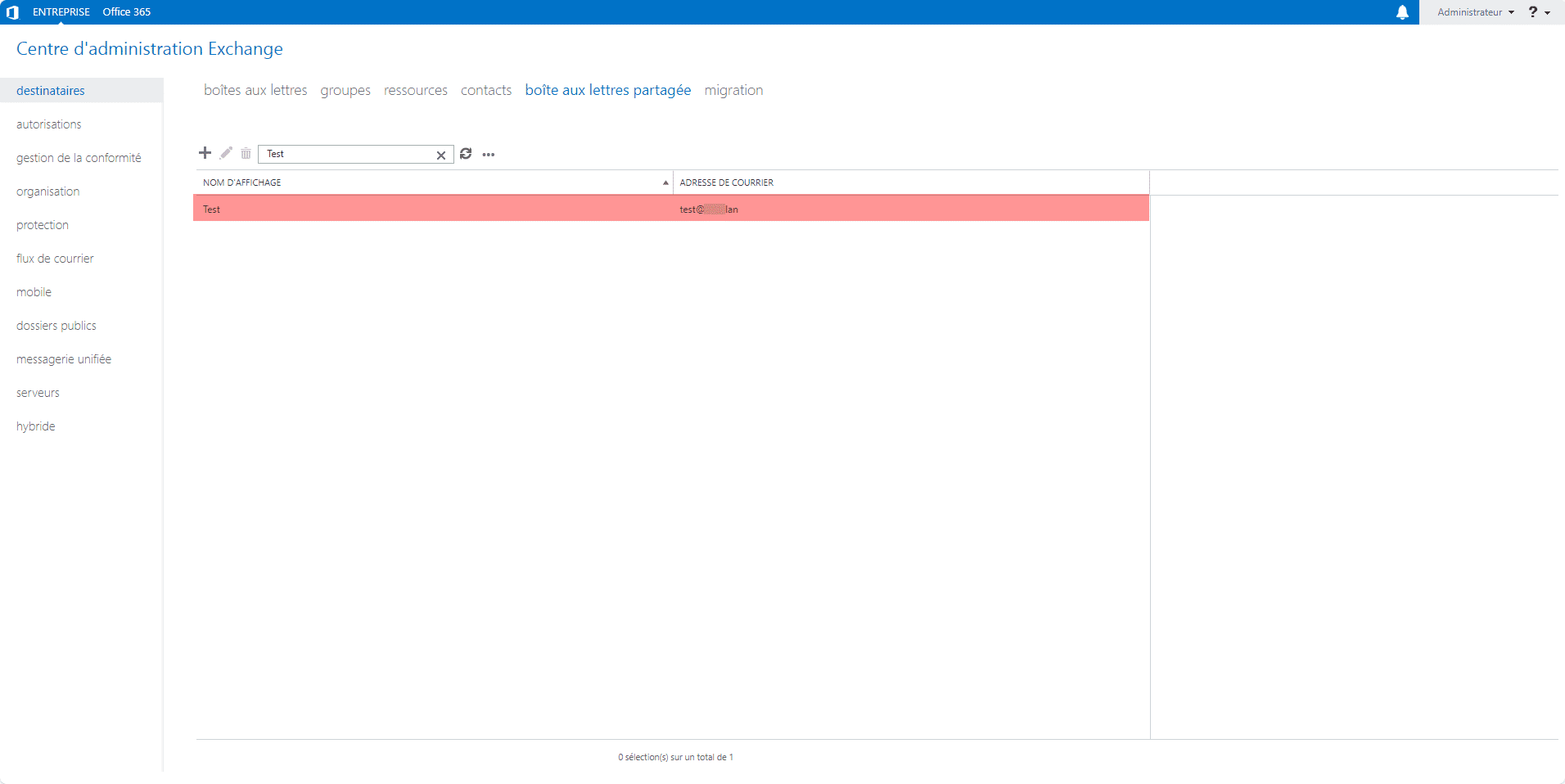
For now, it only has the default Full Access permissions.
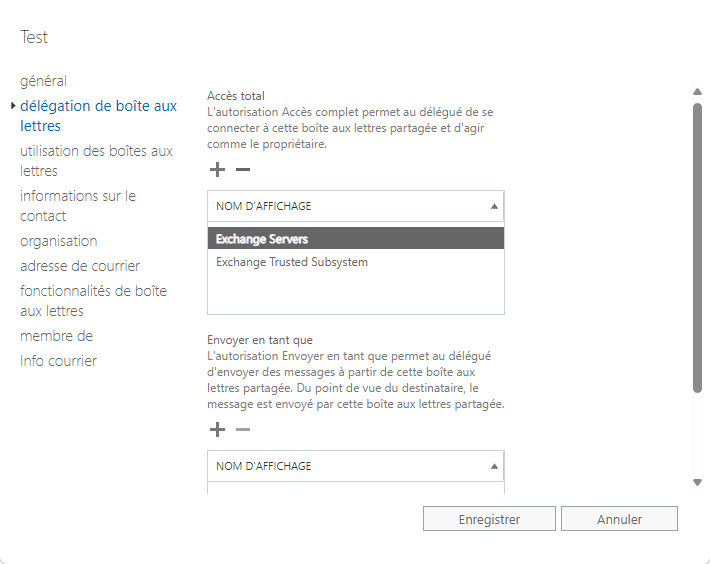
If we look at theActive Directory attribute, msExchDelegateListLinkit is empty.
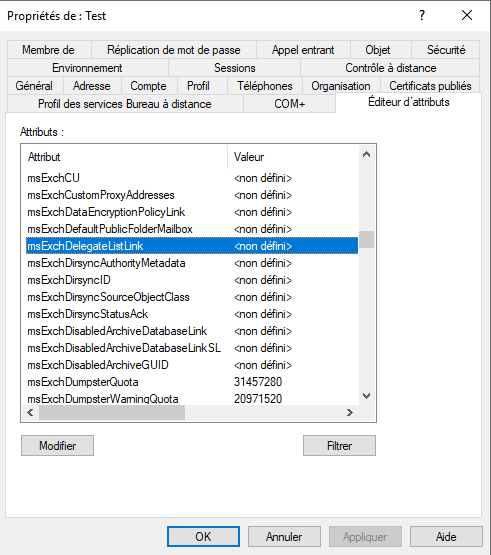
It’s through the attribute msExchDelegateListLinkthat auto-mapping occurs in the Outlook client.
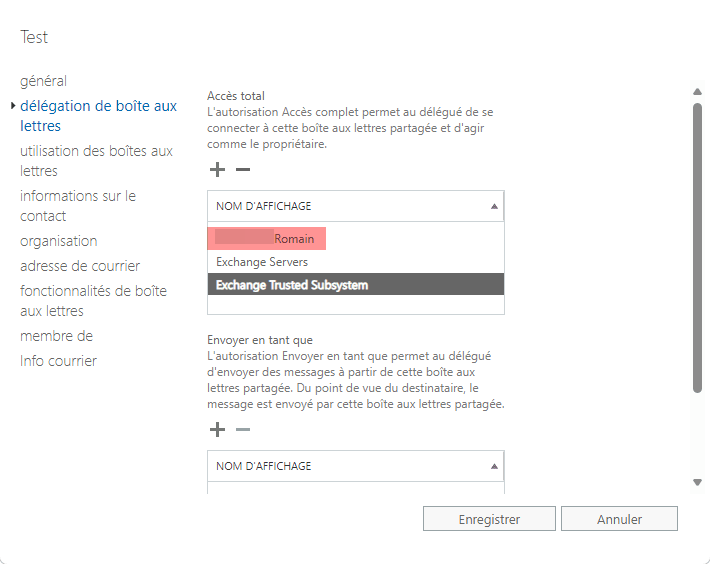
As shown in the screenshot below, I’ve granted myself Full Control access to the mailbox:
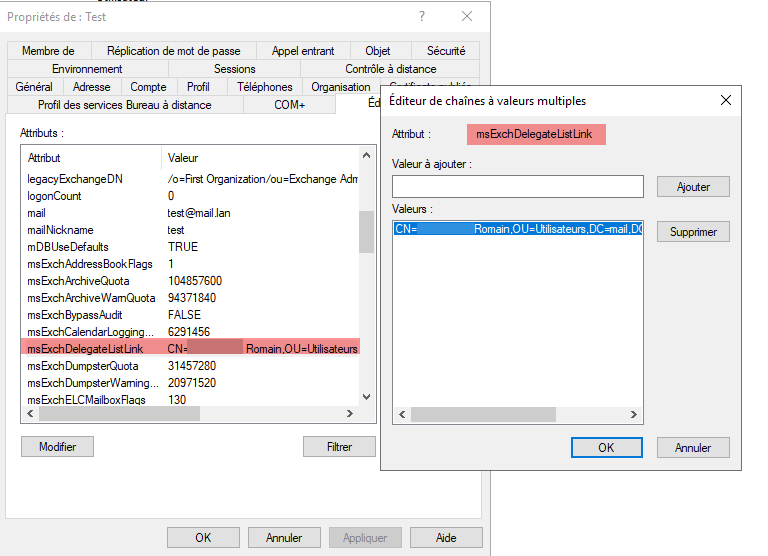
Once the permissions are applied, you can see that my user’s DN attribute is added to the *DN* attribute ofmsExchDelegateListLink the shared mailbox.
Now that we’ve reviewed how this works, let’s move on to a practical example using a security group.
Creating the security group for delegating permissions
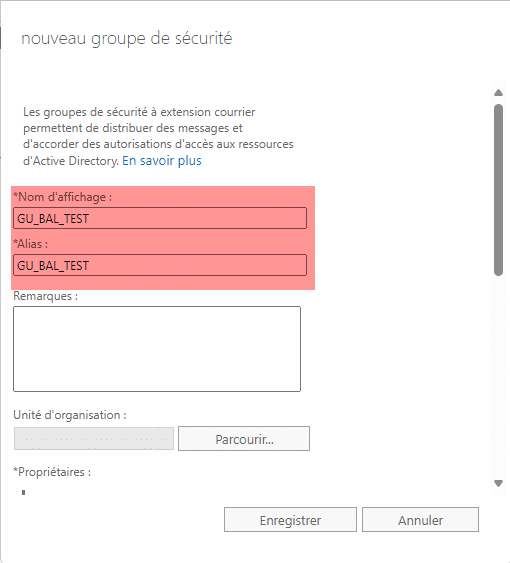
To ensure the security group is created correctly, we’ll use the Exchange Management Console (ECP) to create it by selecting “Create a new security group” from the management menu.
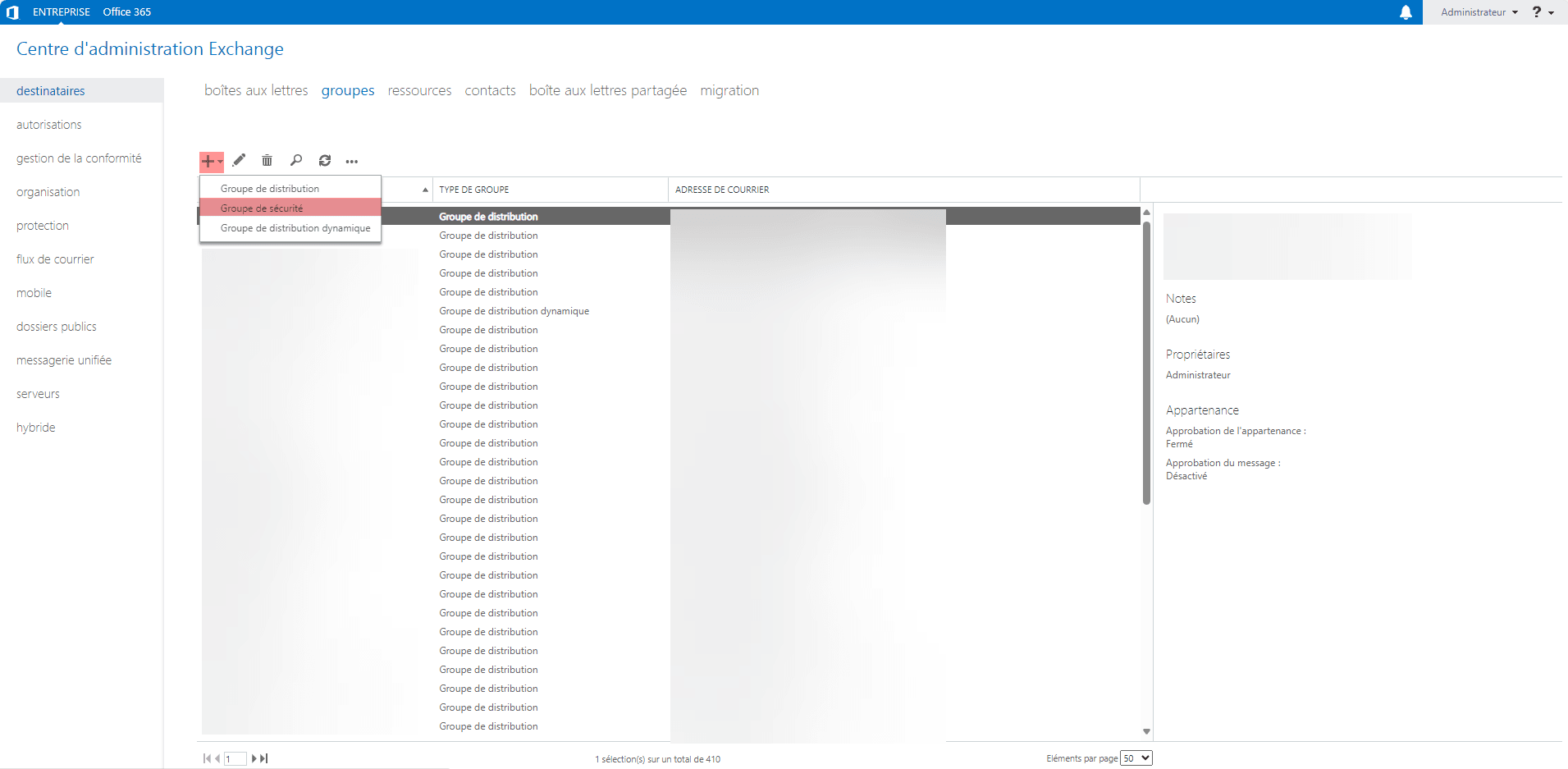
At a minimum, enter the group’s Display Name and Alias.
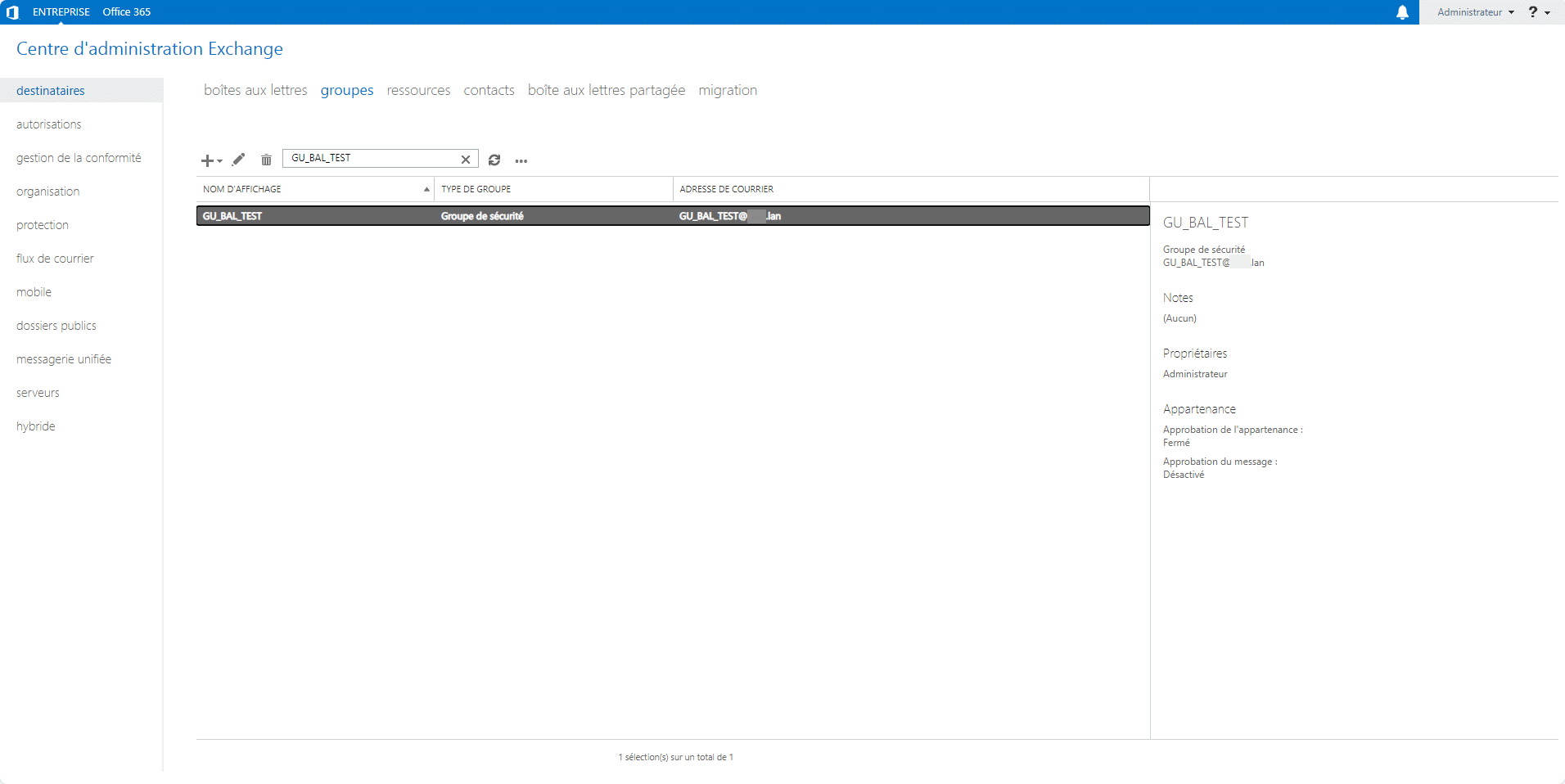
The security group has been created:
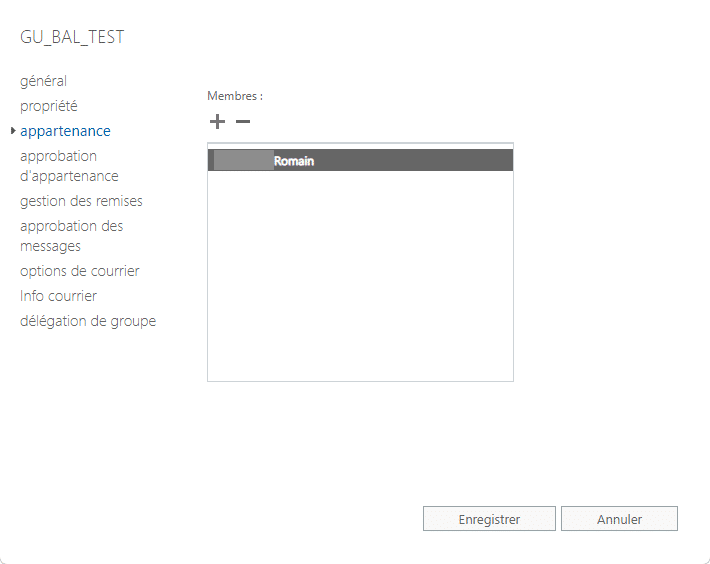
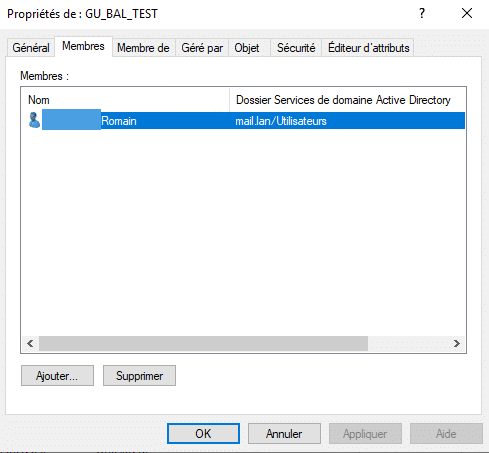
After creation, I added myself as a member of the group.
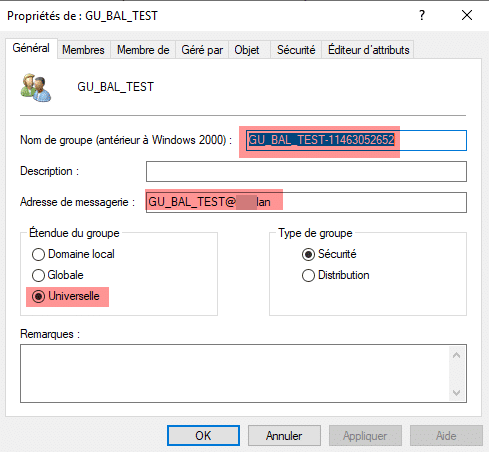
When viewing the group in the Users and Computers consoleActive Directory, you can see that the group’s scope is “Universal” and that an email address has been added. Incidentally, if you look at the group’s name, you’ll notice that a series of numbers has been appended to the end.
Incidentally, you can see that I am indeed a member of the group.
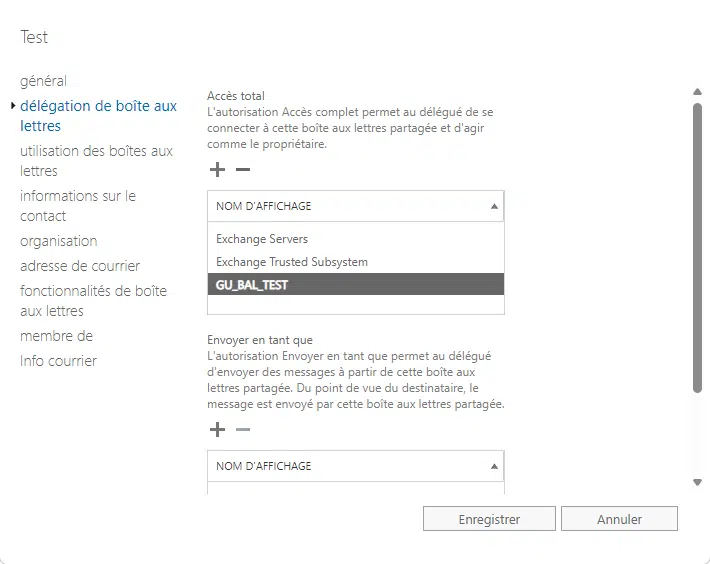
Delegation Configuration: Full Access
Back in the Exchange Management Console (EMC), I add the group to delegate full access.
After saving, if you check the […]Active Directory, you can see that the […], field msExchDelegateListLinkis empty.
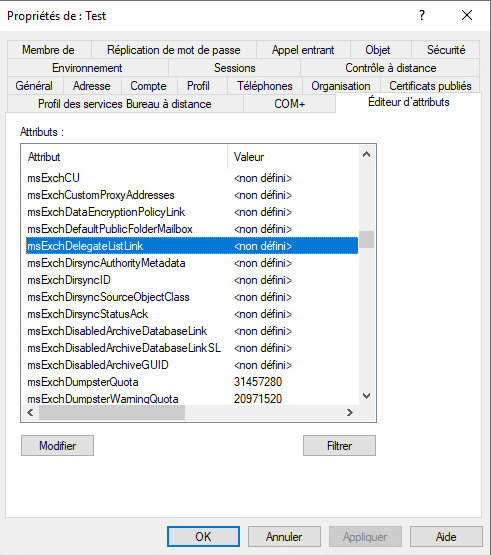
Exchange only adds the DN of user objects, not security groups, so the Outlook client’s auto-mapping does not work.
You can manually add the mailbox in Outlook or use the OWA web interface to access the shared mailbox. This isn’t necessarily convenient for users.
To enable auto-mapping, you must add the DNs of users who are members of the group to the attribute ofmsExchDelegateListLink the mailbox.
To do this, I’ve written a script that handles the process. When run, it will prompt for the SamAccountName or email address of the mailbox and will automatically update (add/remove) the attributemsExchDelegateListLink.
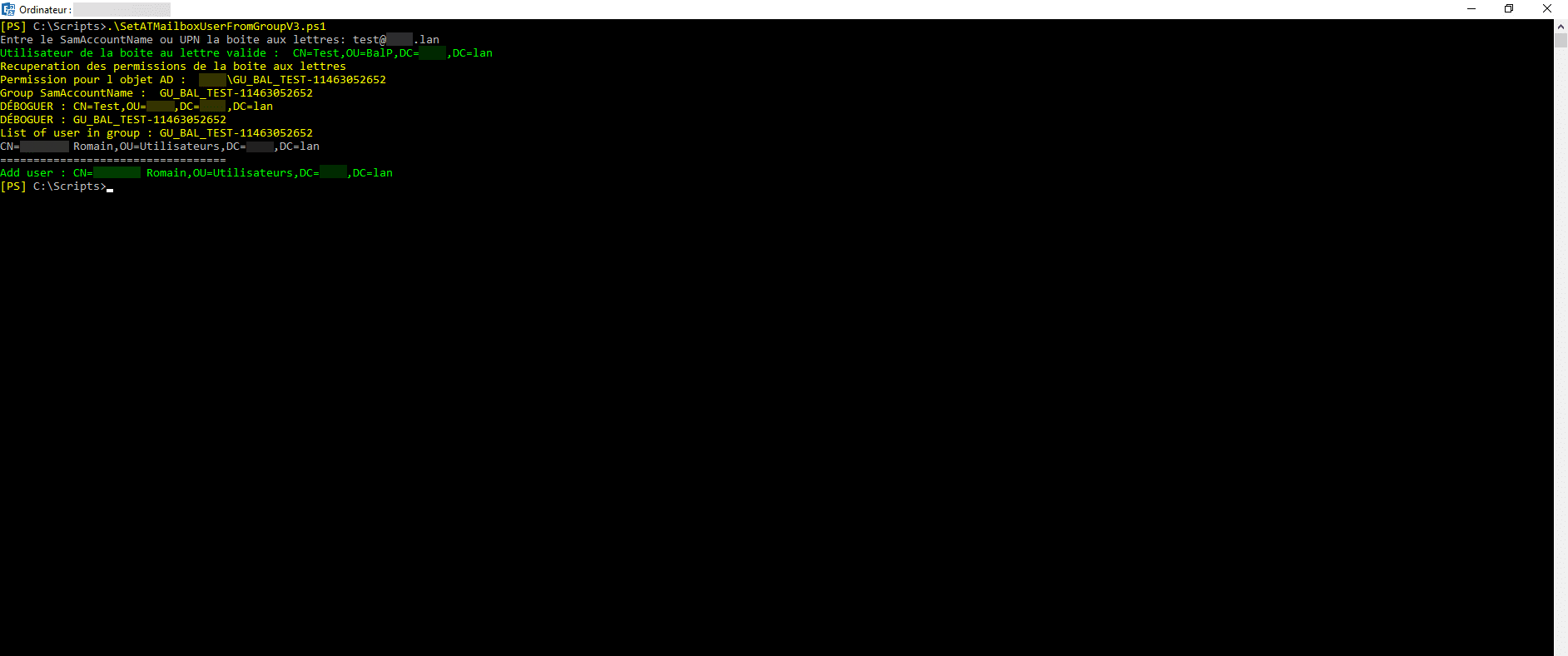
For this to work correctly, you must apply permissions only through groups, and the script must be run every time the group is updated.
Here is the script:
<#

    Versions :
      - 20240214 : Possibilite de recuperer une BAL avec UPN
      - 20240226 : Ajout de la recherche de la BAL avec l'attribut mail
#>
param(
    $Mailbox = ""
)

Import-Module ActiveDirectory
Add-PSSnapin Microsoft.Exchange.Management.PowerShell.SnapIn
$DebugPreference = 'Continue'

#
# START FUNCTIONS
#
function UpdateAutoMapping {

    param(
        $MailBoxDN='',
        $GroupForMailBox=''
    )

    $UserMembers = @()

    # Debug
    Write-Debug $MailBoxDN
    Write-Debug $GroupForMailBox

    $GroupMemberShip = (Get-ADGroupMember -Identity $GroupForMailBox | Where-Object 'ObjectClass' -EQ 'user' | Where-Object 'DistinguishedName' -NE $MailBoxDN).DistinguishedName
    $GroupMemberShip | ForEach-Object {$Usermembers += $_}
    Write-Host "List of user in group : $GroupForMailBox" -ForegroundColor Yellow
    $GroupMemberShip
    Write-Host "=================================="

    # Get Delegation In Box
    $MailboxDelegateList = (Get-ADUser -Identity $MailBoxDN -Properties msExchDelegateListLink).msExchDelegateListLink

    # Update Delegartion
    ## Remove
    ForEach ($MailboxDelegateListEntry in $MailboxDelegateList) {
        If ($UserMembers -notcontains $MailboxDelegateListEntry) {
            Set-ADUser -Identity $MailBoxDN -Remove @{msExchDelegateListLink="$MailboxDelegateListEntry"}
            Write-Host "Remove user : $MailboxDelegateListEntry" -ForegroundColor Red
        }
    }
    ## ADD
    ForEach ($UserMember in $UserMembers) {
        If ($MailboxDelegateList -notcontains $UserMember) {
            Set-ADUser -Identity $MailBoxDN -Add @{msExchDelegateListLink="$UserMember"}
            Write-Host "Add user : $UserMember" -ForegroundColor Green
        }
    }
}

function IsValidEmail{
    param([string]$EmailAddress)

    try {
        $null = [mailaddress]$EmailAddress
        return $true
    }
    catch {
        return $false
    }
}

#
# END FUNCTIONS
#

#
# MAIN
#

if( $Mailbox -eq "" ){
    $Mailbox = Read-Host "Entre le SamAccountName ou UPN la boite aux lettres"
}

if( IsValidEmail -EmailAddress $Mailbox ){
    # Get User objet of mailbox by UPN
    try{
        $UserInfos = Get-ADUser -Filter {UserPrincipalName -eq $Mailbox} -Properties *

        if( $UserInfos -eq $null ){
            Write-Host "Boite aux lettres non trouvee par UPN, essaie par email" -ForegroundColor Yellow
            $UserInfos = Get-ADUser -Filter {mail -eq $Mailbox} -Properties *
        }

        if( $UserInfos -eq $null ){
            Write-Host "Utilisateur non trouver par UPN et par Email" -ForegroundColor Red
            exit
        }

        $Mailbox = $UserInfos.SamAccountName
        Write-Host "Boite aux lettres trouvee, le  SamAccountName est : " $Mailbox
        Write-Host "Le DN de l'utilisateur de la boite au lettre est : " $UserInfos.DistinguishedName -ForegroundColor Green
    }
    catch{
        Write-Warning "La boite n a pas ete trouvee"
        exit 99
    }
}else{
    # Get User objet of mailbox
    try{
        $UserInfos = Get-ADUser -Identity $Mailbox
        Write-Host "Utilisateur de la boite au lettre valide : " $UserInfos.DistinguishedName -ForegroundColor Green
    }
    catch{
        Write-Warning "L utilisateur de la boite n a pas ete trouve"
        exit 99
    }
}

Write-Host "Recuperation des permissions de la boite aux lettres" -ForegroundColor Yellow

$Permissions = Get-MailboxPermission -Identity "$Mailbox" | Where-Object{($_.IsInherited -eq $false) -and ($_.User -ne "NT AUTHORITY\SELF") -and ($_.AccessRights -like "FullAccess")}

if( $Permissions.count -eq 0 ){
    Write-Warning "Pas de droits trouves a appliquer sur la boite aux lettres"
    exit 99
}

foreach( $Permission in $Permissions){
    $GroupGrandRight = ""
    Write-Host "Permission pour l objet AD : " $Permission.user -ForegroundColor Yellow

    try{
        $GroupGrandRight = Get-AdGroup -Identity $Permission.user.SecurityIdentifier.value -ErrorAction SilentlyContinue
    }catch{
        Write-Warning "L Objet n est pas un groupe AD"
    }

    if( $GroupGrandRight ){
        Write-Host "Group SamAccountName : " $GroupGrandRight.SamAccountName -ForegroundColor Yellow
        UpdateAutoMapping -MailBoxDN $UserInfos.DistinguishedName -GroupForMailBox $GroupGrandRight.SamAccountName
    }
}
As you can see, to use security groups to grant Full Control access to (shared) mailboxes, you must also create an associated group, add members to it, and run the script.
Bonus: Script for creating shared mailboxes and the group
As a bonus, here’s a PowerShell script you can use when creating shared mailboxes, which will also prompt you to create a group and assign it to the mailbox in the delegation options. Afterward, you’ll need to add users to the group and then run the script above.
#
# Script de creation de boite mail
#
param(
    $OU = "OU=SharedMailbox,DC=domain,DC=lan",
    $GroupOU = "OU=Goups,DC=domain,DC=lan",
    #$Password = ""
    $MXDB = "Default Dabatase",
    $EmailAdr = "",
)

Import-Module ActiveDirectory
Add-PSSnapin Microsoft.Exchange.Management.PowerShell.SnapIn

function IsValidEmail{
    param([string]$EmailAddress)

    try {
        $null = [mailaddress]$EmailAddress
        return $true
    }
    catch {
        return $false
    }
}

function GetAliasFromEmail{
    param([string]$EmailAddress)

    $CharArray = $EmailAddress.Split("@")

    return $CharArray[0]
}

$MBType = Read-Host "Quelle type de boites aux lettre [U]tilisateur / [P]artagee / [R]essource ?"


$EmailAdr = Read-Host "Saisir l'adresse Email (UPN) de la boite partagee "

# Check if $EmailAdr is correct
if( !(IsValidEmail -EmailAddress $EmailAdr) ){
	Write-Host "Adresse email incorrecte ($EmailAdr) ! Arret du script, relancer le pour faire la creation du compte." -ForegroundColor Red
	exit
}

# Get alias for create Mailbox
$Alias = GetAliasFromEmail -EmailAddress $EmailAdr

# Create Mailbox
try{
	New-Mailbox -Shared -Name $EmailAdr -DisplayName $EmailAdr -PrimarySmtpAddress $EmailAdr -Database $MXDB -OrganizationalUnit $OU -Alias $Alias
}
catch{
	Write-Host "Une erreur est survenu pendant la creation de la boite aux lettres ! "
	exit 99
}

# Process group for set Right
$CreateGroup = Read-Host "Voulez vous creer un groupe pour gerer les autorisations [O/n]"

if( $CreateGroup -eq "n" ){
	exit
}

# Prompt for group name
$GroupName = Read-Host "Saisir le nom du groupe sous le format GU_BAL_ALIAS"

# Set group to Upper
$GroupName = $GroupName.ToUpper()

# Create Group
New-DistributionGroup -Name $GroupName -Type "Security" -OrganizationalUnit $GroupOU

# Pause 5 sec
Write-Host "Wait 5 secondes ..." -ForegroundColor Gray
Start-Sleep -Seconds 5

# Hidde Group from Address book
Set-DistributionGroup -Identity $GroupName -HiddenFromAddressListsEnabled $true

# Add permissions
Add-MailboxPermission $EmailAdr -User $GroupName -AccessRights FullAccess -InheritanceType All
Start-Sleep -Seconds 2
Add-RecipientPermission $EmailAdr -AccessRights SendAs -Trustee $GroupName

Write-Host "Boite aux lettres partagee creee" -ForegroundColor Green

exit