In this tutorial, I’ll explain how to replace the SSL certificate on ADFS (Active DirectoryFederation Services). This step is necessary when renewing an expired certificate or one that is about to expire, in order to ensure the continuity of the authentication service and secure communication between users and the ADFS server. We’ll go through the process step by step to import the new certificate, apply it to the service, and verify that everything is working correctly.
We will cover the procedure for both the ADFS server and the proxy server.
Install / import the new certificate
To begin, you will need the new certificate in PFX format along with its private key; this must be imported onto the servers into the computer’s certificates in the personal store.
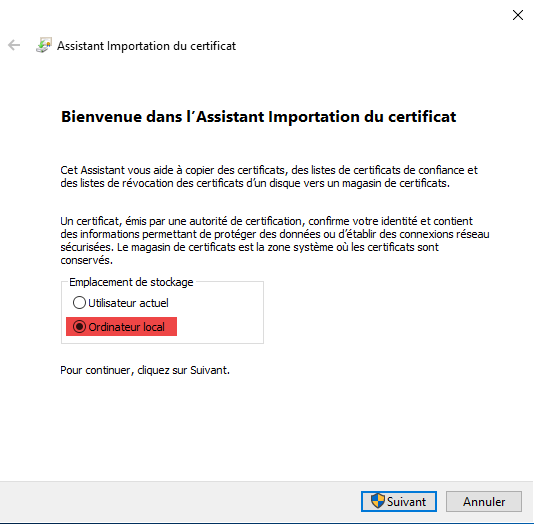
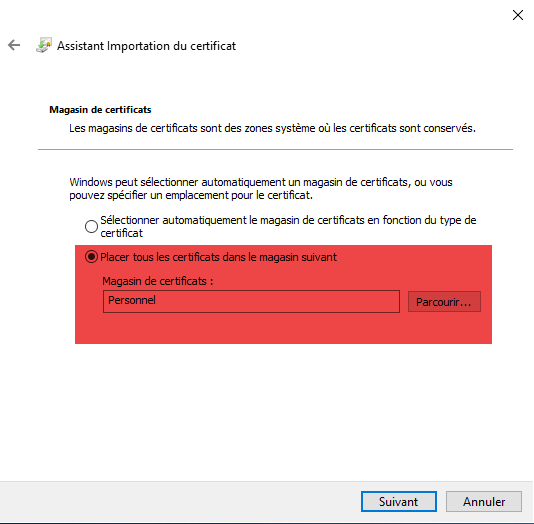
Once the certificate is installed on the servers, retrieve its digital thumbprint, which will be used later in PowerShell commands
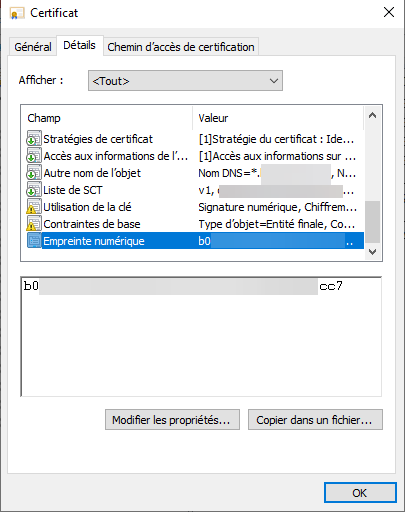
Change the certificate on the ADFS server
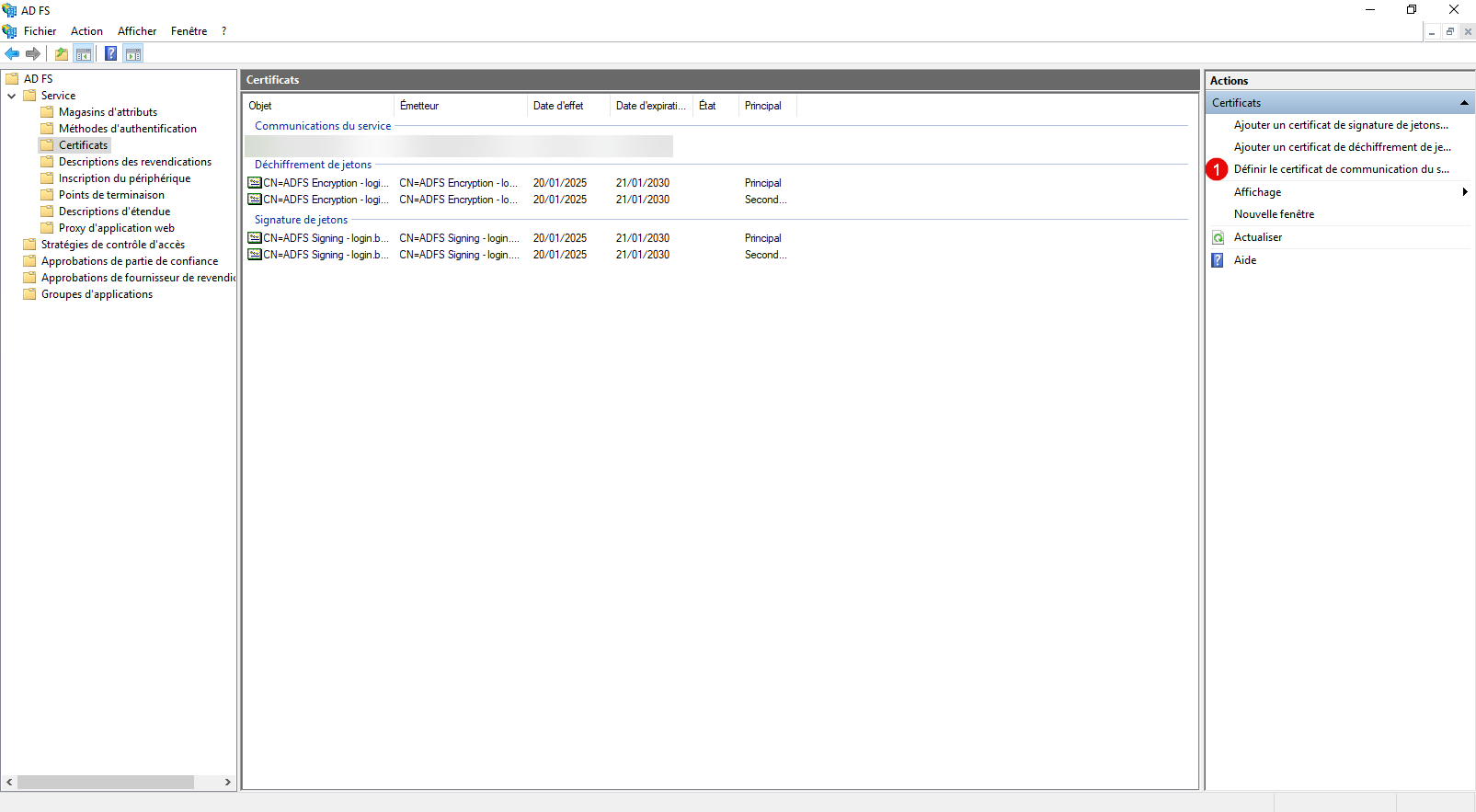
We’ll start by changing the certificate on the ADFS server. Open the ADFS Management Console, go to Service > Certificates, and in the Actions pane, click Set Communication Certificate 1 .
In the list of certificates that appears, select the new certificate 1 and click OK 2 to select it.
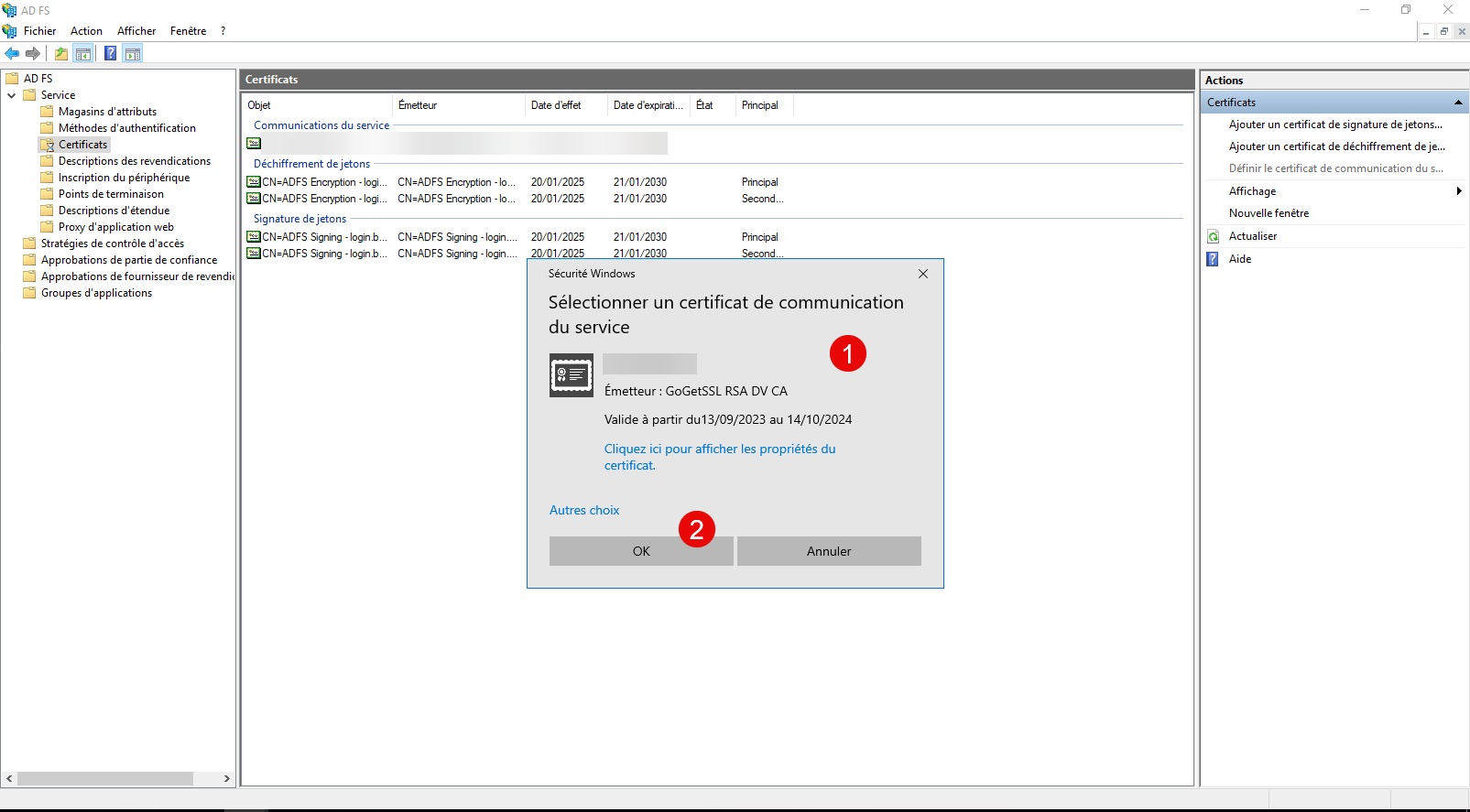
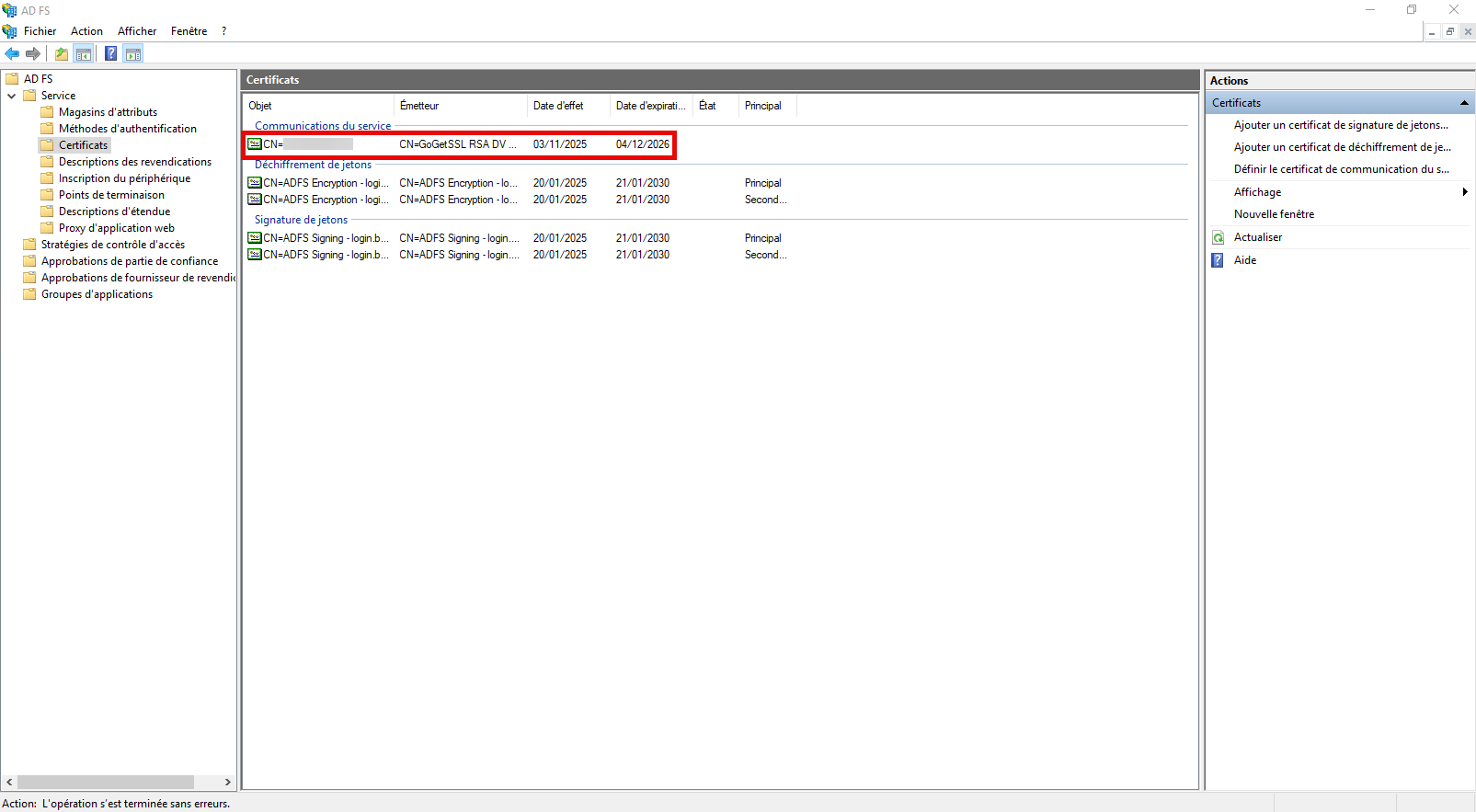
Then verify in the ADFS console that it is selected.
Now, open a PowerShell command prompt.
Enter the following command to set the certificate on the HTTPS connection:
Set-AdfsSslCertificate -Thumbprint <THUMBPRINT-CERTIFICAT>
Restart the ADFS service for the changes to take effect:
Restart-Service ADFSSRV
The certificate has been changed on the ADFS server. If you are not using the ADFS proxy server internally, test the functionality.
Change the certificate on the ADFS Proxy server
Logically, if you publish your federation server to the Internet, you do so through an ADFS Proxy (WAP) server; you must also update the certificate on that server.
At this point, you should have installed the certificate on the server as explained at the beginning.
Open a PowerShell command prompt as an administrator.
We’ll start by importing the certificate; enter the following command:
Set-WebApplicationProxySslCertificate -Thumbprint <THUMBPRINT-CERTIFICAT>
The following step may not be necessary; in some cases, you need to re-establish the trust relationship between the Proxy server and the main ADFS server using the local administrator account created during the ADFS server deployment.
$Credential = Get-Credential

Install-WebApplicationProxy -FederationServiceTrustCredential $Credential  -CertificateThumbprint <THUMBPRINT-CERTIFICAT> -FederationServiceName adfs.domain.tld
Finally, restart the ADFS proxy server:
Restart-Computer
Conclusion
By following the steps in this tutorial, you have successfully replaced the SSL certificate on your ADFS server. This process ensures uninterrupted authentication and maintains optimal security for your users. Be sure to regularly monitor your certificates’ expiration dates to avoid any service interruptions.