By default, this feature is not enabled, the paths are checked during a problem.
Enable path verification
Open a PowerShell command prompt and enter the following command to check the status of PathVerificationState:
Get-MPIOSetting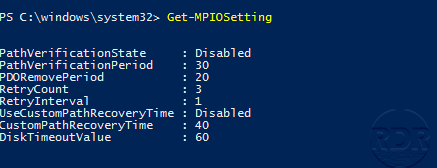
To enable path checking, enter the following command:
Set-MPIOSetting -NewPathVerificationState Enabled
Restart the server to take account of the configuration.
