For more than ten years, the Microsoft Deployment Toolkit (MDT) has been one of the most popular solutions for automating Windows deployment. Many companies continue to use it today, but its development has now stalled, and its architecture is beginning to show its limitations in the face of current needs.
It is against this backdrop that PSWinDeploy was born—a project developed entirely in PowerShell with the goal of offering a modern solution that is easy to maintain and well-suited to today’s infrastructures.
github.com/rdrouche/PSWinDeploy
Why Create an Alternative to MDT?
MDT remains an excellent solution for automating Windows installation. However, system administrators frequently cite several issues:
- a lack of significant development over the past several years;
- dependence on legacy components;
- customization can sometimes be complex;
- difficulty integrating deployments into modern DevOps processes;
- storage of part of the configuration in formats that are ill-suited for versioning.
- Discontinued by Microsoft
The idea behind PSWinDeploy is not to replicate MDT exactly, but to retain what works while simplifying its architecture.
A philosophy: relying entirely on PowerShell
One of the project’s founding principles is to minimize dependencies as much as possible.
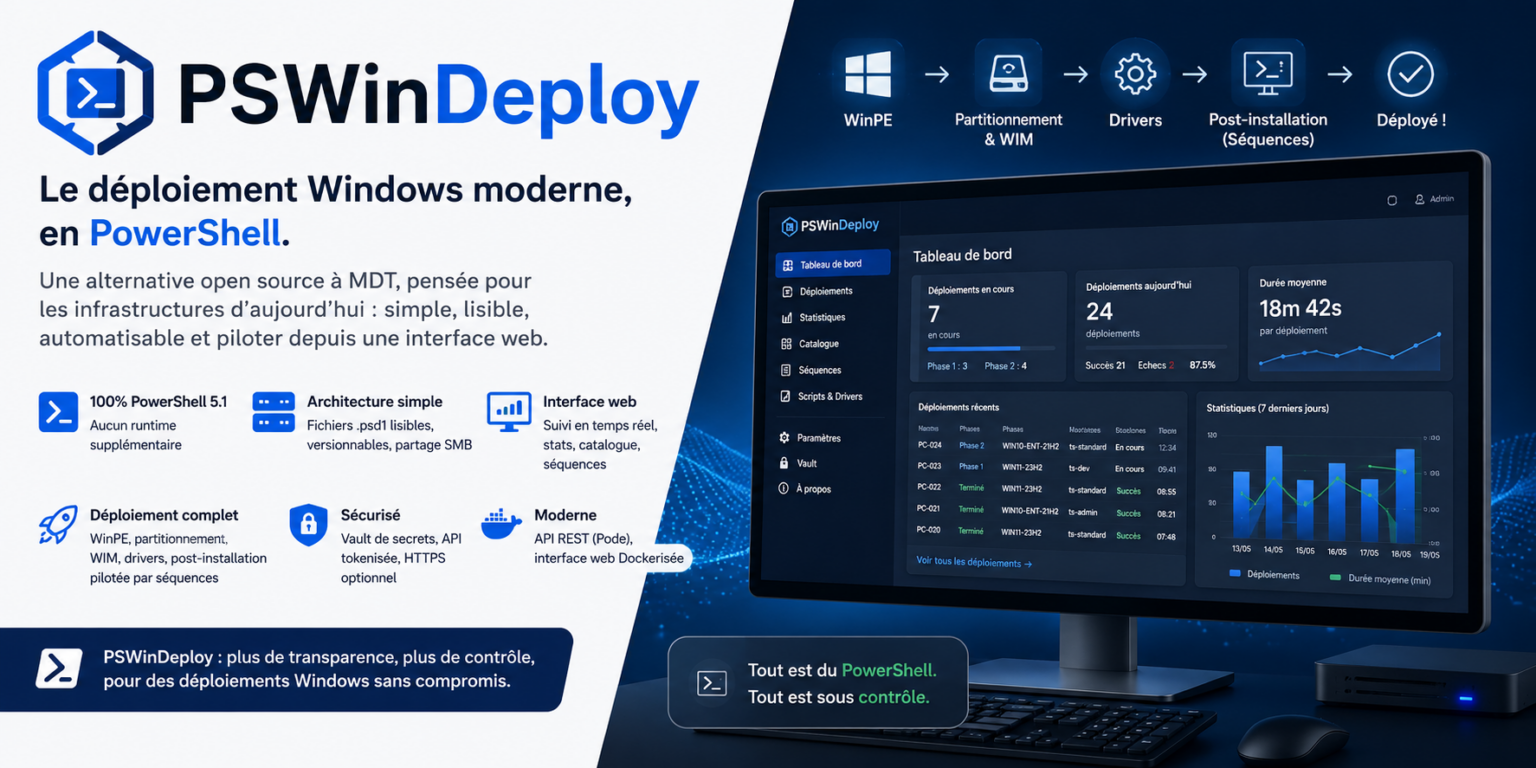
PSWinDeploy runs entirely on PowerShell 5.1, which is available natively on Windows. No additional runtime is required.
Configurations use .psd1 files, which are easy to read, can be versioned with Git, and can be edited without proprietary tools.
Resources (images, drivers, scripts, or applications) are simply stored on SMB shares, eliminating the need to set up a complex infrastructure.
A two-phase deployment
Unlike many solutions that chain all operations together in a single process, PSWinDeploy clearly distinguishes between two stages.
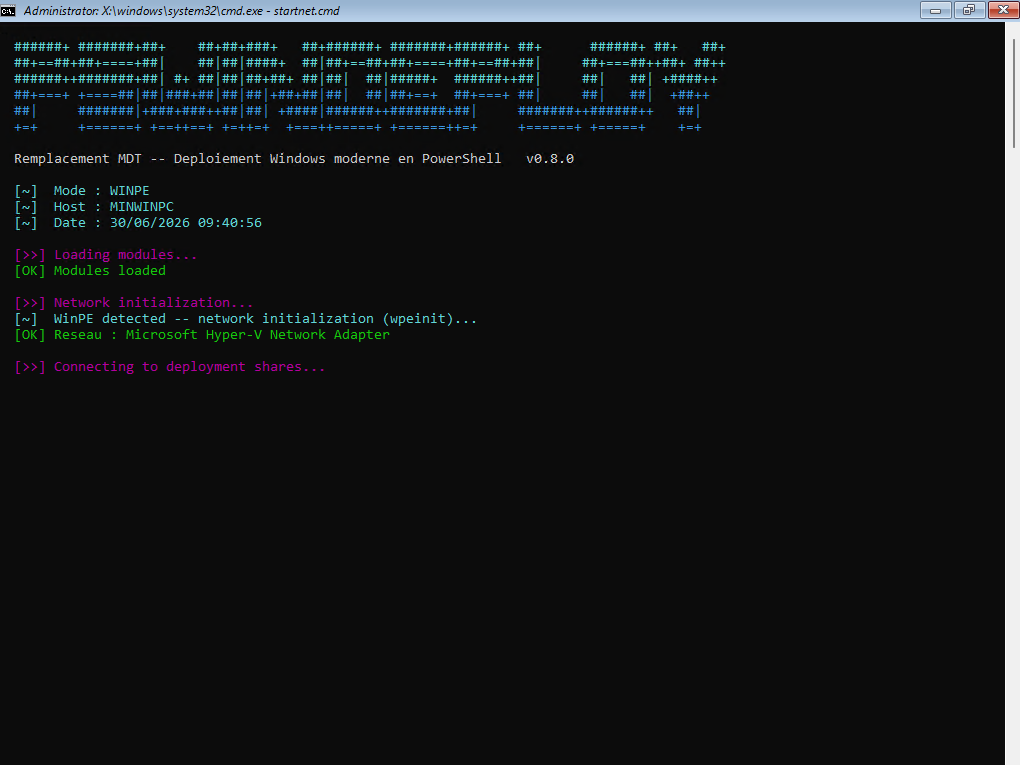
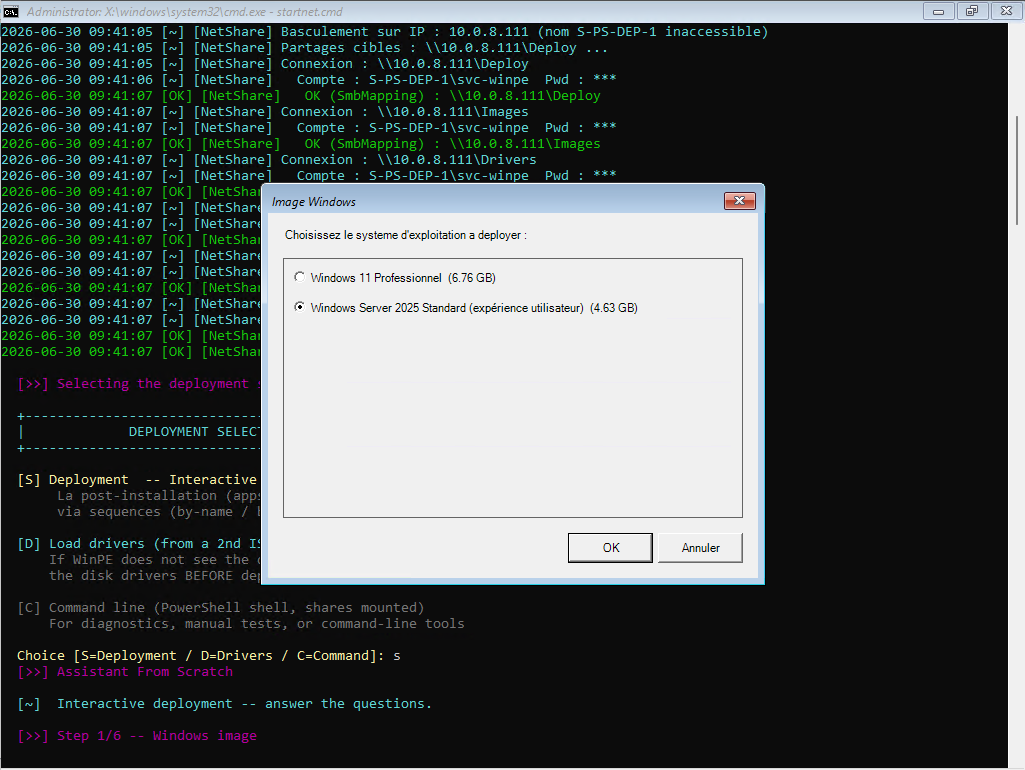
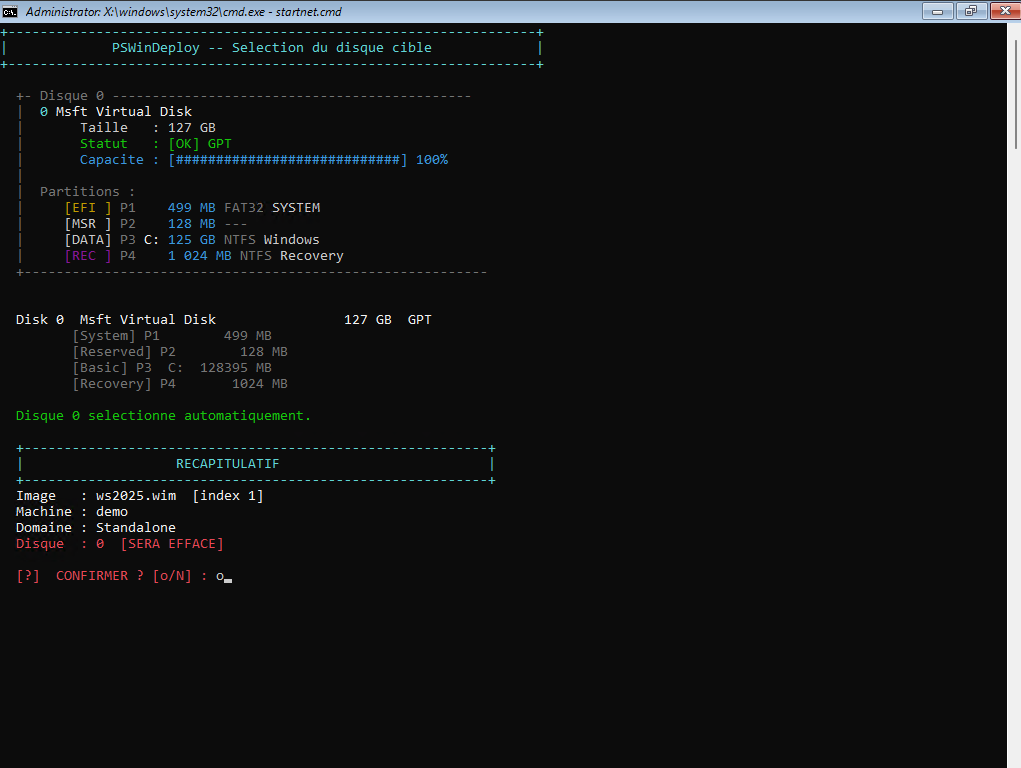
Phase 1: WinPE
This first stage fully prepares the machine.
It handles, in particular:
- disk selection;
- partitioning;
- formatting;
- applying the Windows image (WIM);
- driver injection;
- preparing for the next phase.
Once these operations are complete, the machine restarts in Windows.
Phase 2: Post-installation
After the first boot, a sequence engine takes over.
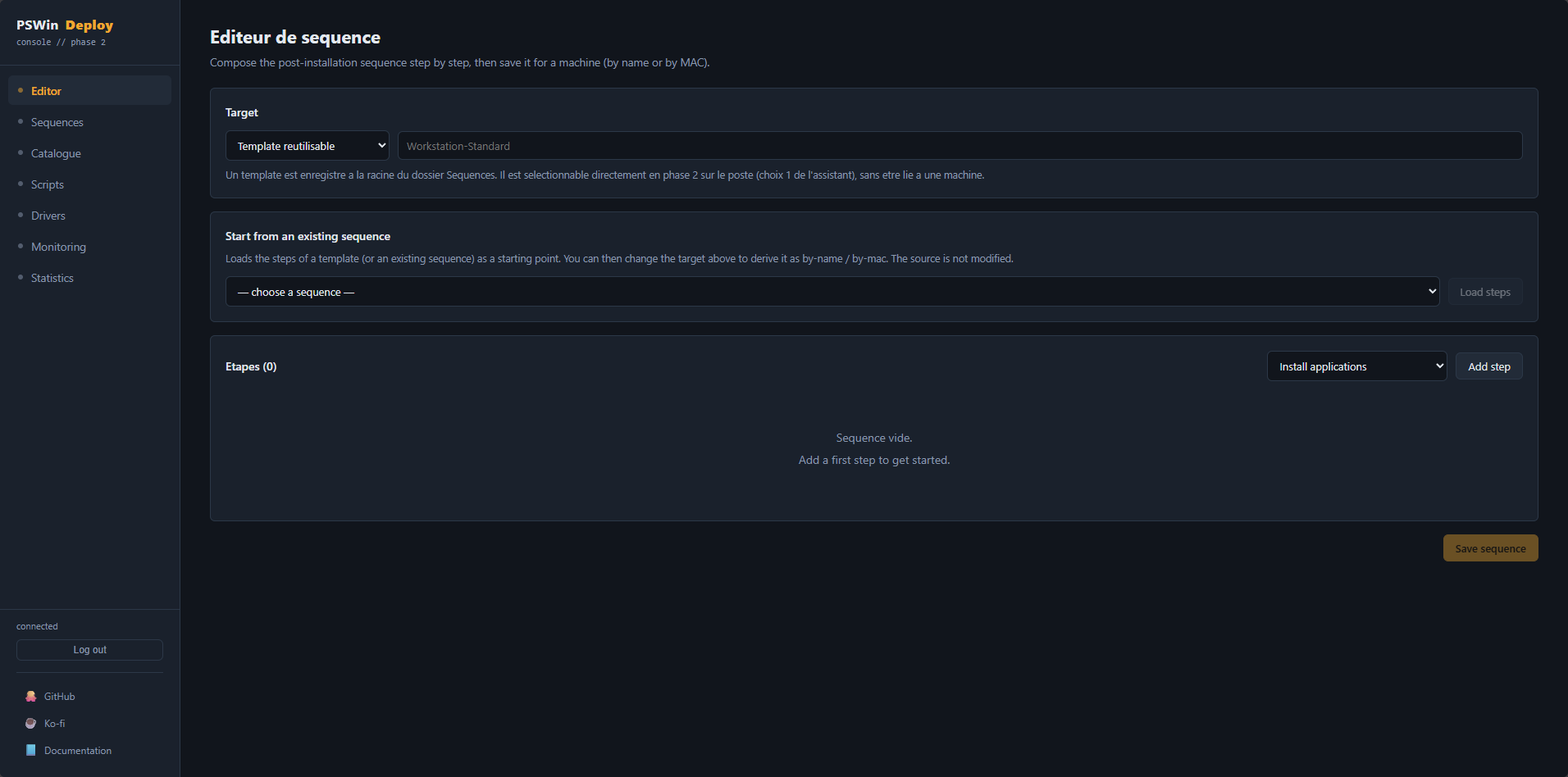
Each deployment is driven by a PowerShell sequence that may include steps such as:
- waiting for network availability;
- joining the domainActive Directory;
- installing Windows updates;
- deploying software;
- running custom scripts;
- displaying an interactive wizard if necessary.
This approach facilitates debugging while making deployments much more modular.
A web interface for monitoring deployments
PSWinDeploy is not limited to PowerShell scripts.
DockerThe project also includes a web interface, running in a container, that allows you to monitor all deployments.
From this interface, you can:
- monitor deployments in real time;
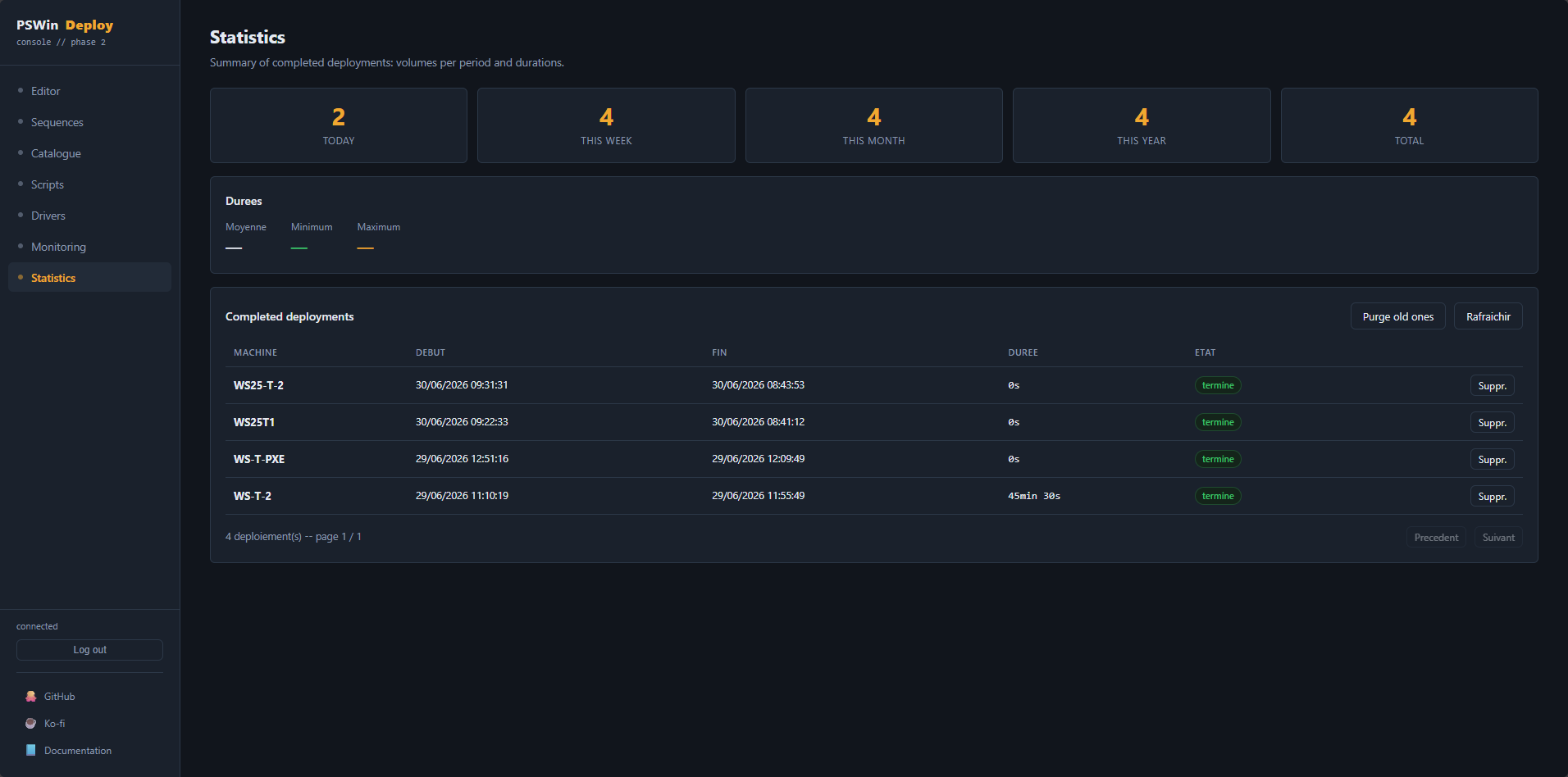
- view detailed statistics;
- manage an application catalog;
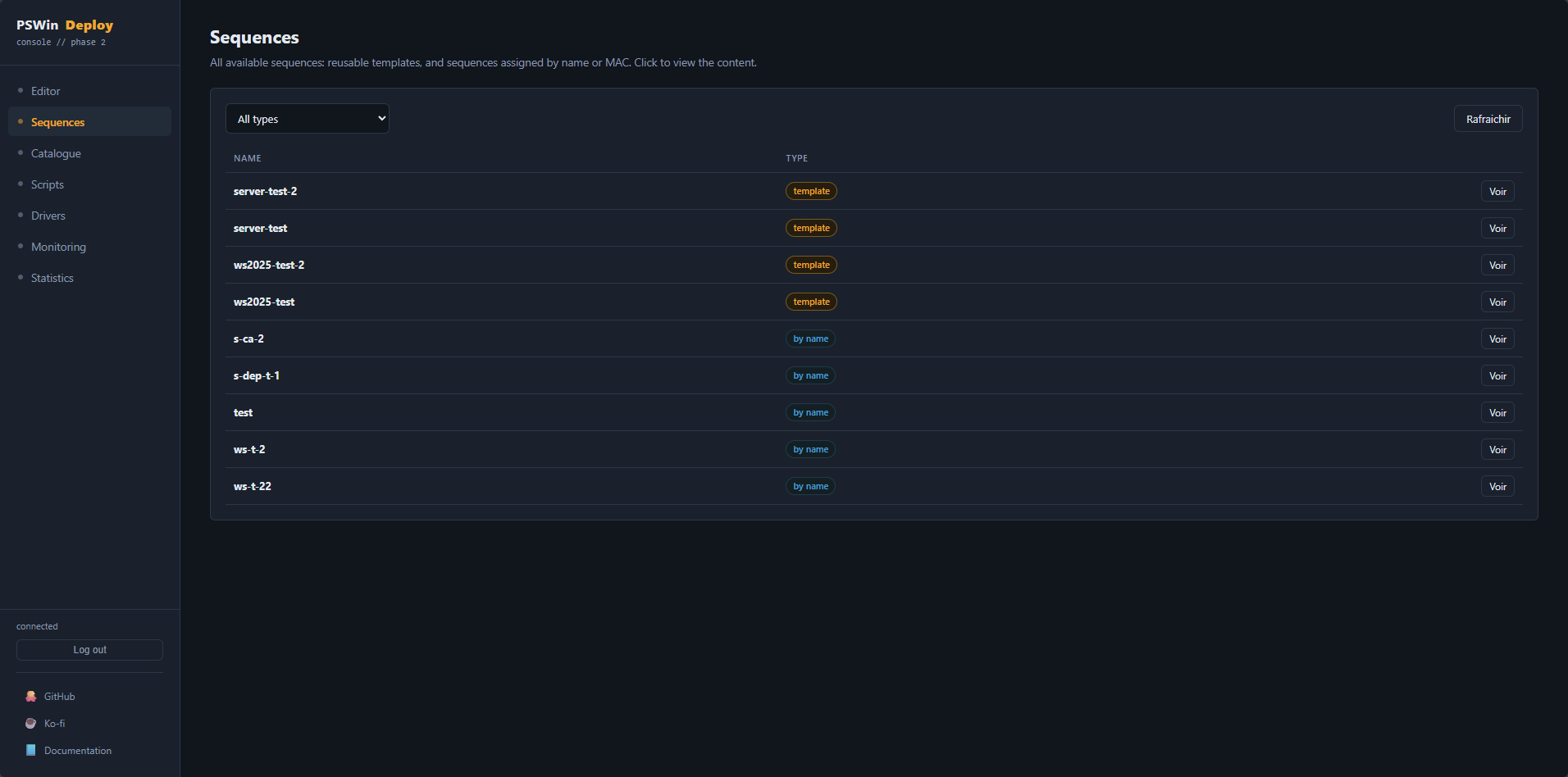
- view and modify post-installation sequences;
- browse available scripts and drivers.
All information comes from a REST API developed with Pode, which centralizes the data and events reported by workstations currently being deployed.
An architecture designed for simplicity
The goal of PSWinDeploy is to remain easy to understand.
Each component has a well-defined role:
- a PowerShell administration console;
- a REST API;
- a web interface;
- a sequence engine;
- a secret management system;
- readable configuration files.
This separation makes it easier to scale the project while simplifying its maintenance.
Security has not been overlooked
Although the project prioritizes simplicity, several security mechanisms are already built in.
Secrets can be stored in a secure vault, communications with the API are protected by an authentication token system, and the web interface never transmits sensitive information to the browser.
It is also possible to enable HTTPS to secure communication between the various components.
A project that’s constantly evolving
PSWinDeploy is now fully functional and in use in test environments.
However, development remains very active. Several features are already planned for future versions, including:
- even more advanced sequence management;
- more customization options via the web interface;
- the internationalization of the project.
The goal is to gradually offer a solution capable of replacing MDT in many scenarios while remaining true to a simple philosophy: readable files, native PowerShell, and an open architecture.
Conclusion
Windows deployment is evolving, as are the expectations of system administrators. Today’s needs often go beyond simply deploying a system image: automation, real-time monitoring, integration with Git, web interfaces, and easily maintainable architectures are becoming essential criteria.
PSWinDeploy aligns with this trend by offering a modern, fully PowerShell-based approach, while retaining the flexibility that made MDT so successful.
The project is still in its early stages, but it is already laying the groundwork for a Windows deployment solution designed for the infrastructures of today and tomorrow.