In this tutorial, I will explain how to block updates to a specific package on Ubuntu using apt-mark.
In some situations, it may be necessary to block one or more packages during updates on Ubuntu, especially when making updates automatically with Ansible.
To illustrate this tutorial, we will start from a concrete case, from a Ubuntu server with Nginx which is installed as Reverse proxy, for specific needs, you have compiled an additional module yourself. If the Nginx package is updated automatically, it is likely that when the update is applied, the Nginx service will not start again, as it tries to load a module that is compiled with another version.
To solve this problem, it is possible to block automatic updates for a specific package using apt-mark.
Table Of Content
Block Update for Package
Use of apt-mark hold to block the package update:
sudo apt-mark hold Which gives Nginx:
sudo apt-mark hold nginxSee packages blocked by apt-mark
To view the list of packages whose updates are blocked:
sudo apt-mark showhold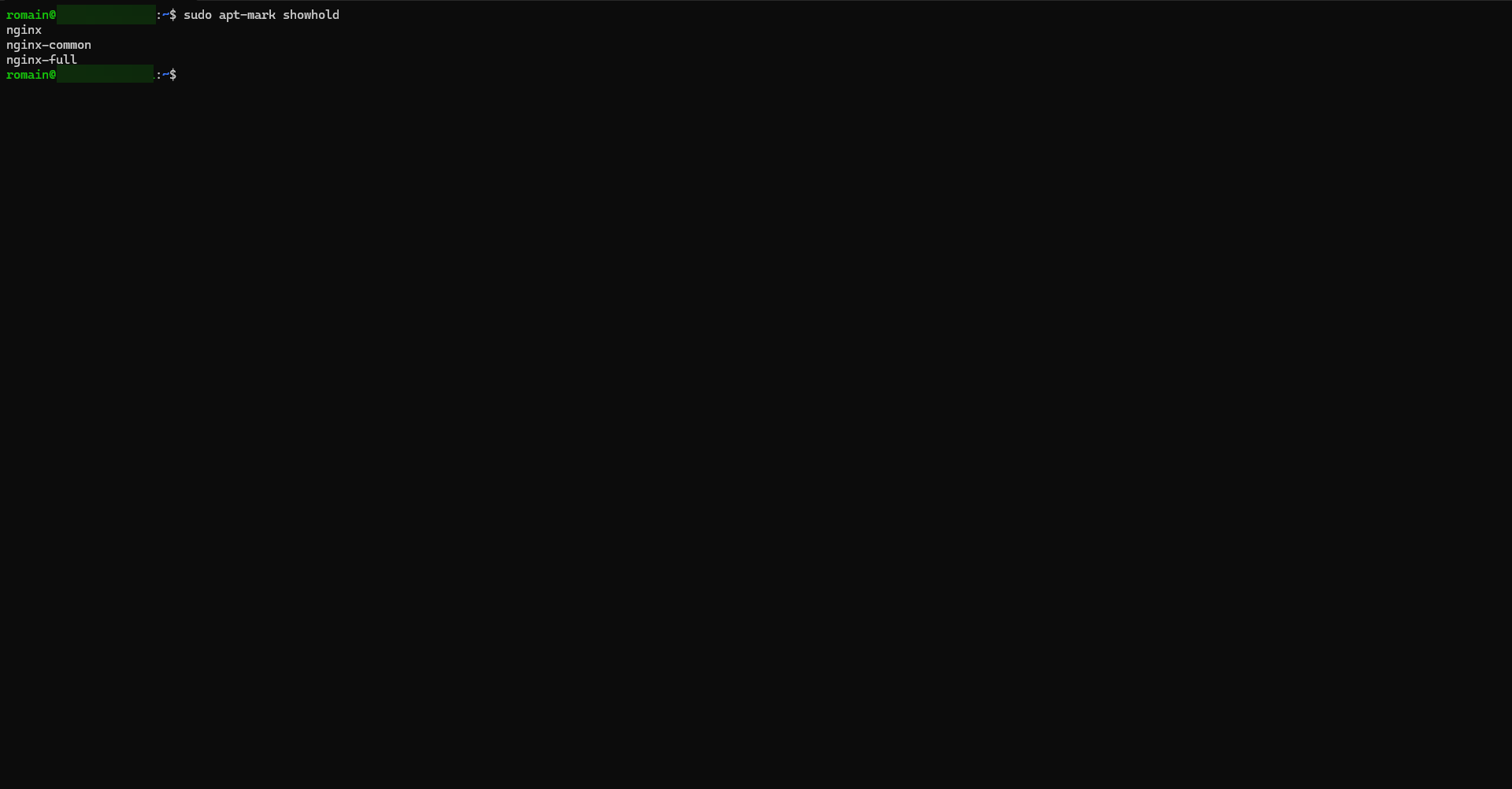
Here we can see that the different packages linked to Nginx are blocked.
Unlock Package Update
To unblock the update:
sudo apt-mark unhold FAQ
How can I tell if a package is blocked under Ubuntu?
Use the command: apt-mark showhold
This displays the list of packages whose update is blocked.
How do I unlock a package to update it?
If you want to update a blocked package, use:sudo apt-mark unhold <paquet>
sudo apt update && sudo apt upgrade
Is it risky to block the update of a package?
Yes, that can be the case if the package contains a security vulnerability. Blocking the update should be temporary and carefully considered, especially on a production server.
Now you know how to block updating a package under Ubuntu, it’s a simple but very useful operation to keep your system in control. With the command apt-mark hold, you can freeze a version and avoid unwanted updates. This ensures the stability of your environment, especially on production servers. However, think of lifting the blockage (apt-mark unhold) when you want to apply a security update or a new version of the package.
