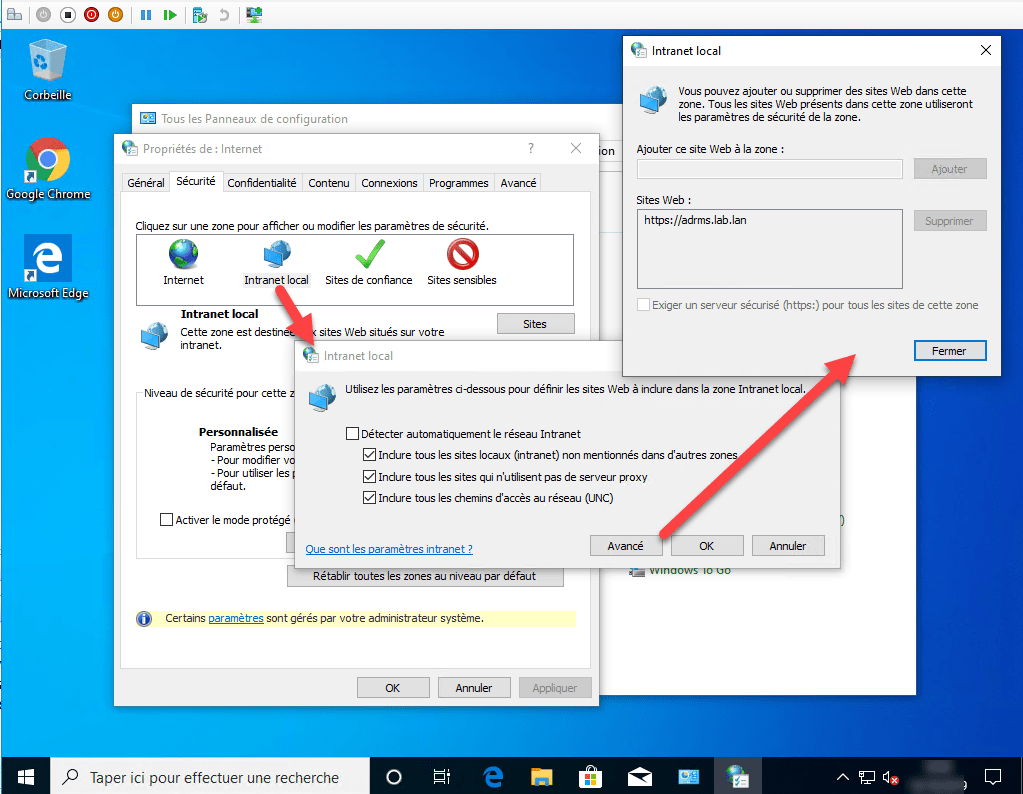
In this tutorial, I will explain how to add websites to the Local Intranet area of Internet Options.
This type of manipulation is carried out when you want to activate SSO on certain applications so that the “identifiers” are automatically passed through the browser.
Table Of Content
Group Policy Configuration – GPO
From the Group Policy Management console, Create a new group policy in the desired location, to do this right-click and click Create a GPO in this domain, and link it here 1.

Name the group policy 1 and click OK 2.

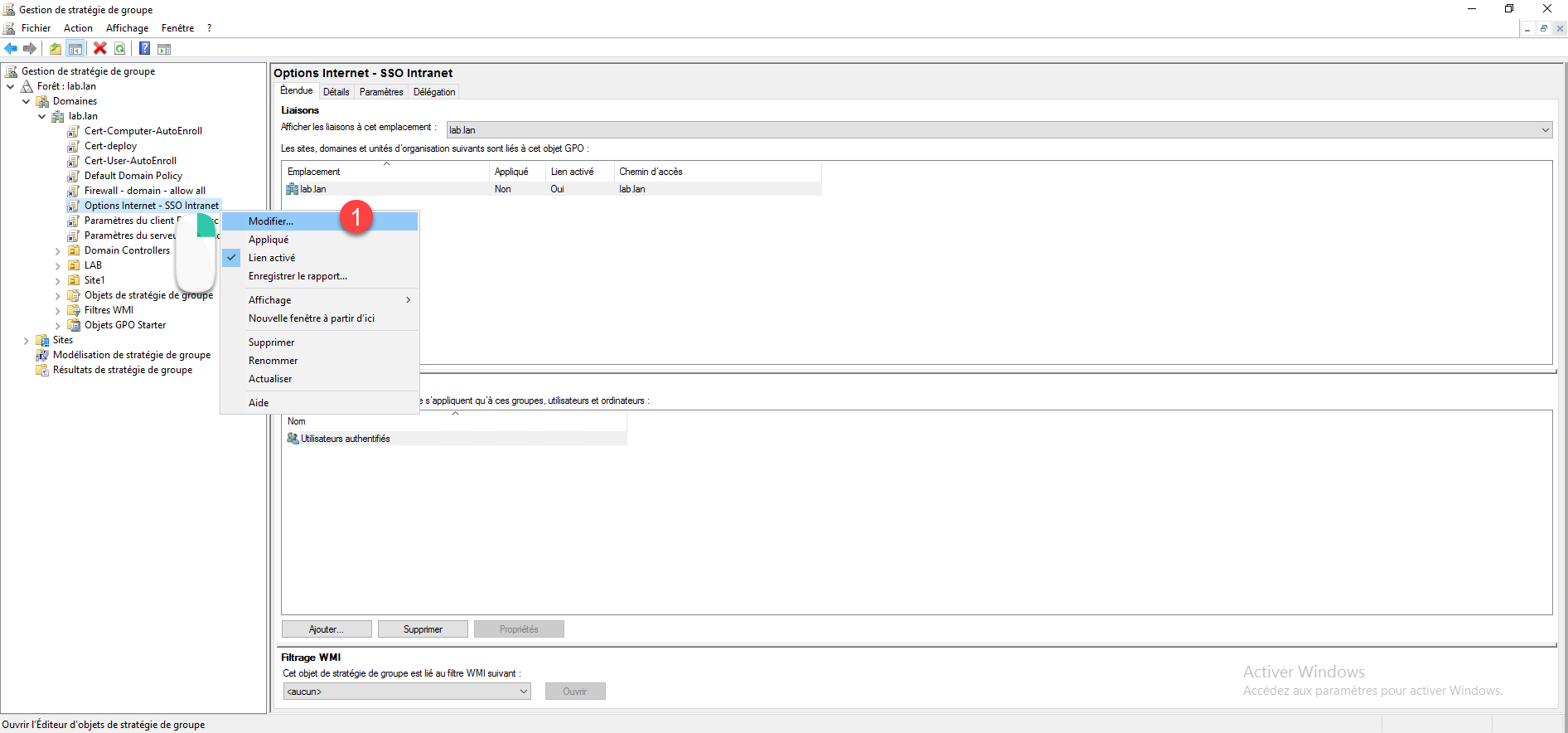
Edit the newly created group policy, right-click on it and click Edit 1.
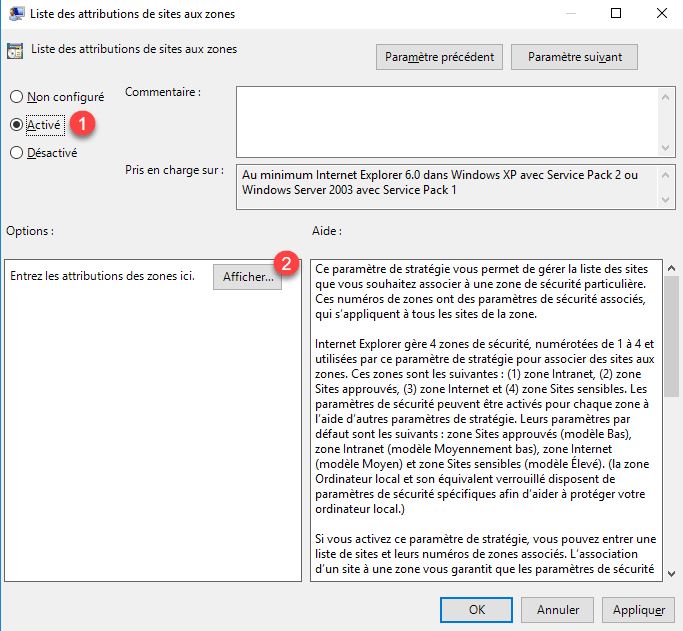
Find the List of site assignments to zones 1 setting, which is located at: User Configuration / Administrative Templates / Windows Components / Internet Explorer / Internet Control Panel / Security Tab.

Enable the 1 parameter and click on the 2 button to configure the URLs.
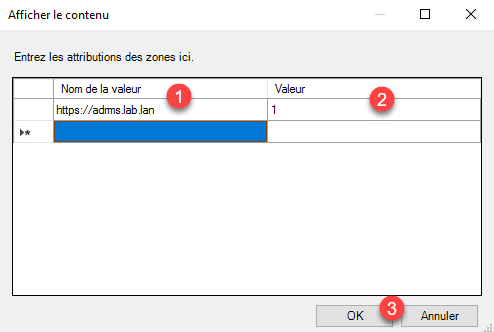
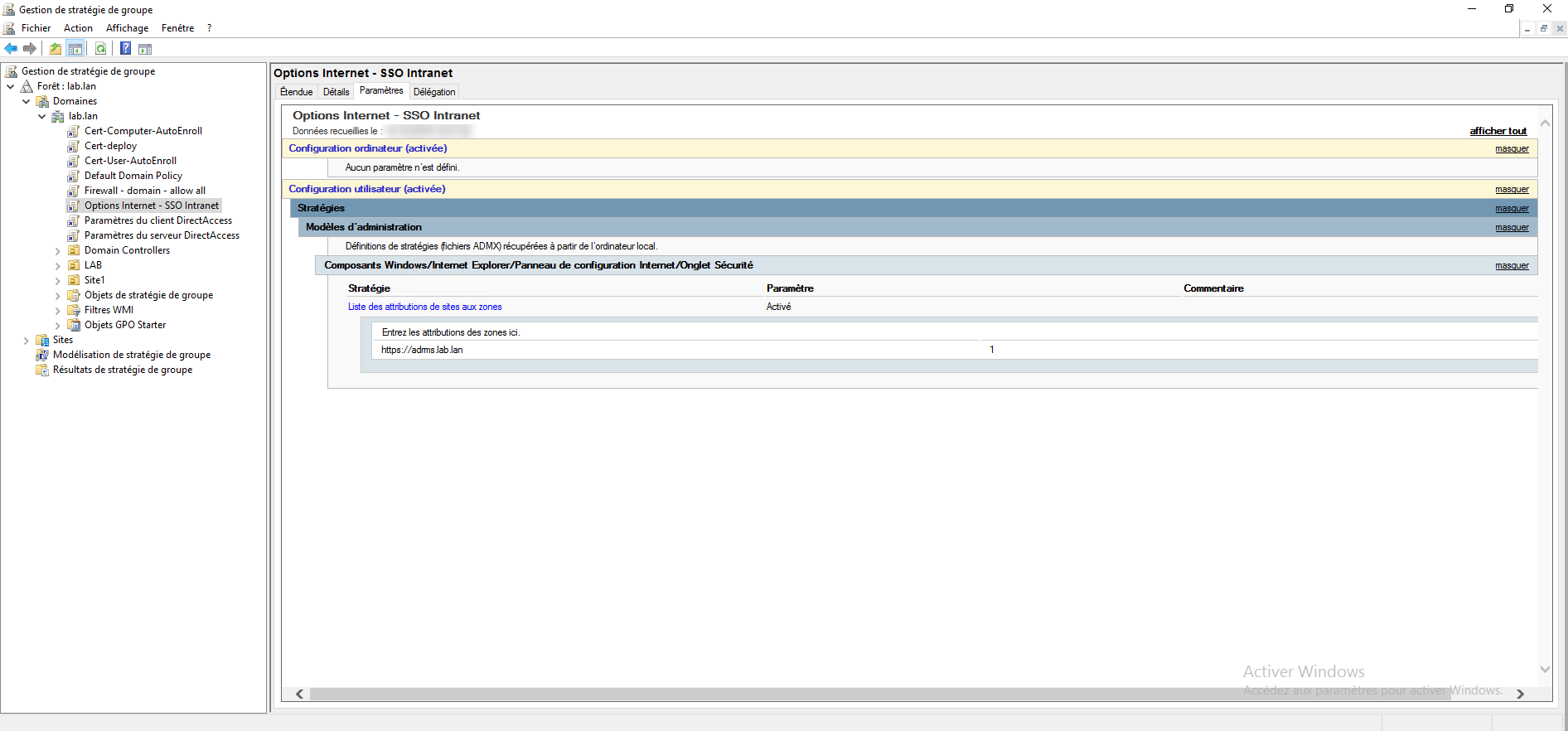
Fill in the table, the Value Name column corresponds to the URL 1 and the value corresponds to the zone 2, the number 1 corresponds to the Intranet. Click OK 3 to save and close the window.
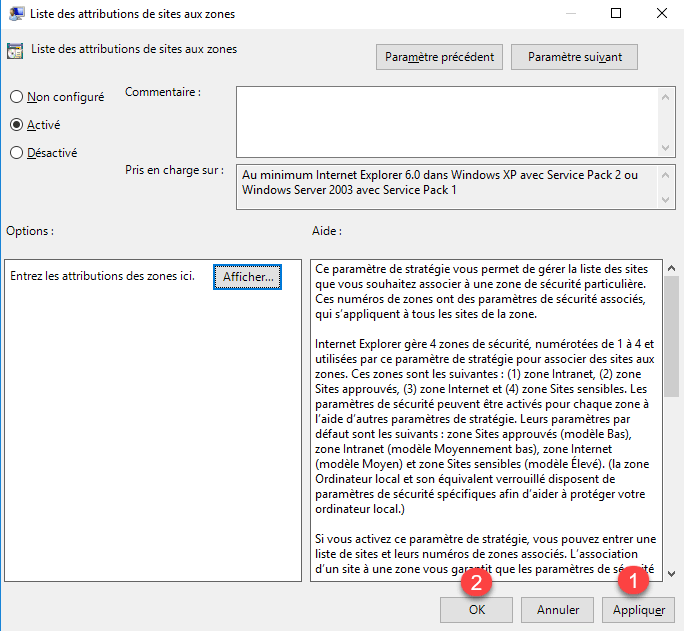
Click Apply 1 to save the settings and then OK 2 to close the setting window.
Group Policy Overview:
Microsoft Edge: Additional configuration
In case you want to set up SSO with Microsoft Edge, it is necessary to apply an additional setting.
If you haven’t already, download the ADMX files and install them.
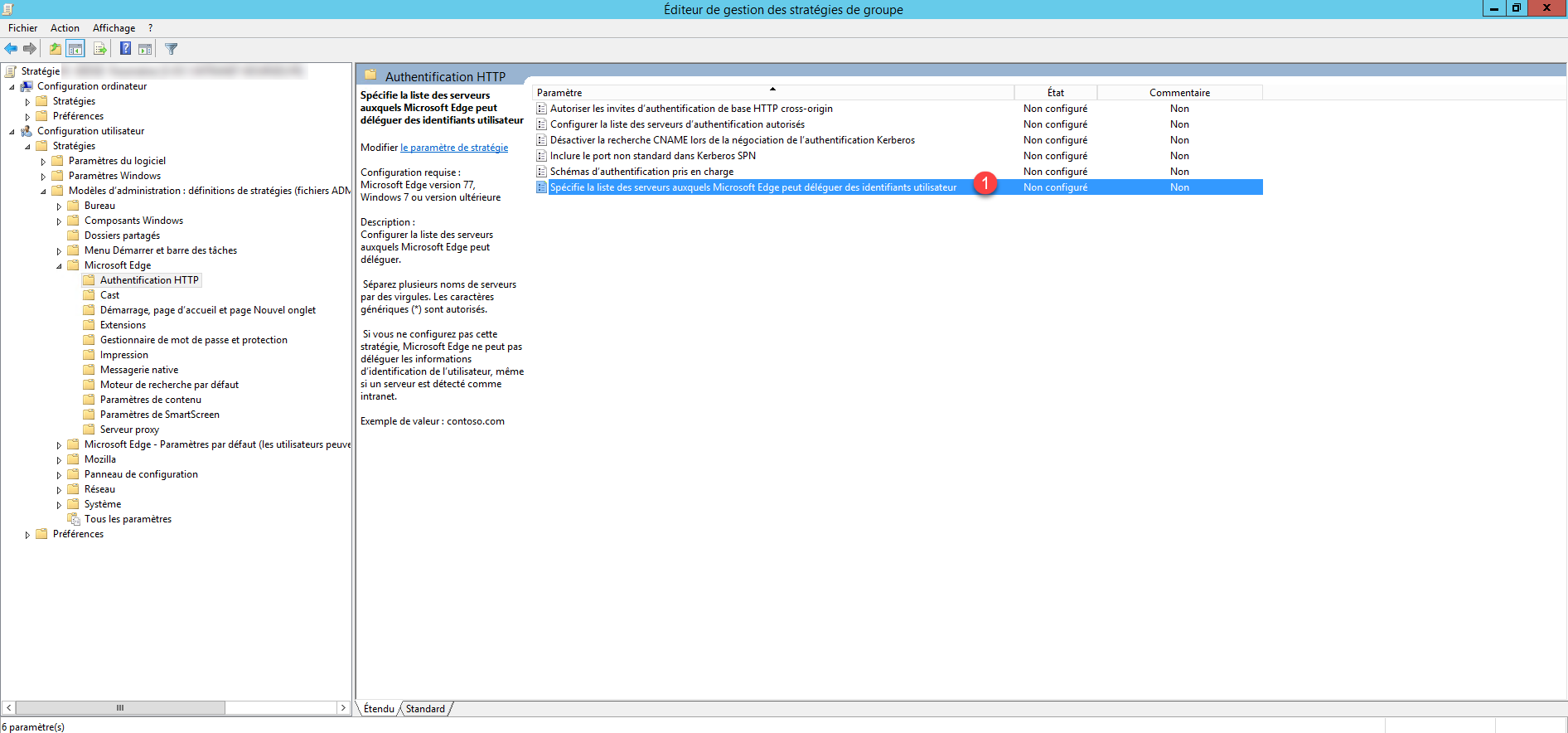
Look for the setting Specifies the list of servers to which Microsoft Edge can delegate user credentials 1 which is located: User Configuration / Policies / Administrative Templates / Microsoft Edge / HTTP Authentication.
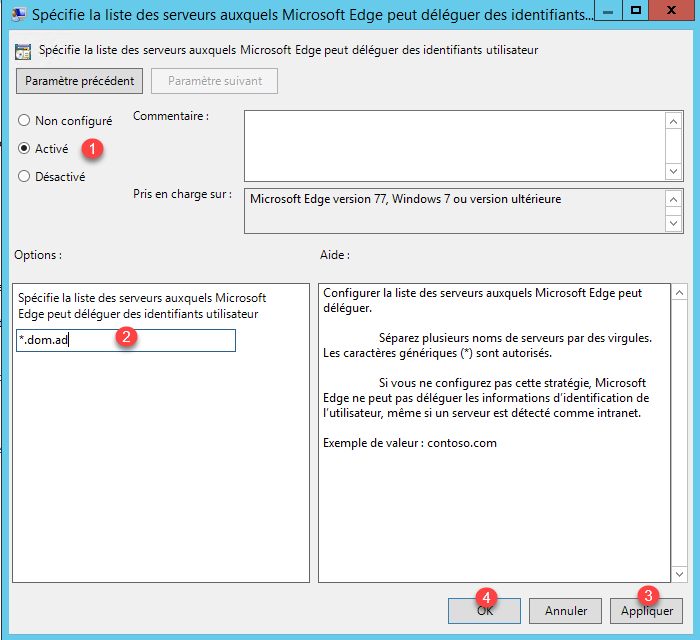
Activate the parameter 1, indicate the urls 2 then click on Apply 3 and OK 4.
Check Group Policy Application
On a computer with a user where the policy applies, check in the Internet Options via the Control Panel that the site(s) have been added to the list.