ARR: Setting Up for Outlook Anywhere

Windows Server 2016Windows Server 2019Windows Server 2022Windows Server 2025

Using ARR as a load balancer for Exchange requires special settings for Outlook Anywhere.

IIS setting

1. Open the IIS console and click Request Filtering.
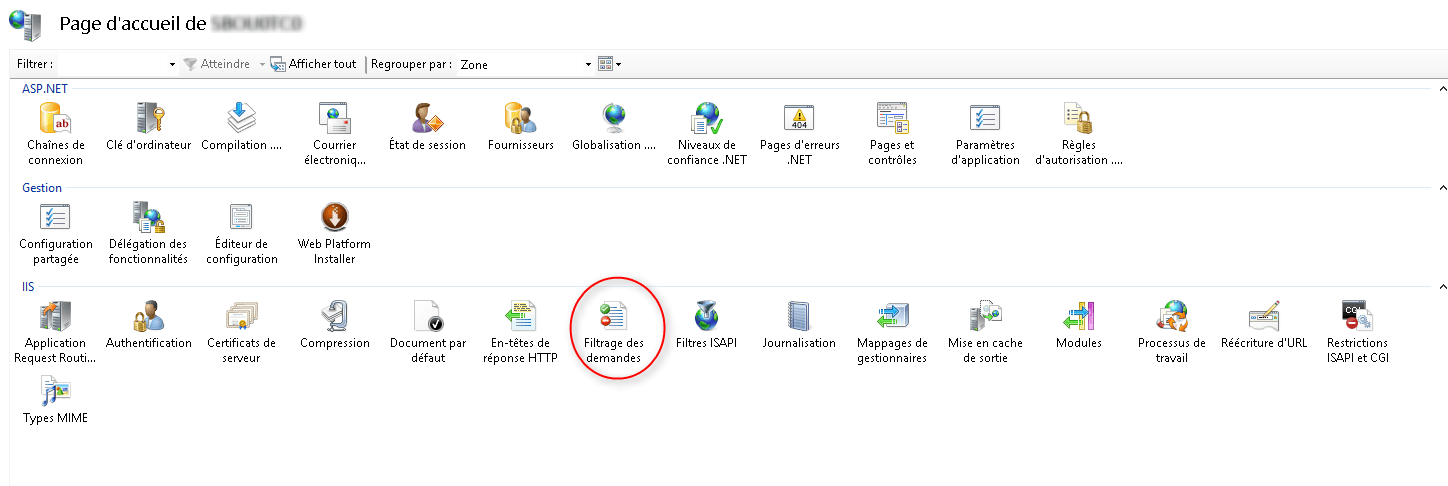
console IIS

2. On the Actions menu, click Change Function Settings …
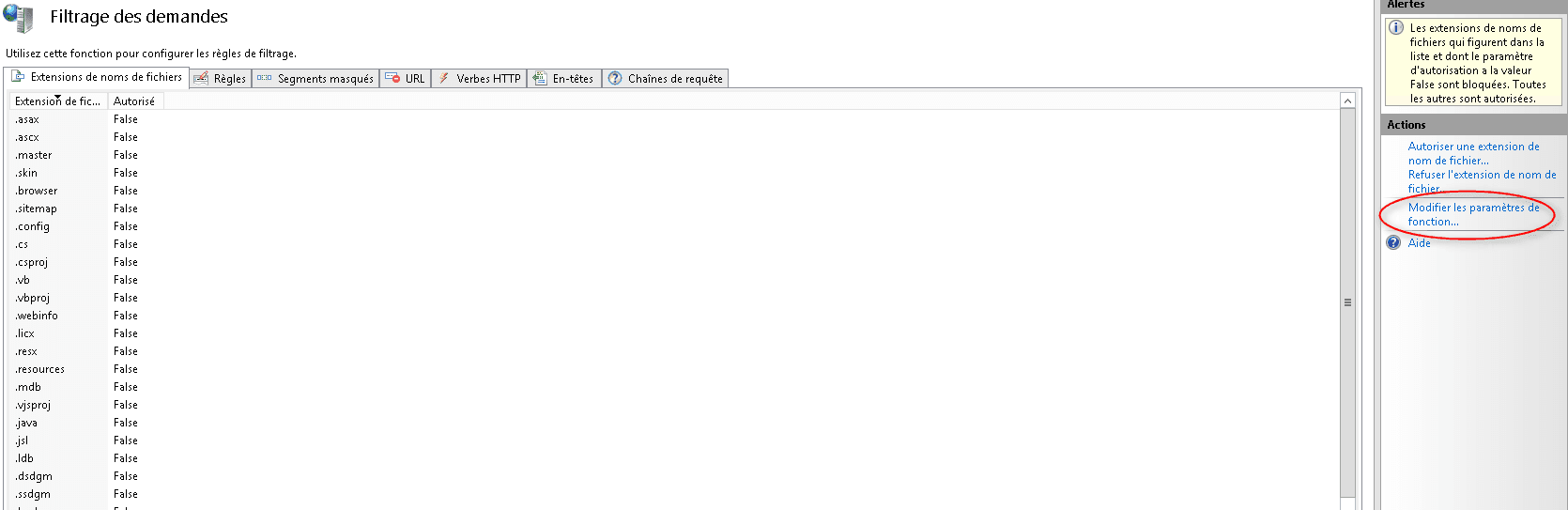
Modify the parameters

3. Change the value Maximum allowable length of the content: 2147483648 (2GB) then click OK.

Change the value

Farm configuration

1. Go to the farm configuration page and click on Proxy.
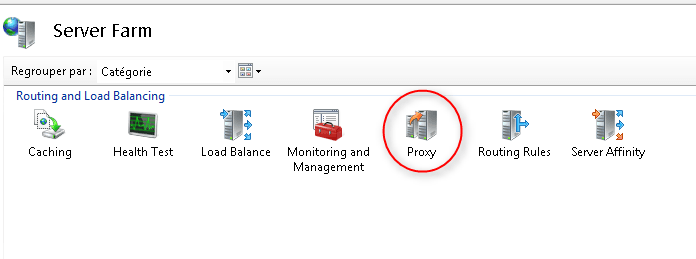
Farm configuration

2. Change the timeout value to 600 1 and the value Response buffer threshold (KB) to 0 2 and validate by clicking on Apply in the Actions menu.
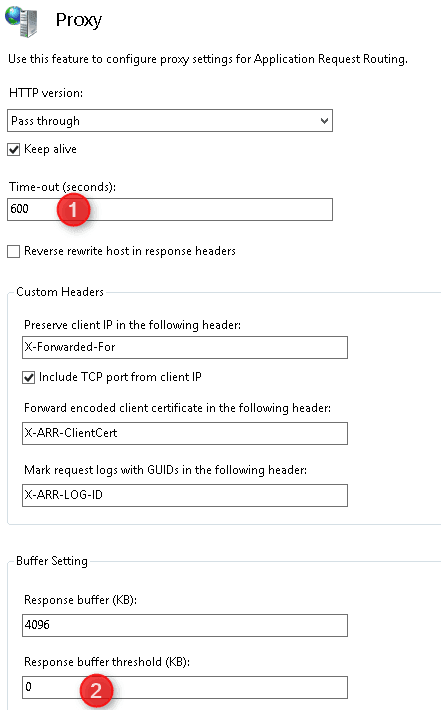

Config proxy

Romain Drouche
System Architect | MCSE: Core Infrastructure
IT infrastructure expert with over 15 years of field experience. Currently a Systems and Networks Project Manager and Information Systems Security (ISS) expert, I use my expertise to ensure the reliability and security of technological environments.

Leave a Comment