User objects are generally used to create an access account for people that allows them to authenticate themselves on a domain computer.
A user can be added:
- From the Active Directory Users and Computers console.
- From the ADAC console.
- Using PowerShell.
They are generally arranged in an Organizational Unit and are members of one or more groups to manage permissions.
When a user is created, they are added to the group Domain users.
Creating a user requires filling in the following information:
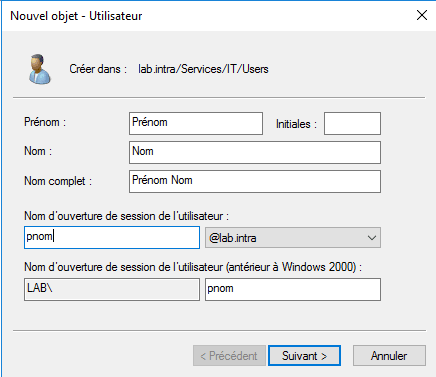
- Full name, which is normally composed of the first name and the last name
- The user’s login name, which will correspond to their user ID. To standardize user accounts, a naming convention should be defined beforehand (first name.last name / last name…).
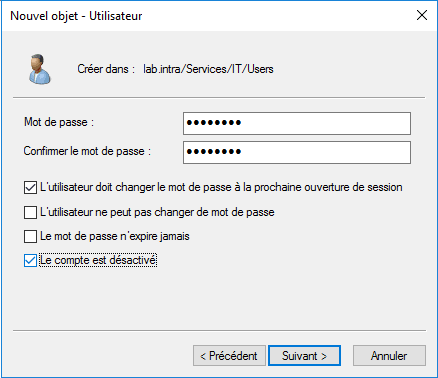
- Password, this is not mandatory if the account is deactivated, however it must be in line with the complexity strategy.
- Configuring password options, whether the user needs to change it, expiration…
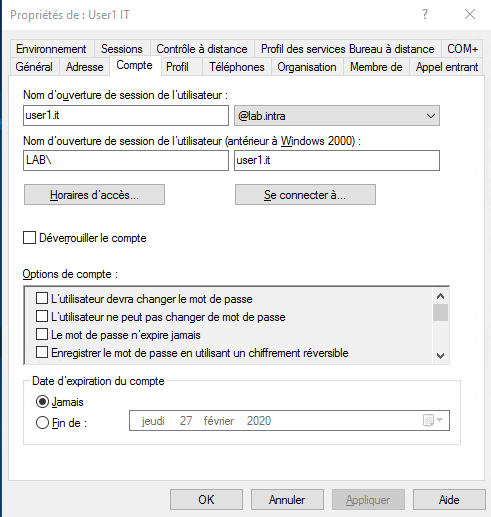
A user account with 2 identifiers:
- User’s login name Or User UPN login It consists of the entered identifier and a suffix (@) which is the domain name. This corresponds to the userPrincipalName (UPN) attribute. It is unique within the forest. It is possible to add a suffix to make the UPN match the email address. Example: [email protected].
- User logon name (prior to Windows 2000) Or Login SamAccountName It consists of the NETBIOS name followed by the identifier separated by a
\It must be unique within the domain. It corresponds to the sAMAccountName attribute.
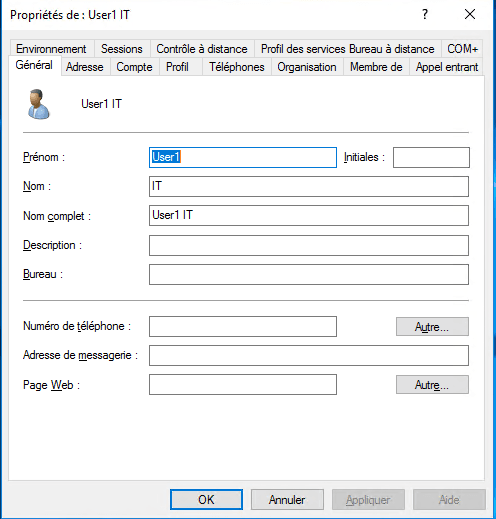
A user object has numerous properties and information that can be configured:
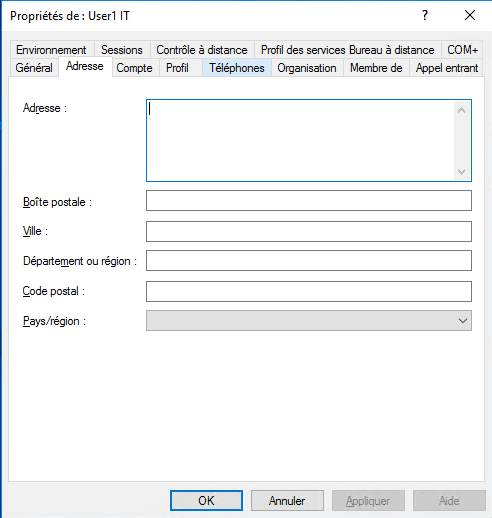
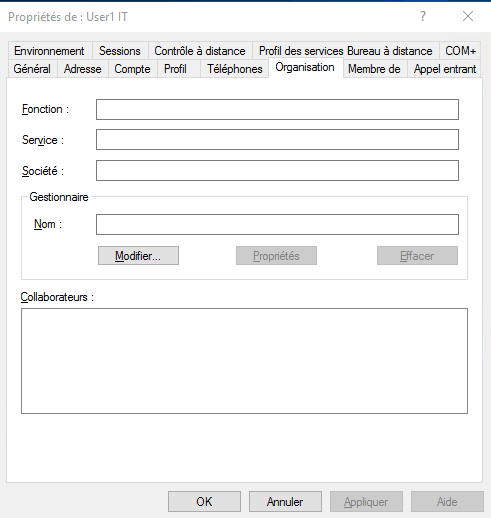
- Information such as email address, phone number, address, information within the organization.
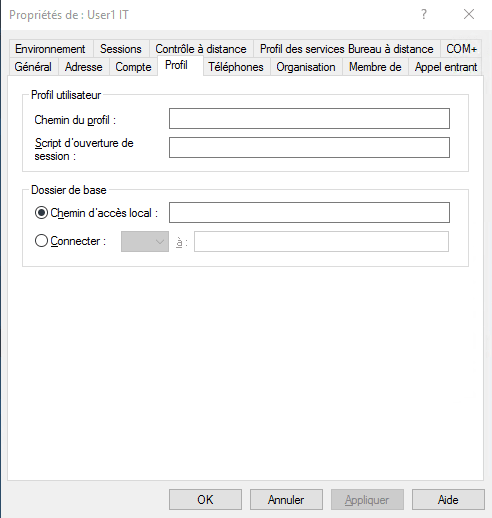
- Profile Configuration: setting up a roaming profile, logon script, network drive.
- Configuring the Remote Desktop Profile for RDS environments.
- Group membership
- …

Console: Active Directory Users and Computers
Creation
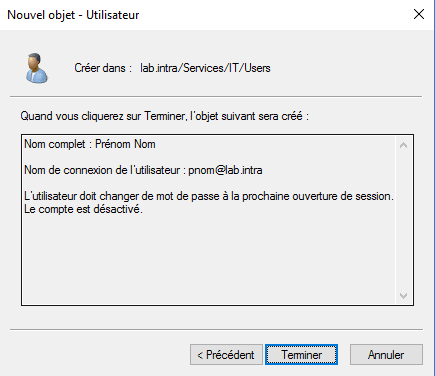
With the console Active Directory User and ComputerThe creation process involves 3 successive steps.
- User information entry: name, surname and username.
- Entering the password and configuring the options.
- Account creation confirmed.
Editing properties
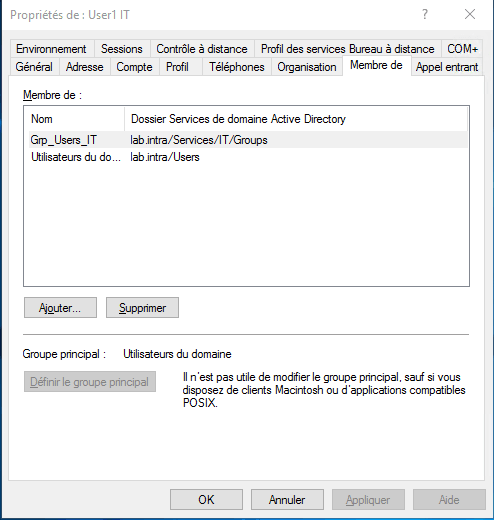
Simply double-click on the object and navigate through the different tabs.
Console: Active Directory Administration Center – ADAC
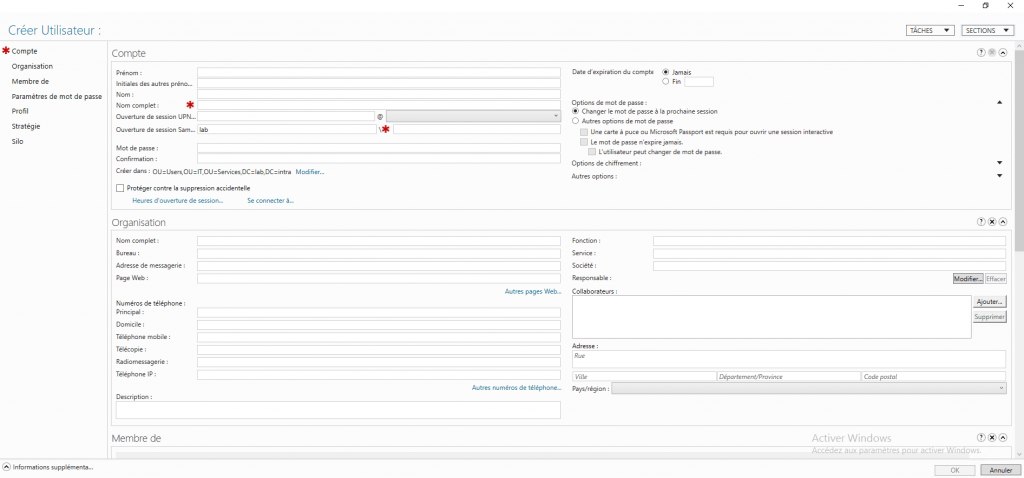
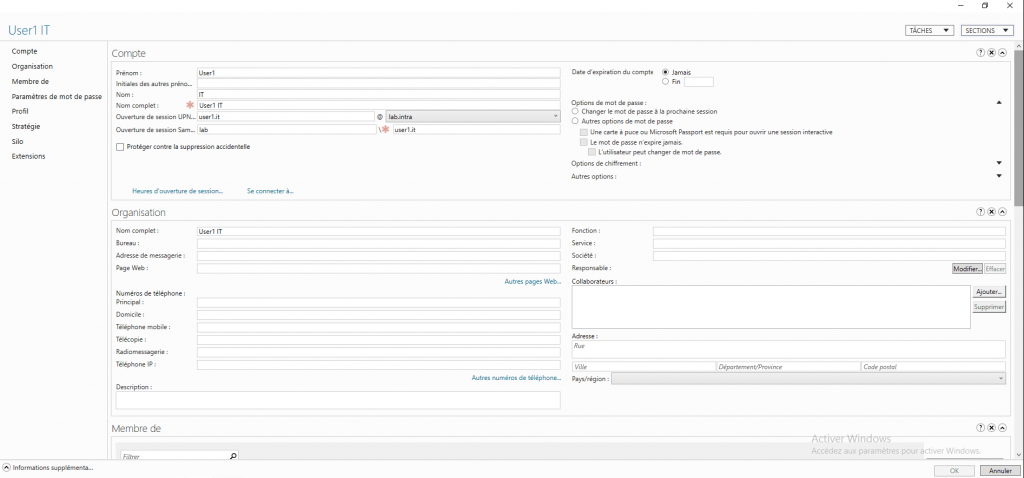
Creating and modifying a user account uses the same window. With ADAC, it’s possible to fill in all the information at once during creation, unlike the Active Directory Users and Computers console.
Access to the editing window is done in the same way by double-clicking on the user.
User creation and modification is covered in another chapter in the form of a practical exercise.