Table of Content
Introduction
In this lesson, we will see how the Active Directory database is structured.
As we saw in the introductory module, Active Directory services are based on an LDAP (Lightweight Directory Access Protocol) ring.
The Active Directory directory can be queried on port 389 (for a simple domain controller) and on port 3268 in the case of a domain controller that is a global catalog.
This directory is a database that stores objects (Users, computers …) called classes that have common properties called attributes.
The definitions of classes and attributes are stored in the schema which is part of one of the three partitions of the Active Directory.
Directory partitions
The Active Directory is divided into 3 logical partitions (Naming Context), each of which has a specific role.
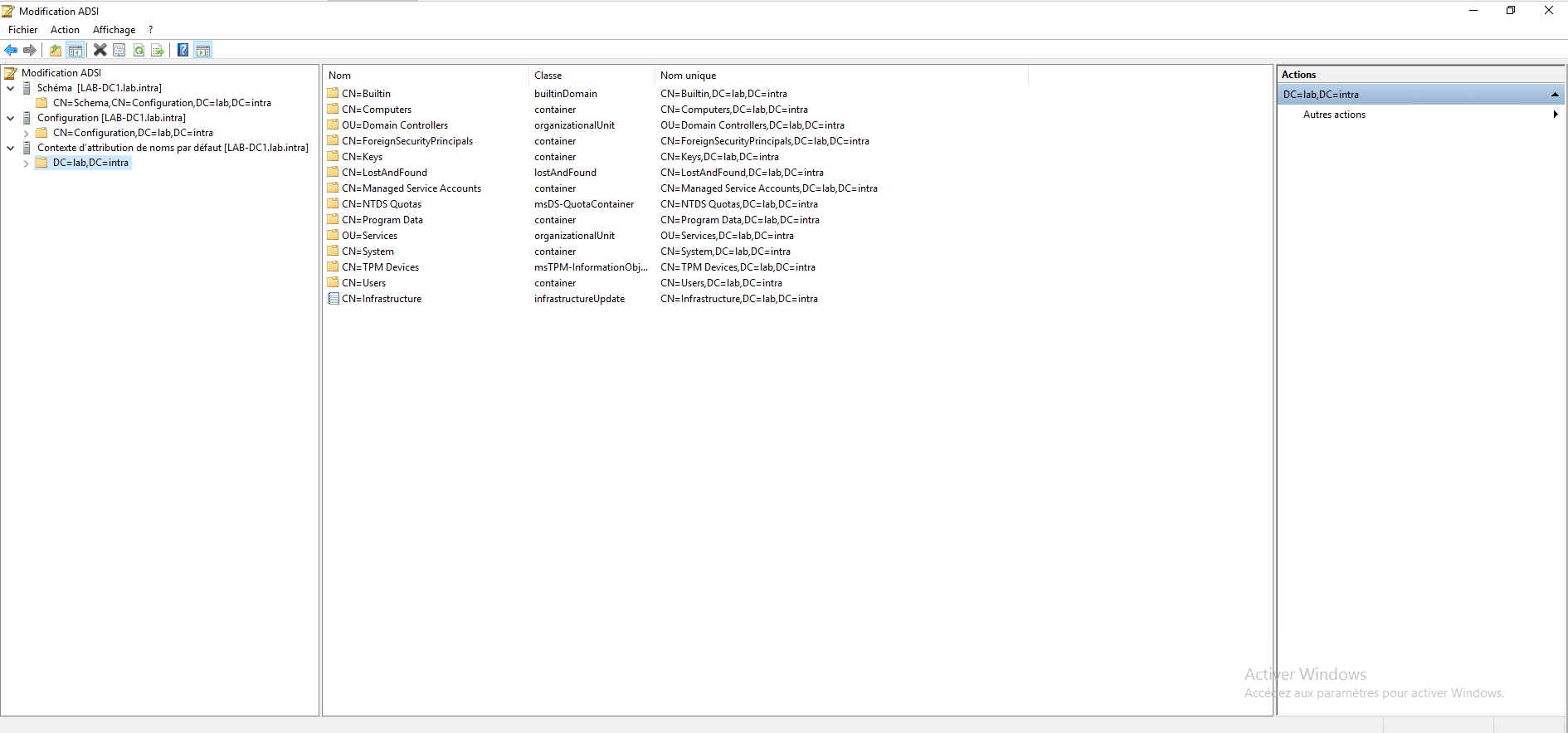
Plan
This partition contains all the definitions of the classes and attributes that can be created in the directory.
The schema is extensible, which means that it is possible to create new classes (objects) and new attributes.
For example, during the installation of Exchange (Microsoft’s email service), the schema is modified to store users’ email information. The schema can also be modified when adding a newer domain controller, such as adding a Windows Server 2016 domain controller to an existing environment.
Modifying the schema requires special privileges (Schema Administrators). Incorrect manipulation can corrupt Active Directory; therefore, the Active Directory Schema console is not natively available.
This partition is unique in the Active Directory forest and is replicated across all domain controllers.
Configuration
This partition contains all the information about domains, sites, links, replication planning, and topology.
It is unique within the forest and it is replicated across all domain controllers.
Domain
This partition contains all the objects and information existing in the domain. Each domain of the forest has its own partition.
Classes and attributes
As we saw earlier, the schema stores the definition of the different objects with the information associated with them.
In Active Directory, the definition of objects are classes and the information linked to them is the attributes.
If you are familiar with databases, you could compare classes to tables and attributes to the fields of that table.
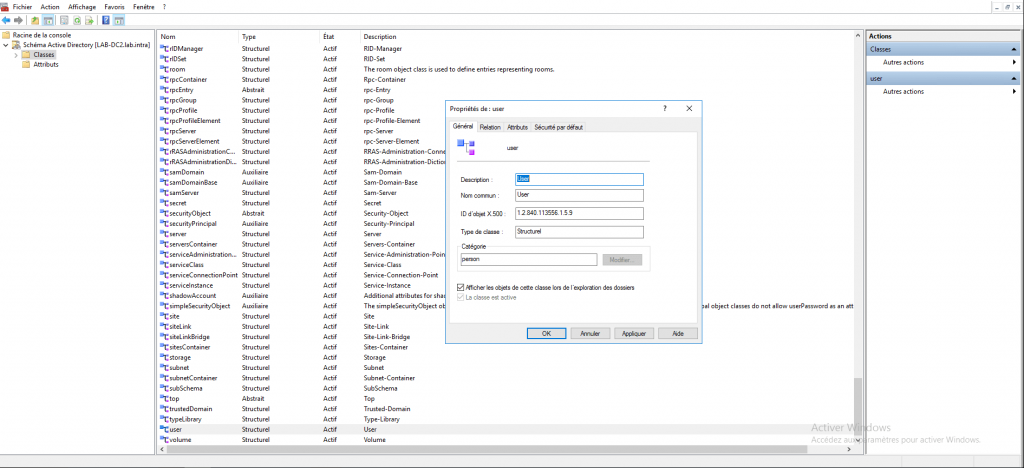
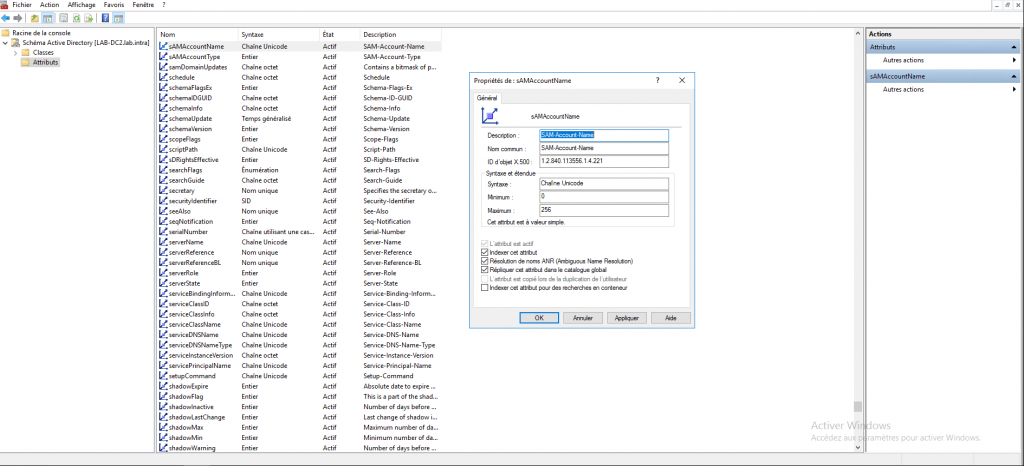
Above, an overview of the User class which defines the user object and the SAMAccountName attribute which is the login name for several classes (Users, Computers…).
Active Directory files
By default, the Active Directory (base) files are located in the following location C:\Windows\NTDS.
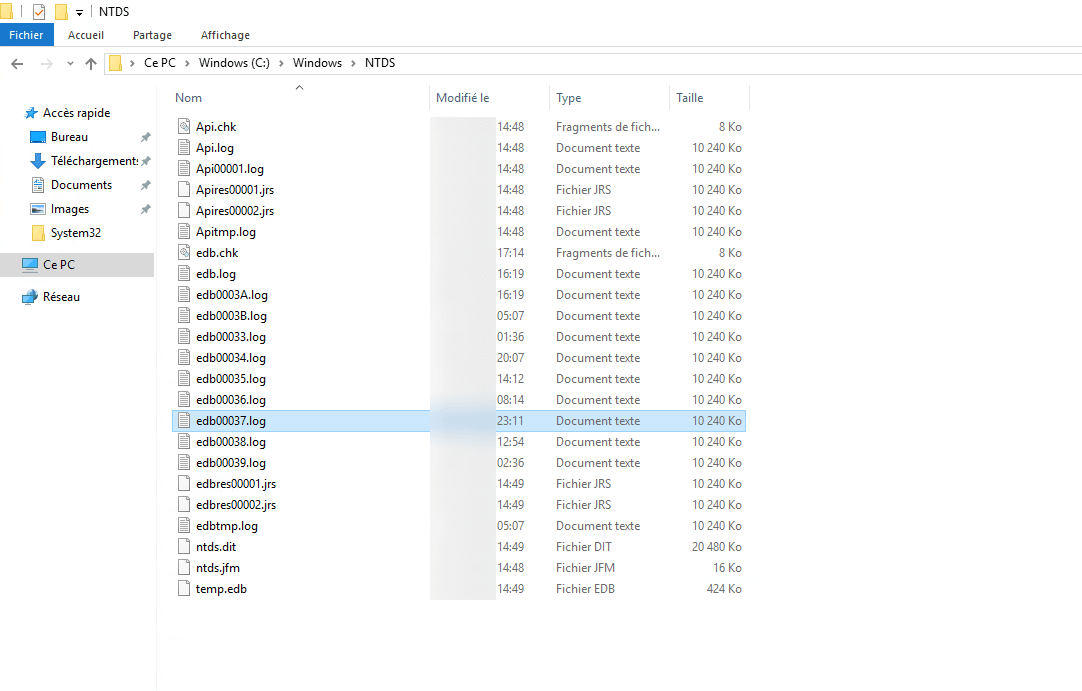
- ntds.dit : this file is the Active Directory database.
- edbres00001.jrs And edbres00002.jrs These two files allow you to reserve disk space for the database in case the disk becomes full. Each file is 10 MB.
- temp.edb : this file serves as temporary storage for transactions when the ntds.dit file is undergoing maintenance.
- The other files are used for storing transactions.