Organizational units (OUs) are containers that could be compared to folders on a hard drive, which allow the organization of the storage of objects (Users, Computers and Groups) in the Active Directory.
Like folders, it is possible to create a hierarchy of organizational units.
Organizational units can be managed using:
- The Active Directory Users and Computers console.
- The ADAC console.
- Using PowerShell.
OUs are also used by group strategies to target their application.
They are often represented by a folder:

There are several strategies for organizing OUs:
- Services: groups together objects belonging to the same service (IT, Accounting, Sales …).
- Geographical: groups together objects belonging to the same geographical location (Paris, Lyon …).
- Hybrid: a combination of both strategies.
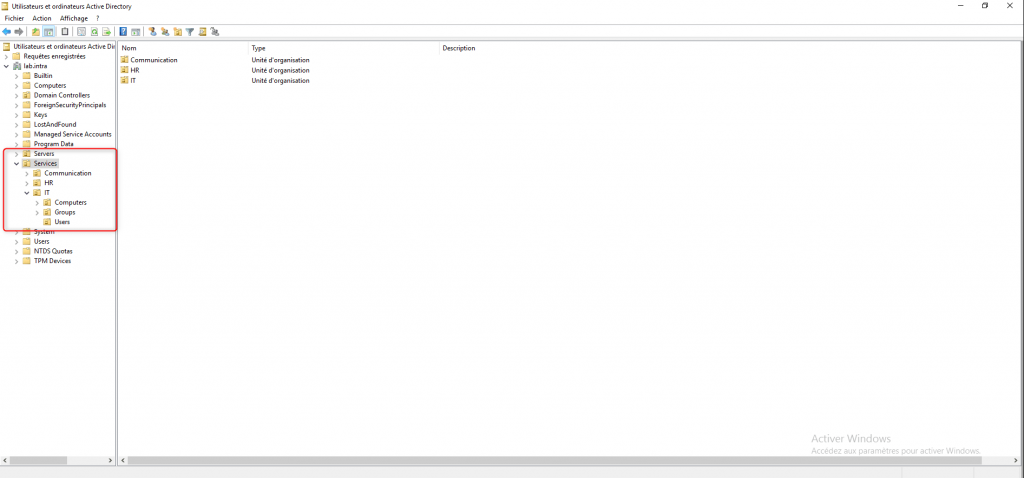
We regularly find in sub-SOUs the OU to organize users, computers and groups.
You can also create subunits to organize groups that will manage access permissions to shares, applications, group policies, etc.
Before creating users and groups, you should establish an Active Directory organizational strategy.
Overview of the SUDs in the Active Directory Users and Computers console and the ADAC console:
Overview of the SUDs in the Group Policy Management console:
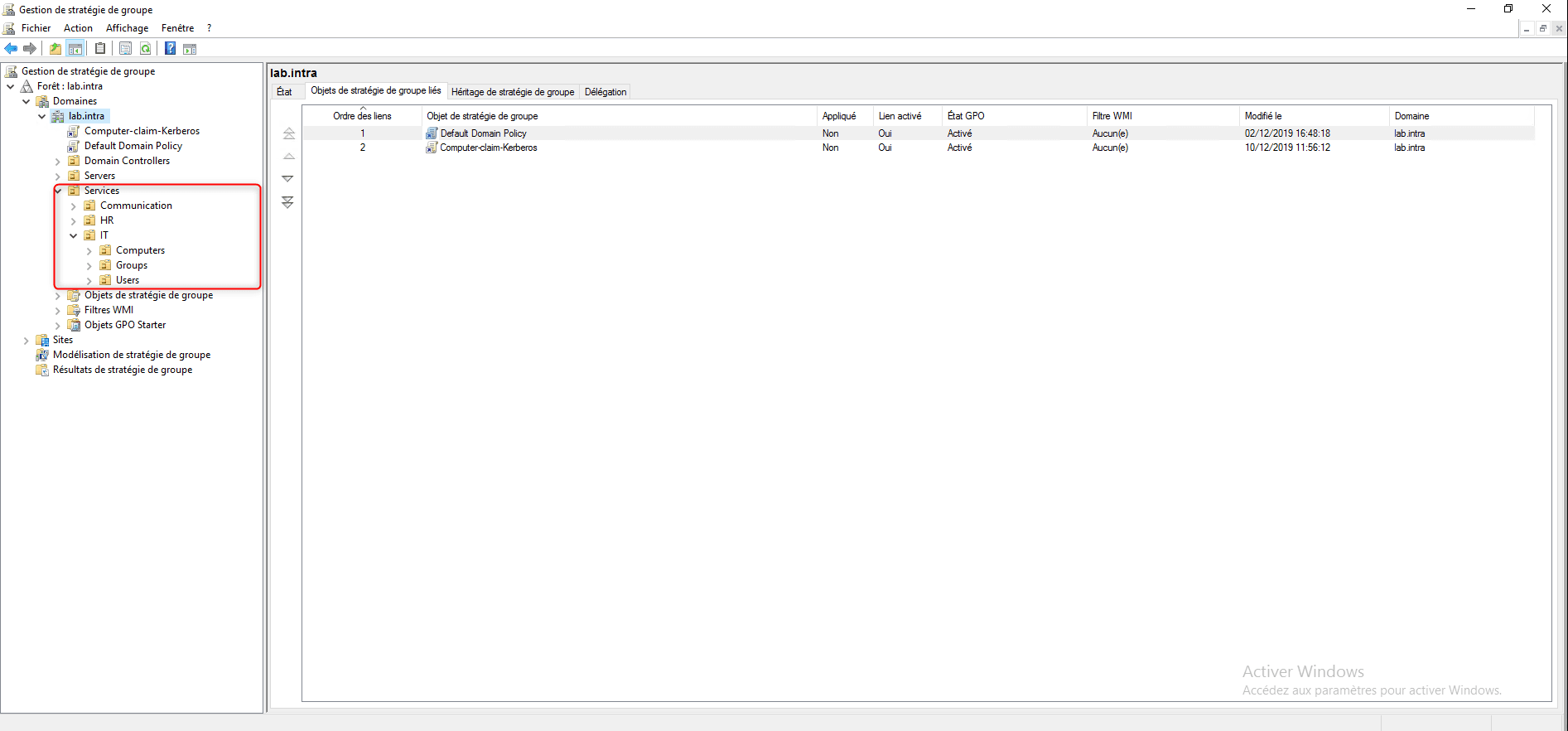
The Builtin, Computers and Users containers are not Organizational Units, it is not possible to target the application of group policies on them.
The creation and use of organizational units and group strategies is covered in the following modules.