In this lesson, we will take a closer look at the two installed roles (AD DS and DNS) that have been installed on the server that is now a domain controller.
In practice, other features have been installed such as the DFS namespace and DFS-R replication; within the framework of a domain controller, it does not require administration except in cases of troubleshooting.
Table of Content
AD DS: Active Directory Domain Services
The AD DS role is the main element during the installation of a domain controller; it is responsible for installing all the Windows components and services necessary for the proper functioning of Active Directory, Kerberos authentication, group policies, etc.
The files
When the server was promoted to a domain controller, several folders related to Active Directory were created.
NTDS
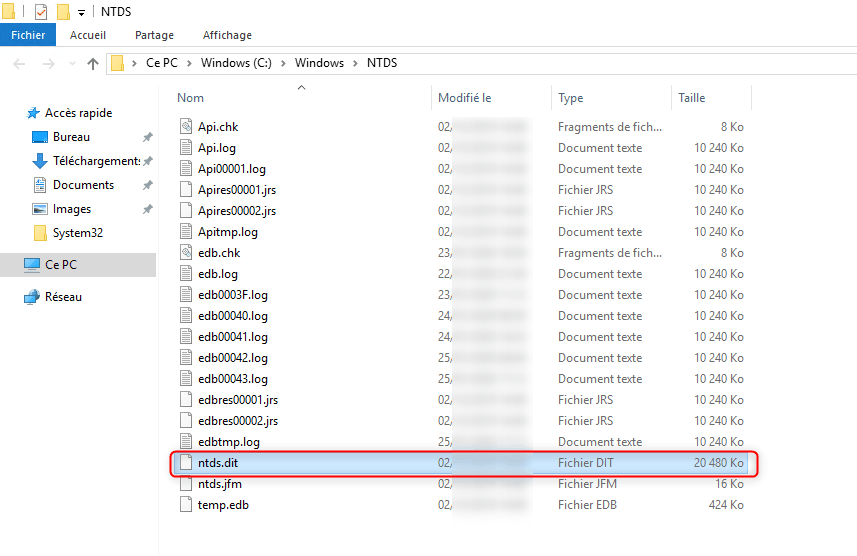
The NTDS folder is located by default in C:\Windows and contains the Active Directory database in the NTDS.dit file.
SYSVOL / NETGLON
The SYSVOL folder is located by default in the following location C:\Windows\Sysvol and contains several folders.
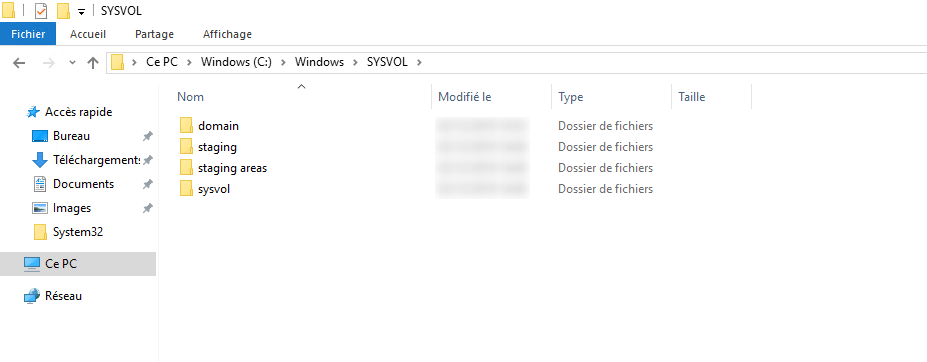
This folder is replicated across all domain controllers by the DFSR services and contains group policies and the NETLOGON share.
As can be seen above, the SYSVOL folder contains 4 folders:
- domain : this folder contains the scripts and group strategy.
- staging And staging areas : these folders are used by the DFS-R replication system.
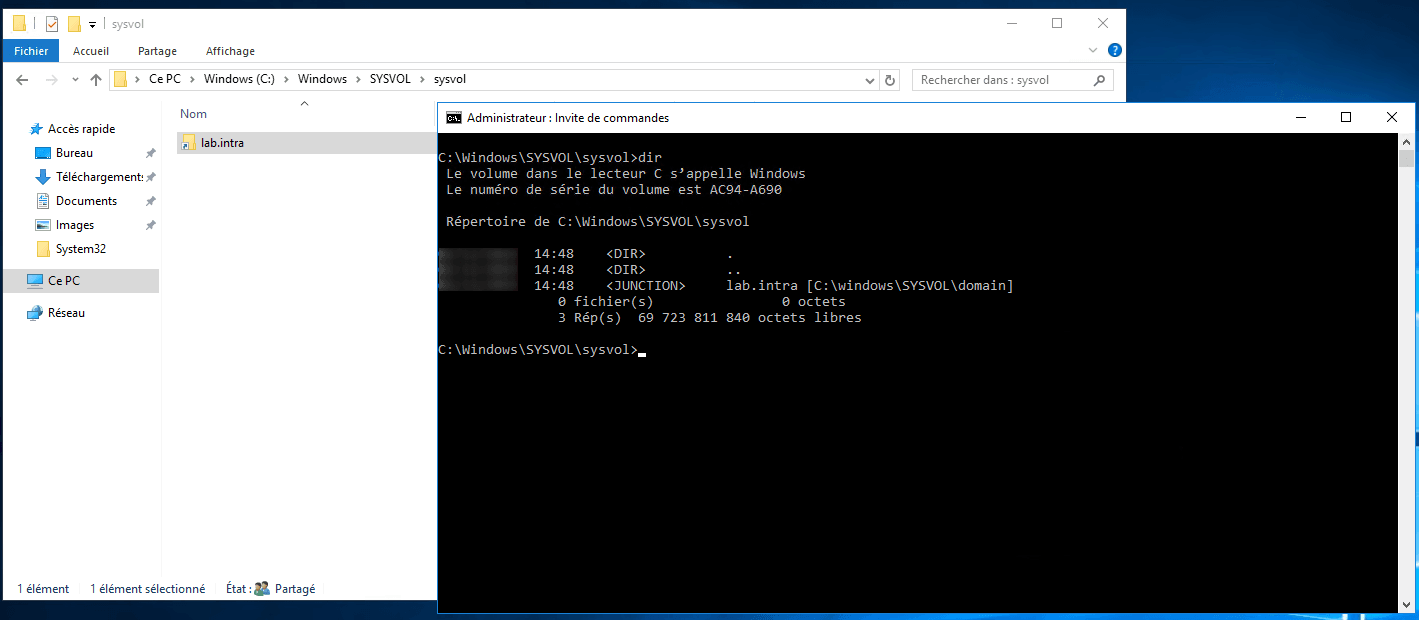
- sysvol : this folder is shared (\\domain\sysvol) and contains a symbolic link to the domain folder to allow access to group policies and scripts.
domain
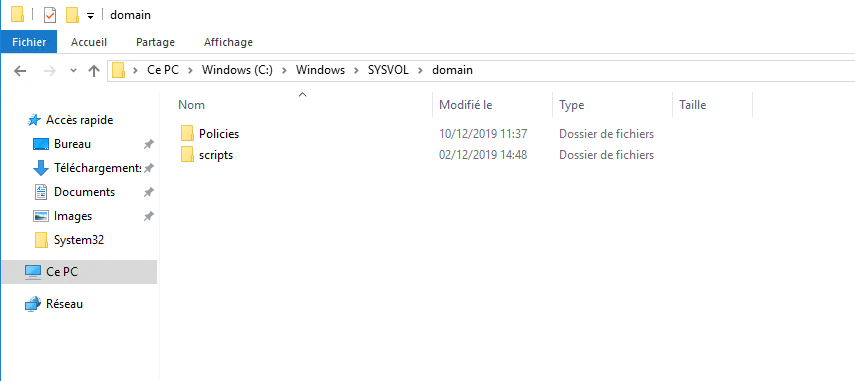
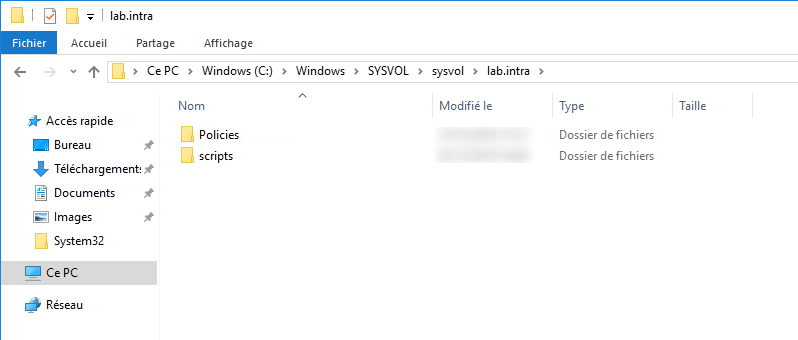
If we look more closely at the domain folder, we can see that it contains two subfolders:
- policies: contains the group policies for the domain.
- Scripts: This folder allows you to add scripts that will be available on all domain controllers. Historically, it was used to store logon scripts that are configured in the attributes of the user object.
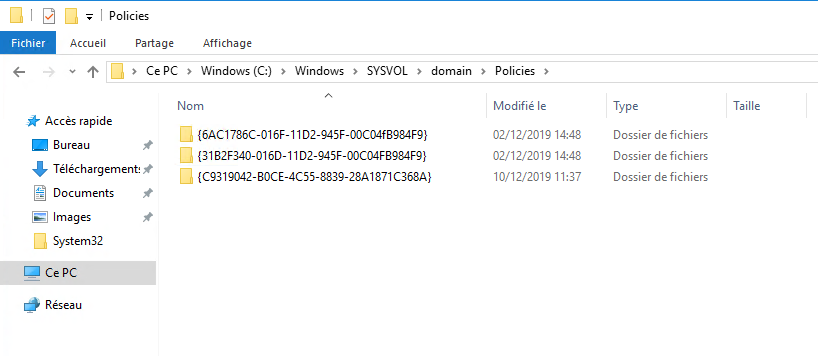
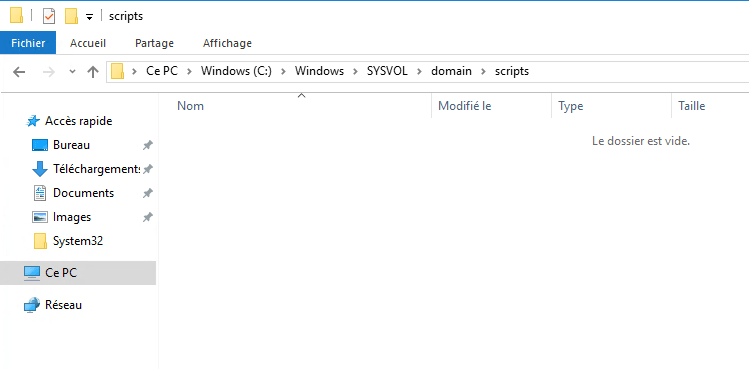
We will return to the content of these folders in the lessons on User objects and on group policies (GPO).
sysvol
The folder contains a shortcut bearing the domain name. This shortcut is actually a symbolic link to the folder C:\Windows\SYSVOL\domain.
In the folder that bears the domain name (lab.intra)Opening it reveals the same folders as in C:\Windows\SYSVOL\domain.
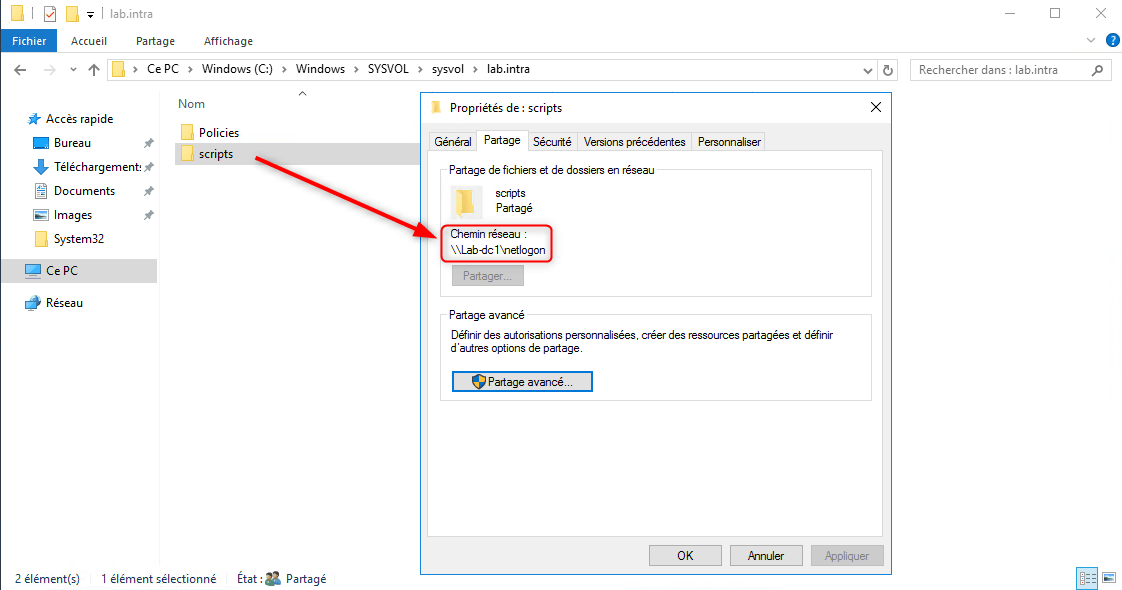
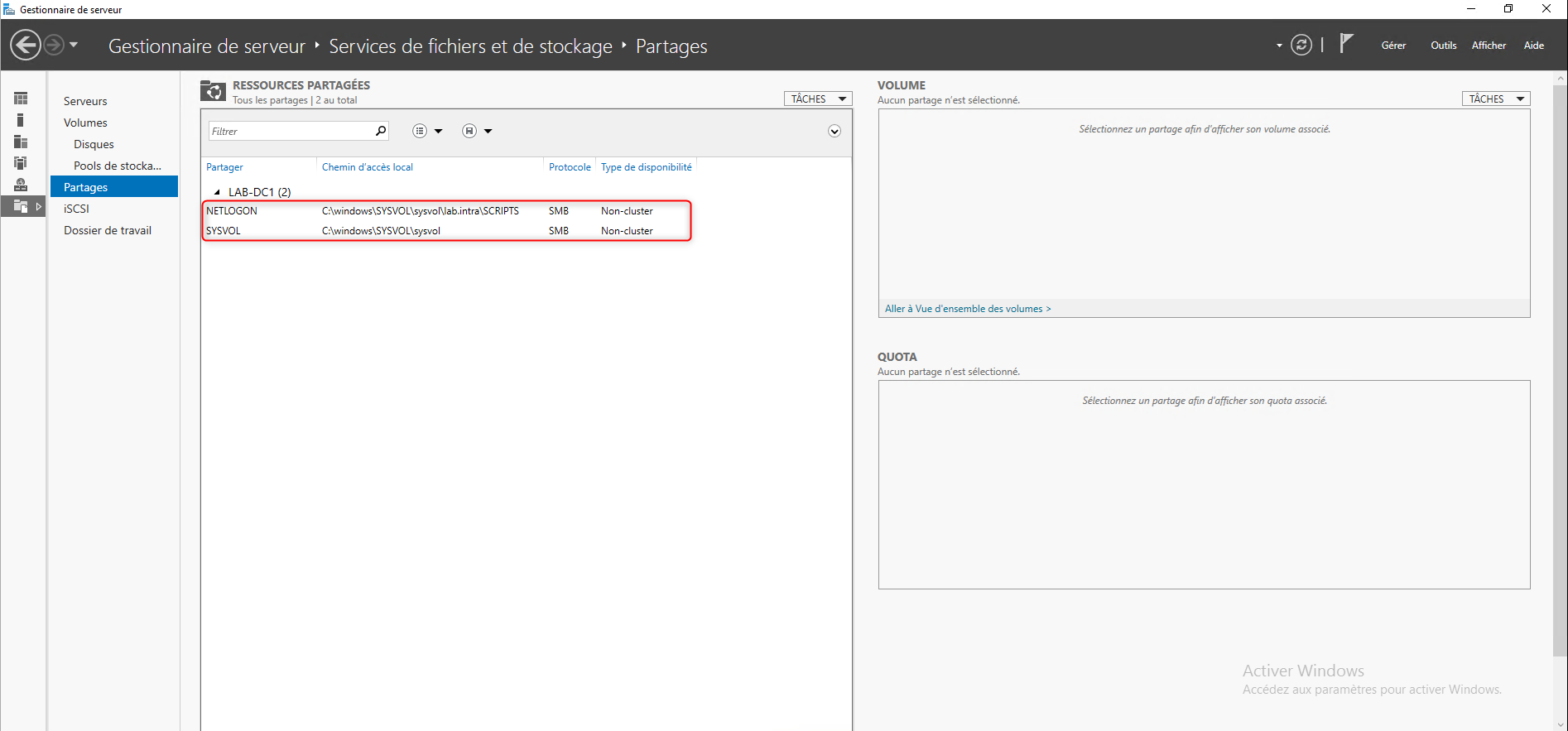
The scripts folder from this location corresponds to the share NETLOGON of the domain controller.
From the server manager, it is possible to see the NETLOGON and SYSVOL shares with their physical location on the domain controller.
PolicyDefinitions
The file PolicyDefinitions which is located in C:\Windows, is not a folder specific to the domain controller, it can be found on all Windows operating systems.
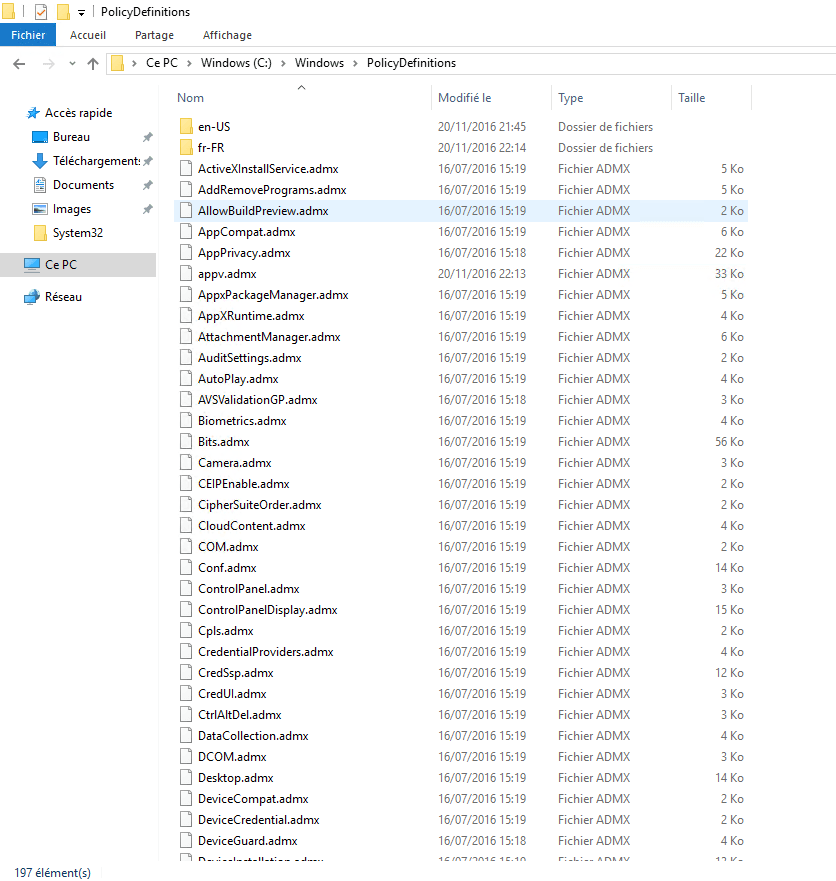
Within a domain controller, the PolicyDefinitions directory is of interest because it contains all the files that allow the configuration of Group Policy Objects (GPOs). This folder is local and is not synchronized with other domain controllers.
In the lessons on group strategies, we will take a closer look at the folder and see how to make this folder common to all domain controllers (central store).
Services
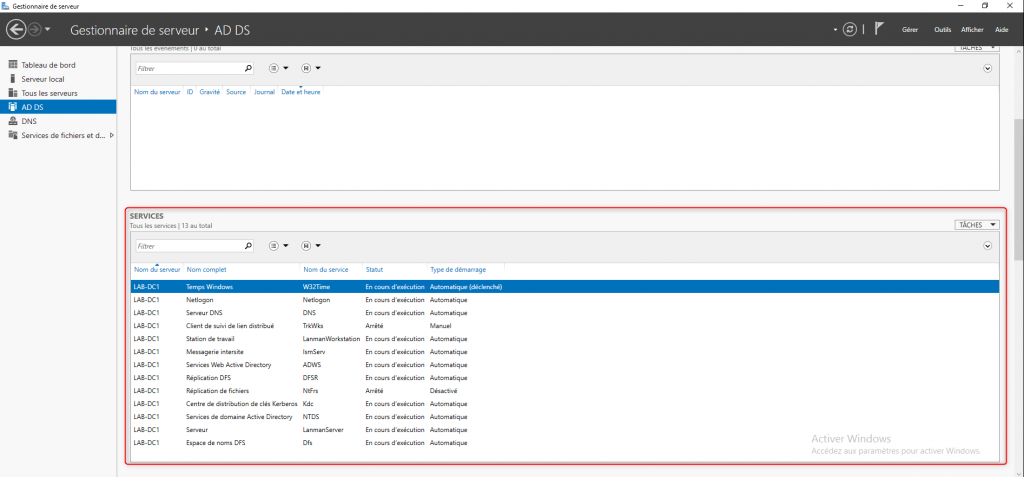
From the server manager, you can see the different services linked to the domain controller.
NTDS: Active Directory Domain Services
This service is the most important; it ensures the proper functioning of the domain controller. If it is not started, users will not be able to log in. The NTDS service is responsible for reading and writing to the database.
KDC: Kerberos Key Distribution Center
The KDC service is involved in user authentication by managing keys.
DFS: DFS Namespace
The Dfs service allows the publication of the namespace \\my-company.com\SYSVOL on the network and to point it to several domain controllers in order to ensure availability.
DFSR: DFS Replication
The DFSR service ensures the replication of the SYSVOL folder across all domain controllers.
NETLOGON
The NETLOGON service is essential for the proper functioning of the domain controller; this service manages a secure channel for user and service authentication. Upon startup, the NETLOGON service is responsible for adding the DNS server records so that the domain controller can be registered.
DNS – Domain Name System
When configuring a domain controller, the DNS role is installed; without this role, domain computers cannot locate domain controllers.
General overview of the DNS role
The explanations of DNS services in this lesson are “very” summarized; the goal is to enable you to understand how they work within Active Directory.
The DNS role allows a domain name record to be translated into an IP address; without this system, it would be necessary to know the IP addresses of all machines to access their service.
The Internet relies on DNS services to provide various services such as websites, email, automatic configuration of certain applications, etc.
The information returned by a DNS query is a record; there are several types, here are the main ones:
- A: allows you to translate a name into an IPv4 address.
- AAAA: allows you to translate a name into an IPv6 address.
- MX: allows the location of mail servers for email processing.
- TXT: allows you to add a text string.
- SRV: Service Location Record.
- …
To illustrate how DNS services work, we will see how it happens when you want to view a website.
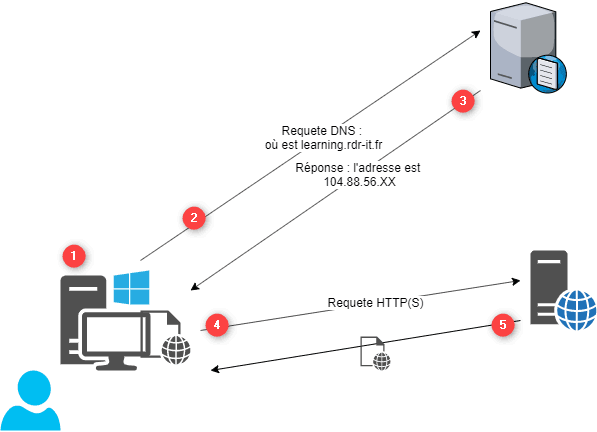
- The user wishes to visit the website https://rdr-it.com, opens an internet browser and enters the address
- The computer does not know the IP address, it sends a DNS query to its server which is configured in the network settings of the card asking “where is learning.rdr-it.com?”
- The DNS server looks in the records and sends the IP address of the server that hosts the site.
- The internet browser sends an HTTP request to the server with the address returned in the DNS query.
- The server sends the requested web page.
The DNS role within Active Directory
As we saw earlier, Active Directory relies on a hierarchical domain name system and therefore uses DNS services to locate domain controllers and the various services they offer.
For this reason, in many cases, the DNS servers configured on the network adapters of domain member computers are domain controllers. This configuration allows computers to locate various services such as the LDAP directory, Kerberos services, global catalog controllers, etc.
In the screenshot below, we can see that a folder (zone) has been created with the domain name that was indicated during the promotion of the domain controller.
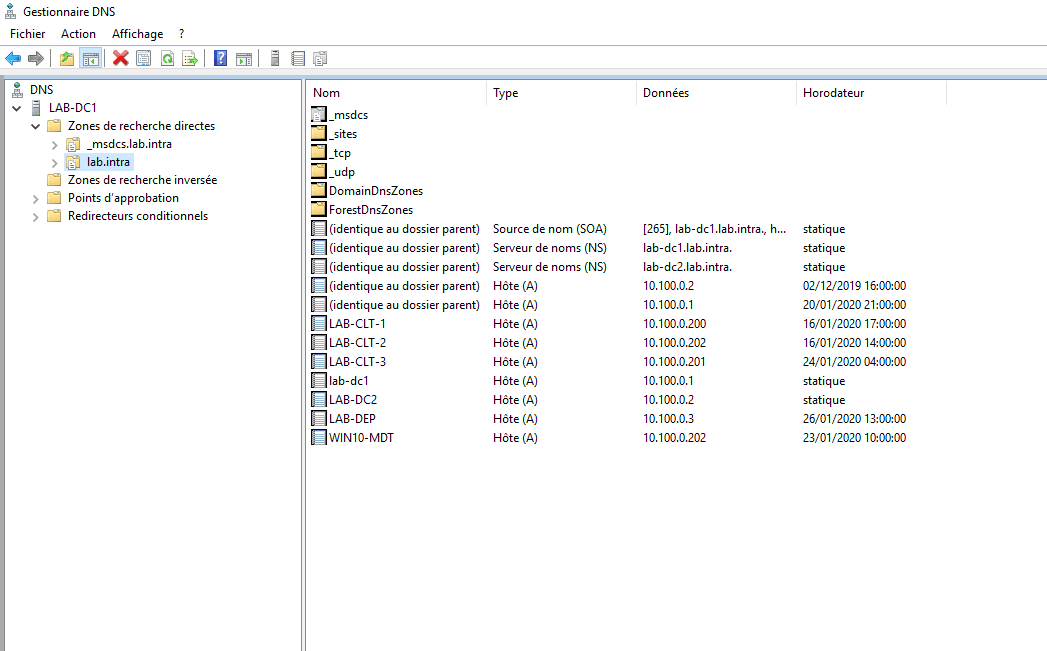
Other records can also be seen, corresponding to computers that are members of the domain. The records below are created automatically by the computer or by DHCP services.
Now that we have an overview of the different elements that make up the domain controller, we will look at the different consoles that we have available to administer the Active Directory environment.