In this lesson, we will discuss domain controllers.
A domain controller is a server with Windows Server that has the AD DS (Active Directory Domain Services) role installed and configured.
It is possible to install the AD DS role on a server without a graphical interface (Core mode).
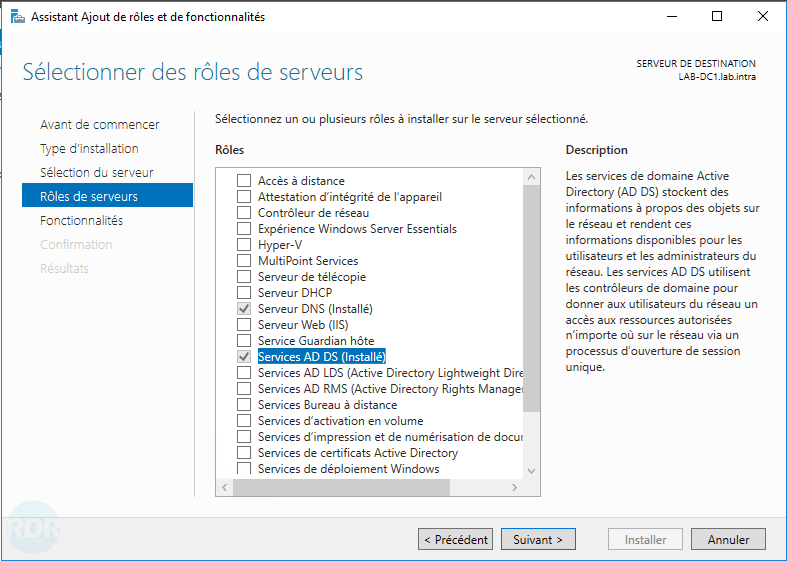
When configuring the AD DS role, it is said that the domain controller is promoted.
During this configuration, the DNS role is installed on the server; Active Directory services cannot function without a DNS server. (This point will be explored in more detail in another lesson.).
There are 2 types of domain controller:
- The so-called “classic” domain controllers that can write to the directory.
- Read-only domain controllers (RODC – Read Only Domain Controller) are mainly found in DMZs or on “unsecured” physical sites.
A domain controller can host one or more functions essential to the proper functioning of Active Directory, such as:
- One or more roles FSMO* (Flexible Single Master Operation).
- Be global catalog.
* FSMO roles will be covered in another lesson.
A domain controller that is a global catalog will possess a partial copy of all the objects present in the forest.
In a single-domain environment, it is advisable to put all domain controllers in the global catalog.
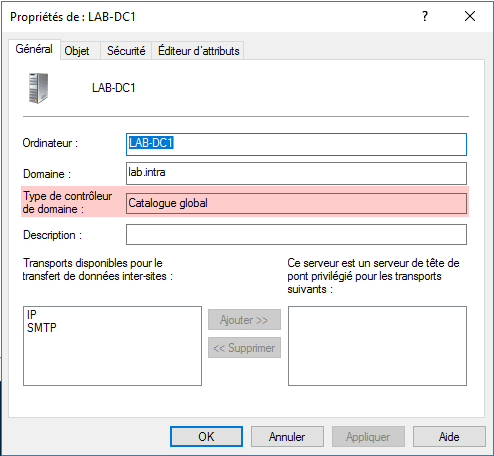
When creating the Active Directory environment, the first domain controller will be the global catalog and will host the 5 FSMO roles.