In this tutorial, I’ll explain how to try to fix the problem where Windows keeps restarting in a loop after updates.
The following is not a universal solution and may not work.
1. Shut down the computer.
2. Turn on the computer and press F8 to access Advanced Boot Options.
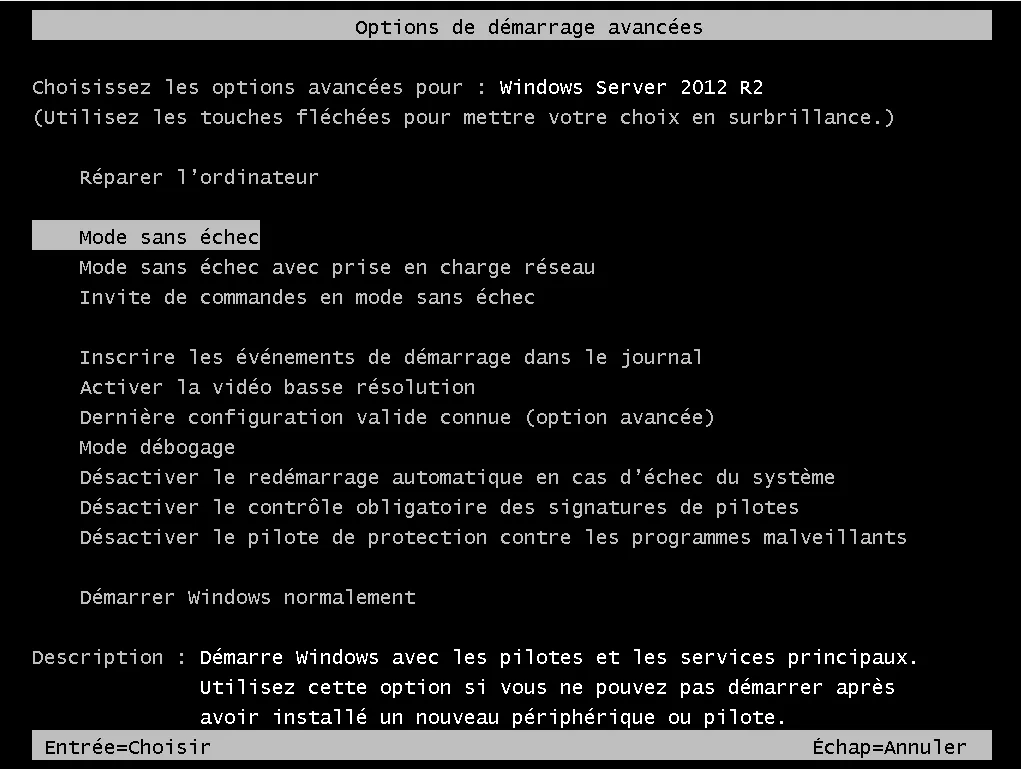
3. Select the option: Debug Mode.
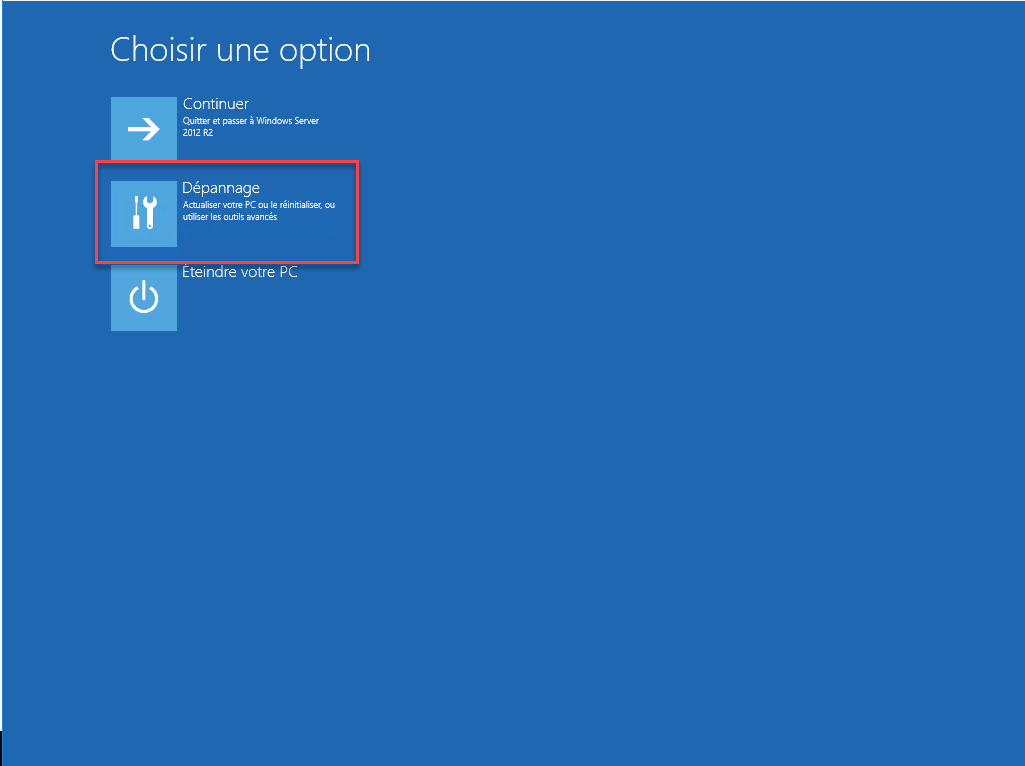
4. Select the “Troubleshoot” option.
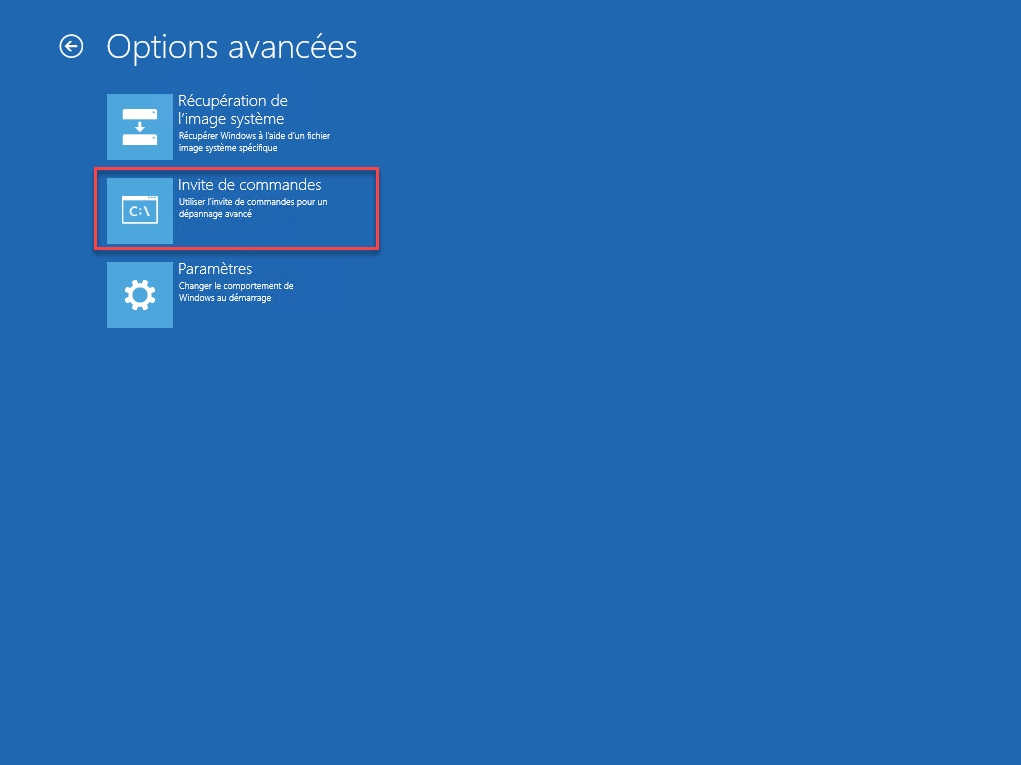
5. In the advanced options, click Command Prompt.
6. Select the administrator account and enter the password.
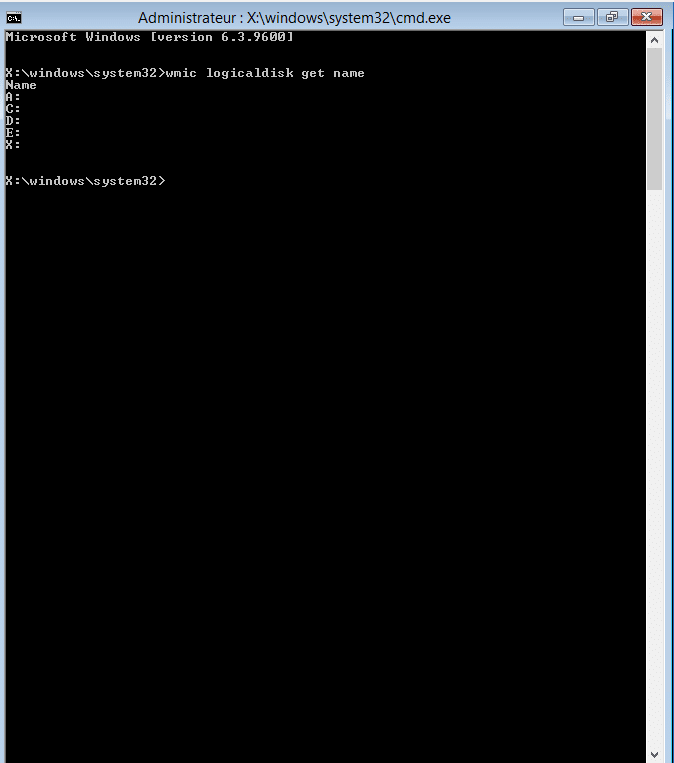
7. Once the cmd window is open, list the available drives:
wmic logicaldisk get name
8. Locate the system drive using the dir command:
dir lettre:
Note the drive letter.
9. Once you’ve located the drive, rename the pending.xml file, which runs the Windows update installation.
ren lettre:\windows\WinSxs\pending.xml pending.xml.old
10. Create an empty pending.xml file:
echo > lettre:\windows\WinSxs\pending.xml
11. Create a “temporary” folder:
mkdir lettre:\windows\WinSxs\scratch
12. Run the DISM utility to clean up the Windows installation:
DISM /image:lettre:\ /cleanup-image /revertpendingactions /scratchdir:lettre:\windows\WinSxs\scratch
An error may occur
13. Restart the server
These steps may save the Windows installation.