In this tutorial, I will explain how to easily delete a firewall rule managed by UFW.
UFW is a command line interface that simplifies the use of iptables rules.
To delete a rule, you must first display the list of rules with their number:
sudo ufw status numbered
The command returns the list of rules as below:
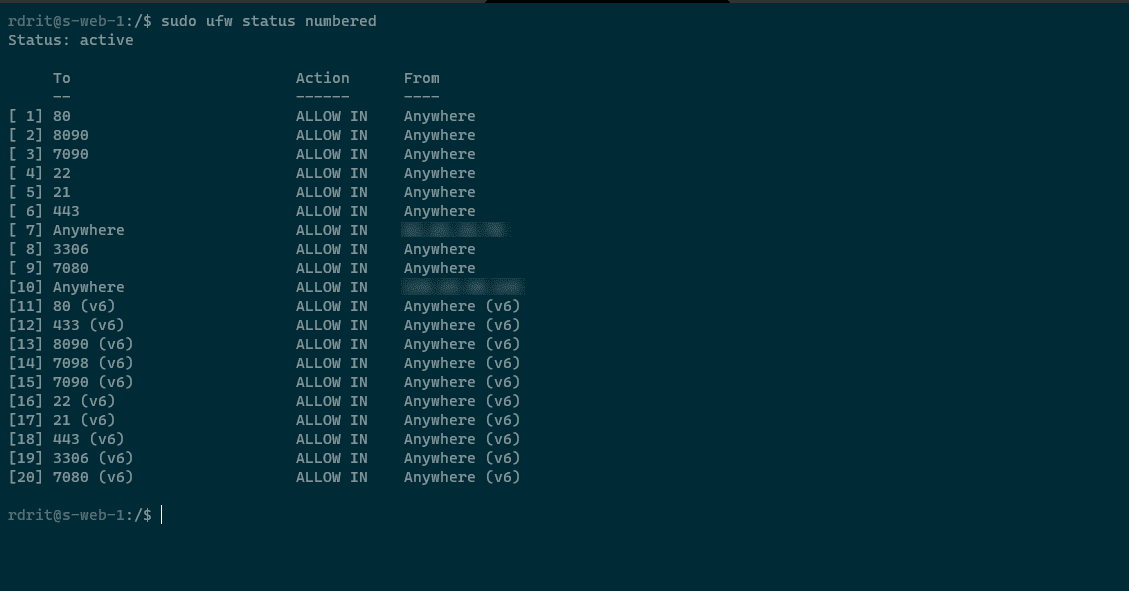
To delete a rule, simply use this command:
sudo ufw delete <rule_number>
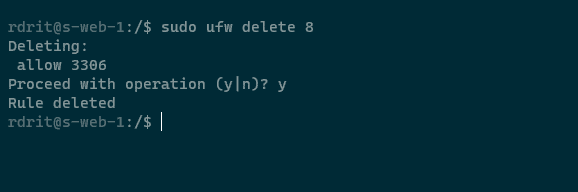
Which gives us for rule number 8:
sudo ufw delete 8
It is necessary to confirm the action by entering the letter y.
To verify that the rule is deleted, use the command:
sudo ufw status
Now you know how to delete a firewall rule with ufw.