In this tutorial, I will tell you how to resolve the UNEXPECTED INCONSISYENCY error when starting the computer in BusyBox mode.
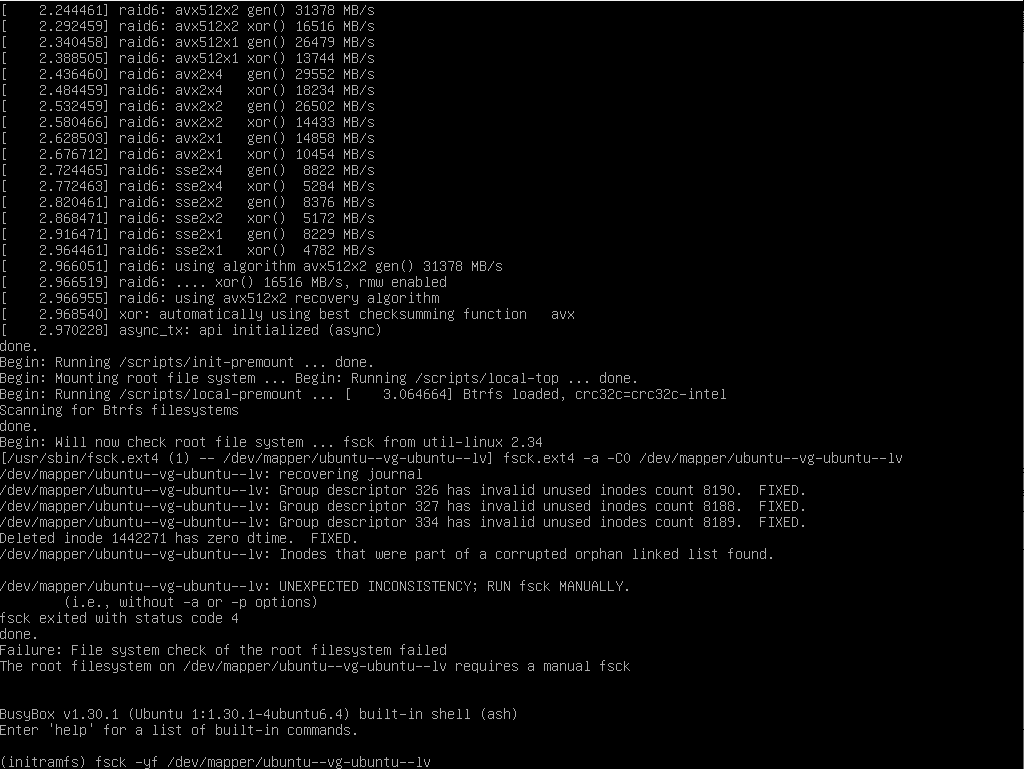
During a sudden shutdown with a disk access problem, it is possible that your Linux starts in BusyBox mode with a disk error and you have a prompt (initramfs) as shown in the screenshot below:
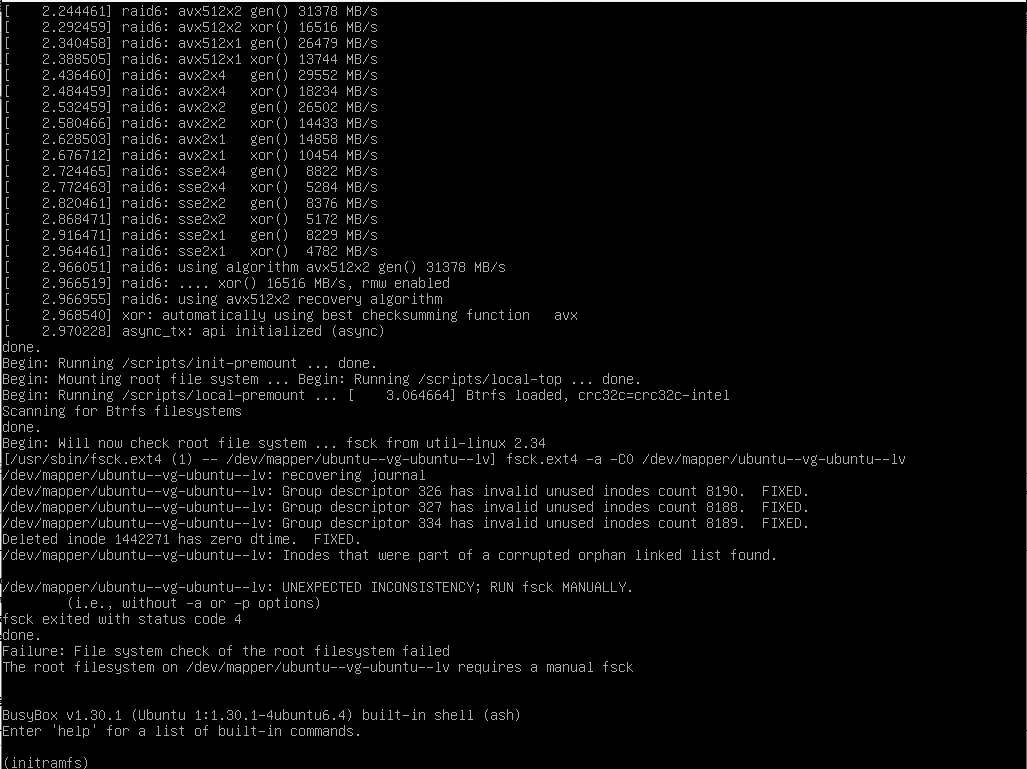
If we look closer, we have the UNEXPECTED INCONSISYENCY error on the volume /dev/mapper/ubuntu–vg-ubuntu–lv, the system asks to check the disk with the fsck utility.
To resolve the problem, we will force an fsck on the entire disk and repair the errors.
To do this, enter the following command:
fsck -yf /volume/a/verifier
Which gives in the case of the tutorial:
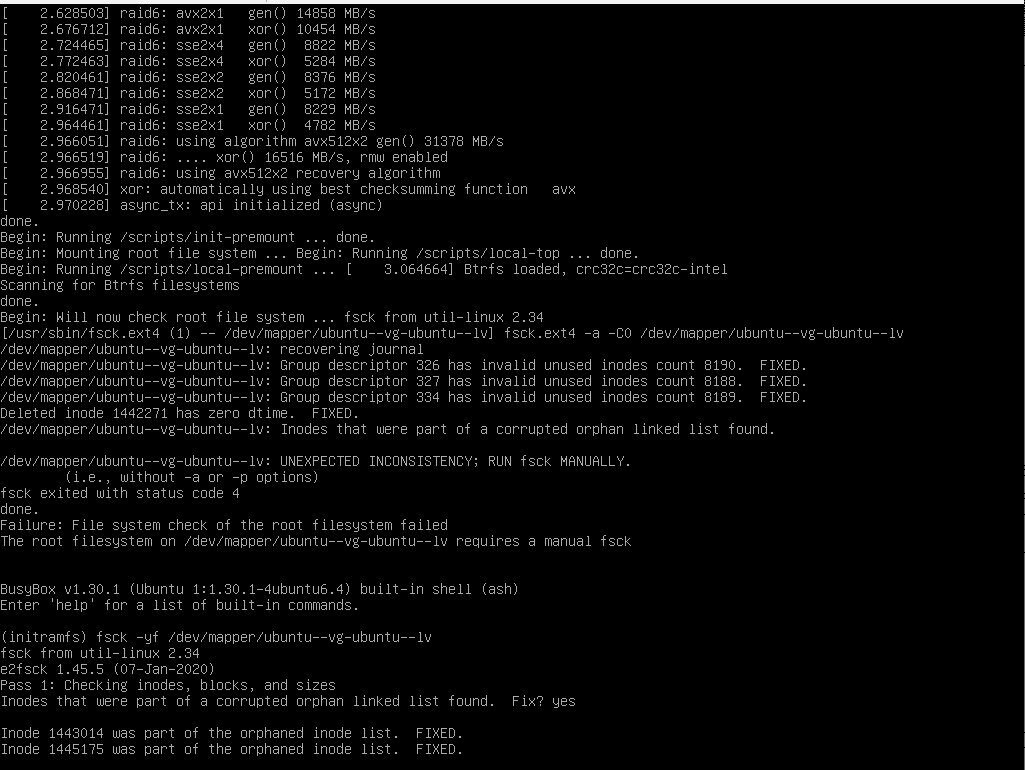
fsck -yf /dev/mapper/ubuntu--vg-ubuntu--lv
Wait during the scan…
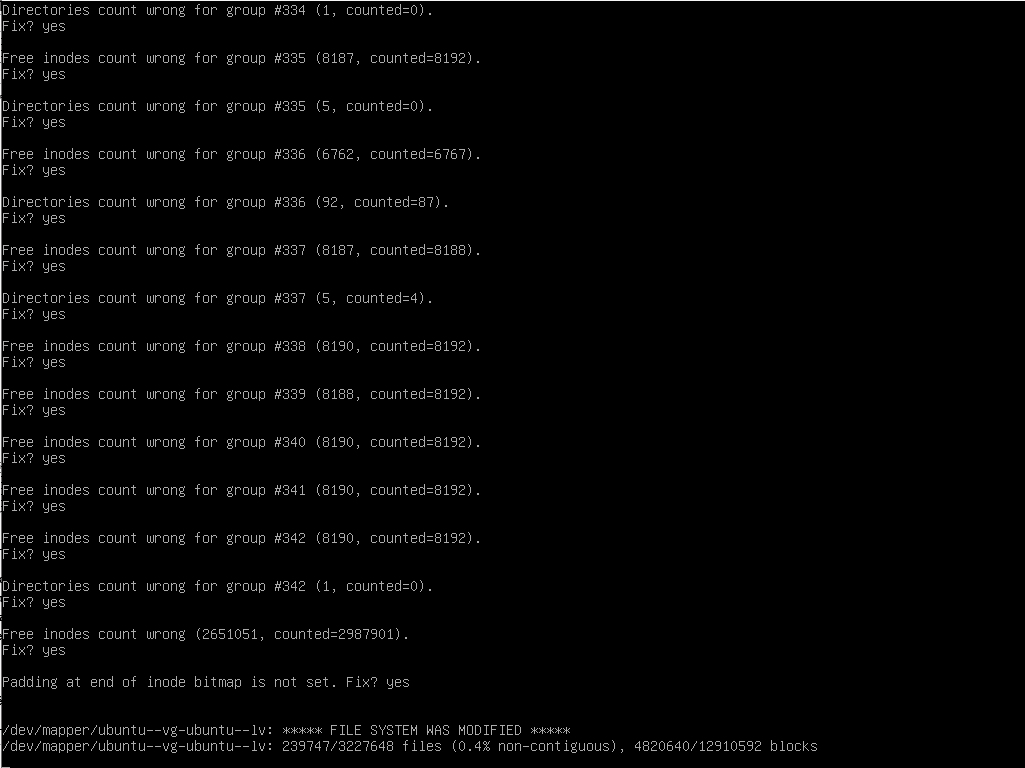
As we can see in the capture, errors are found and corrected.
Once the scan is complete, enter the exit command to continue booting the computer.
Once the machine has started, I advise you to do a reboot to ensure that it starts.
I hope this tutorial will help you get unstuck.