By default, IIS does not issue files with .dat and .pac extensions for automatic proxy configuration. If we try to attach to retrieve the file a 404 error page is displayed.
Allow proxy configuration files
You must declare MIME Types on the IIS server.
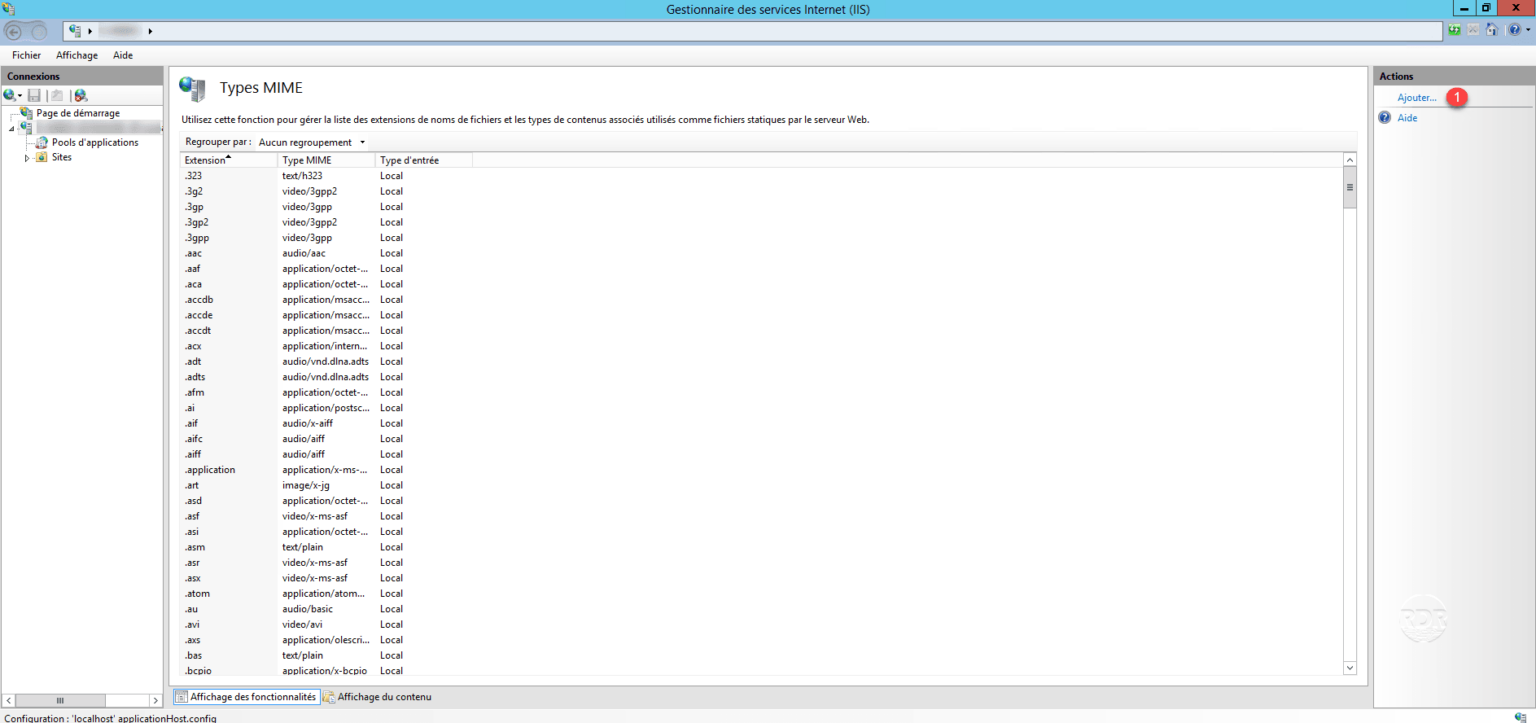
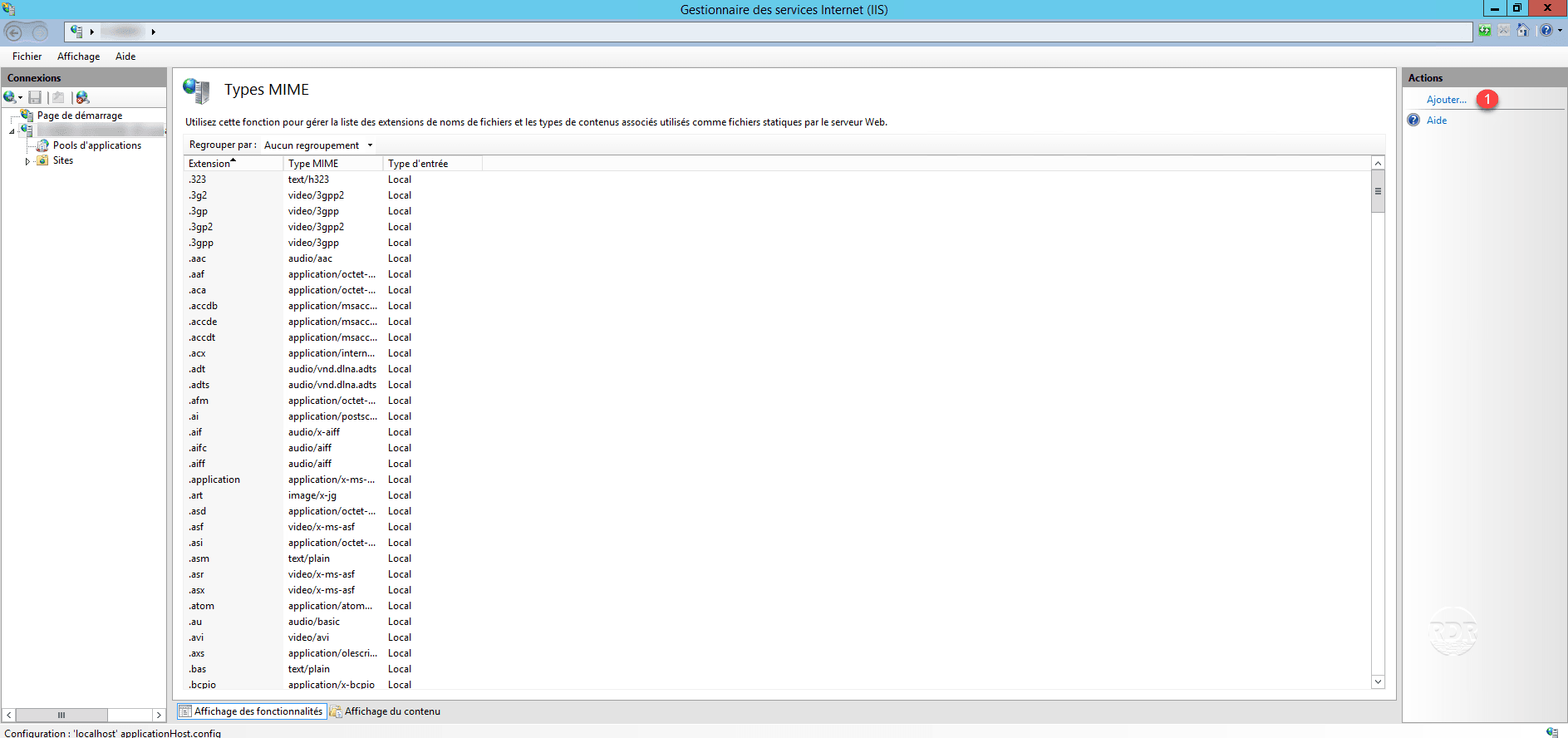
1. Open the console, go to server 1 and click on MIME types 2 .
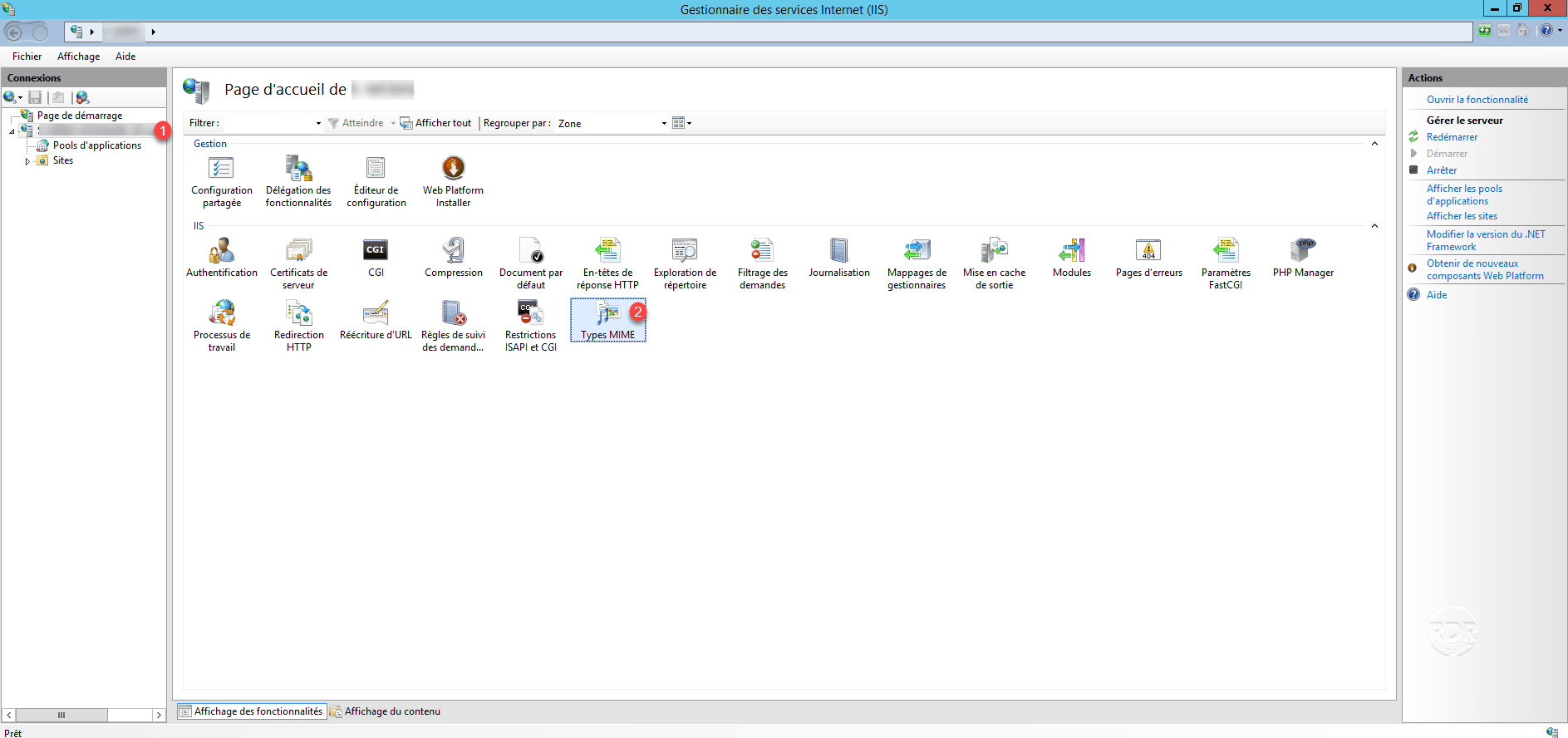
2. In the Actions menu click Add 1 .
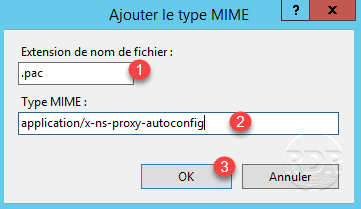
PAC file
Extension: .pac 1
.
MIME type: application / x-ns-proxy-autoconfig 2
Click OK 3 to add the type.
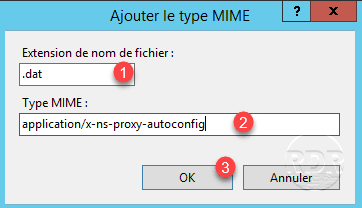
DAT file
Extension: .dat 1
.
MIME type: application / x-ns-proxy-autoconfig 2
Click OK 3 to add the type.
The IIS service will now respond to the HTTP request.