In this article, I’ll walk you through how to add a Remote Desktop Session Host to a collection.
The article follows the following post: Deploy a Windows 2012R2/2016/2019 RDS farm .
Prerequisites
- Have a server ready to add to the RDS farm
- in the active directory domain
- Fixed IP.
- same applications installed (if possible).
- same update level.
- Prepare the Remote Desktop Gateway to allow connections on it depending on the method used.
Add a host to a collection
All manipulations were carried out in the BROKER server.
Add the server in the console: Server Manager
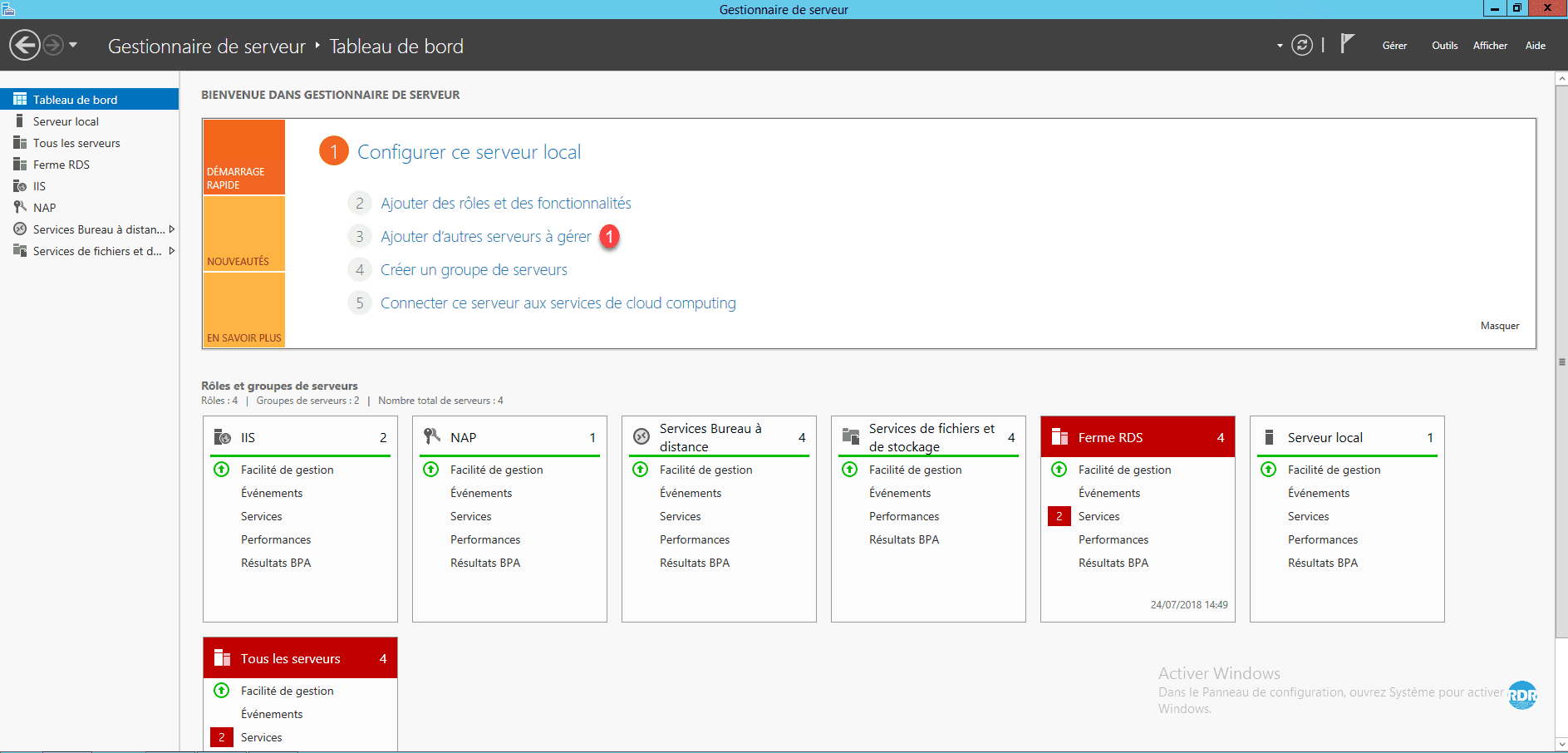
From Server Manager, click Add other servers to manage 1 .
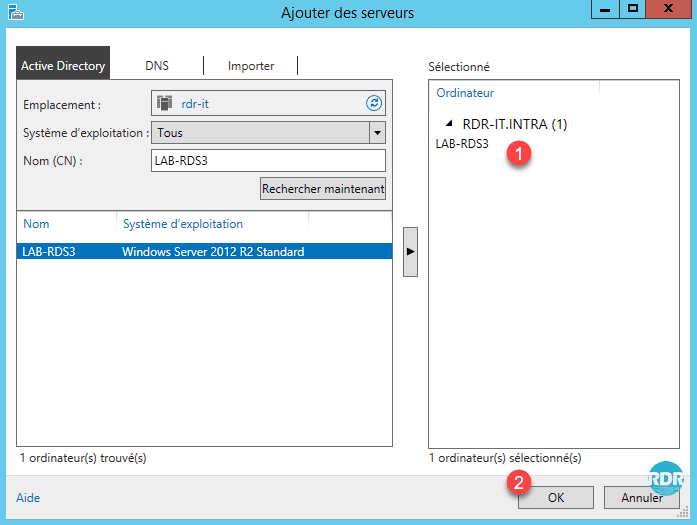
Select the server to add 1 and click OK 2 .
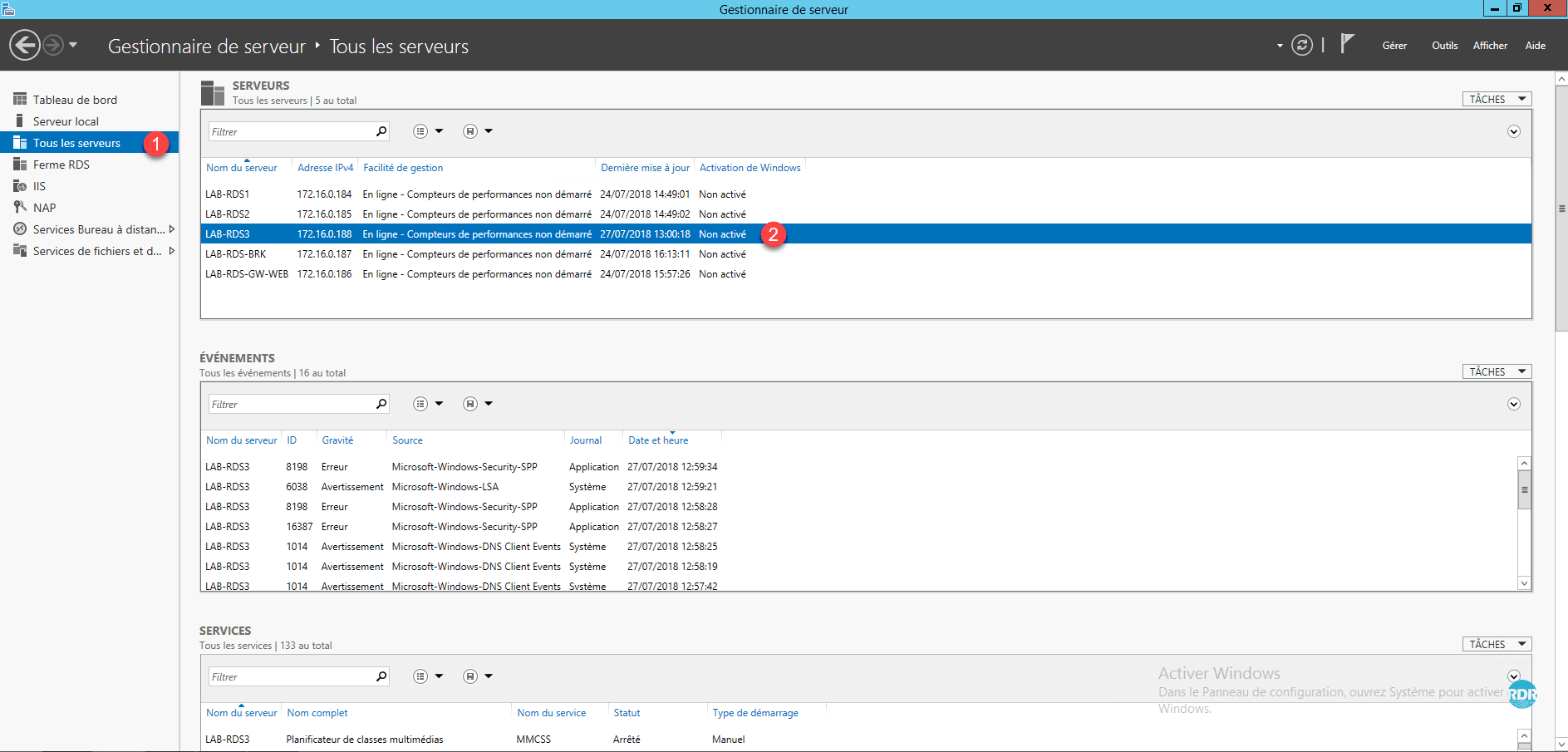
Go to the All Servers tab 1 and check that the server just added is present 2 .
Add the server to the RDS deployment
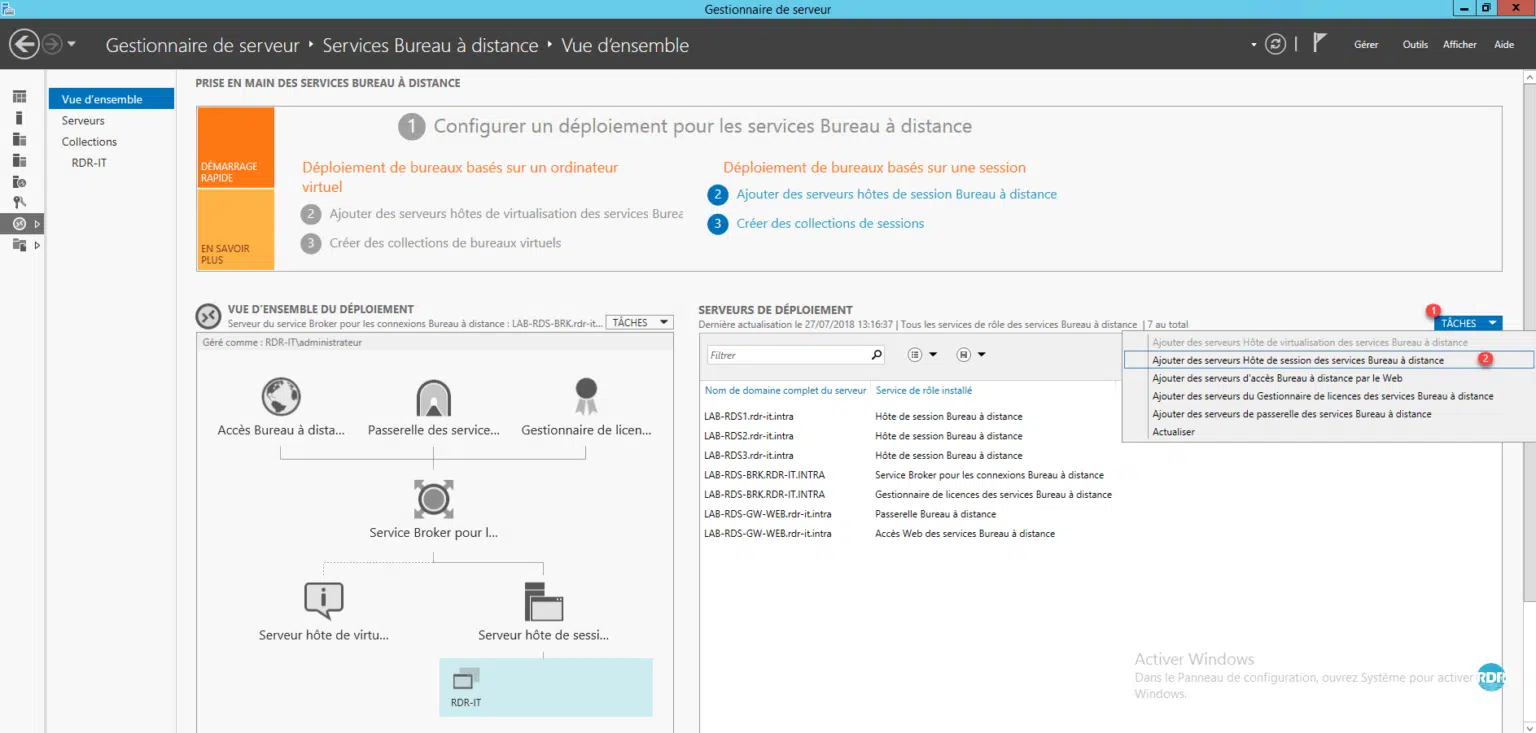
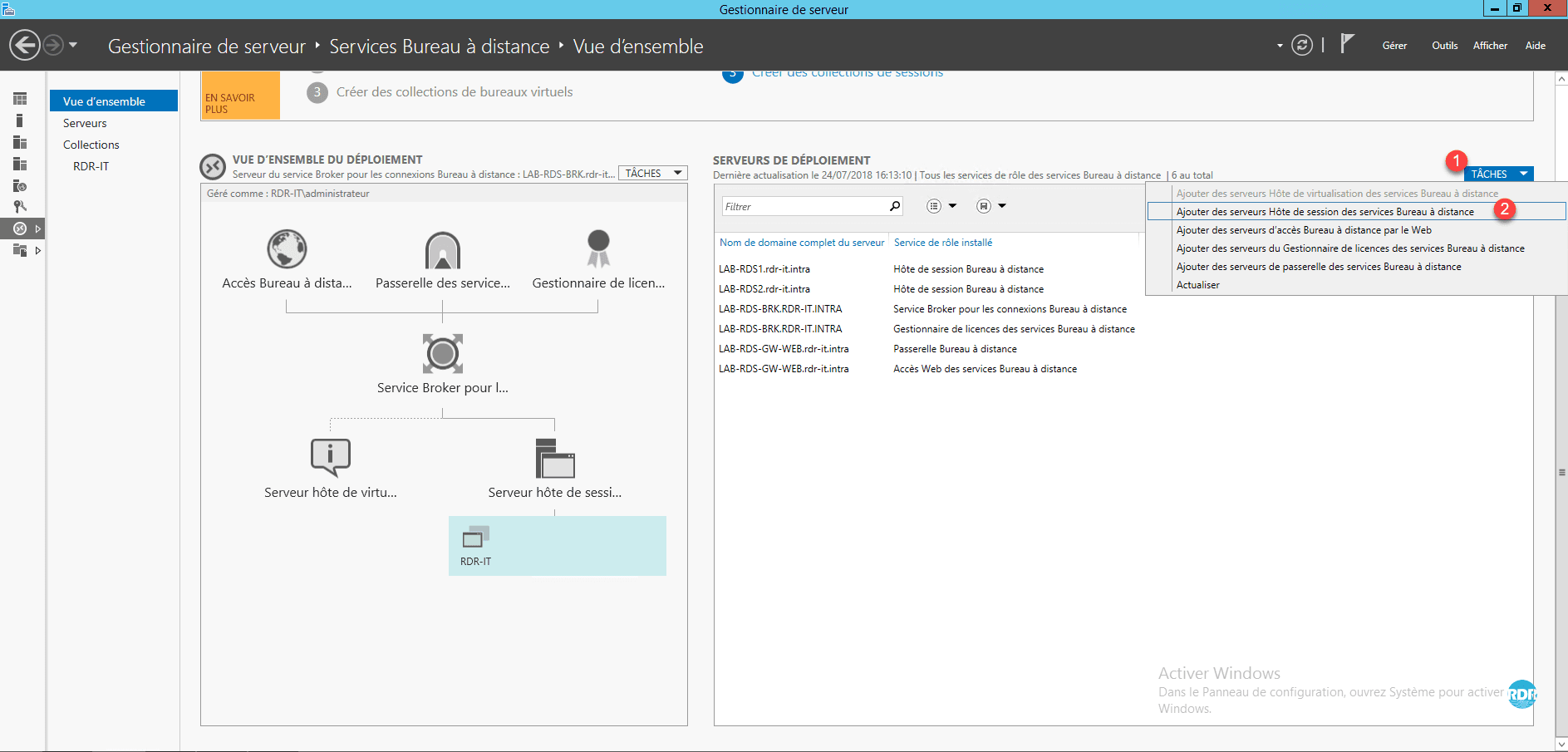
From the Overview of your deployment, in the DEPLOYMENT SERVERS box, click TASKS 1 then Add Remote Desktop Session Host 2 servers.
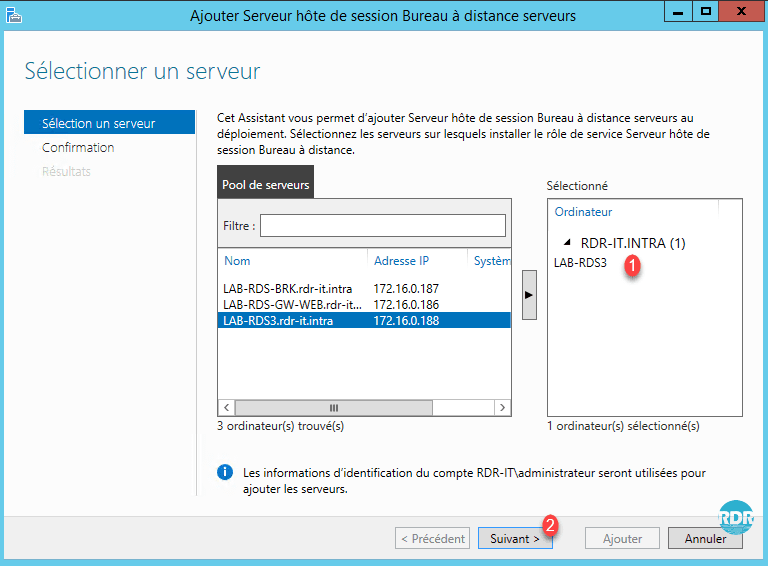
Select the server(s) to add 1 and click Next 2 .
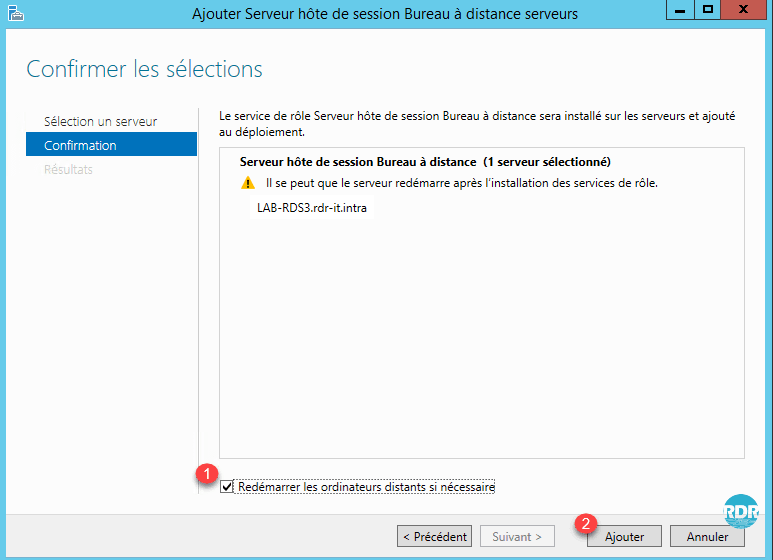
Check the box 1 Restart remote computers if necessary and click Add 2 .
Wait while the Remote Desktop Session Role is installed on the server.
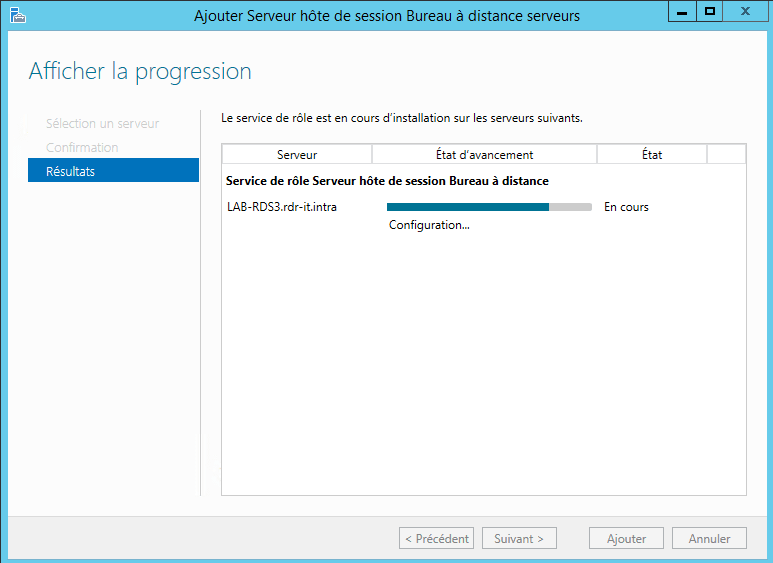
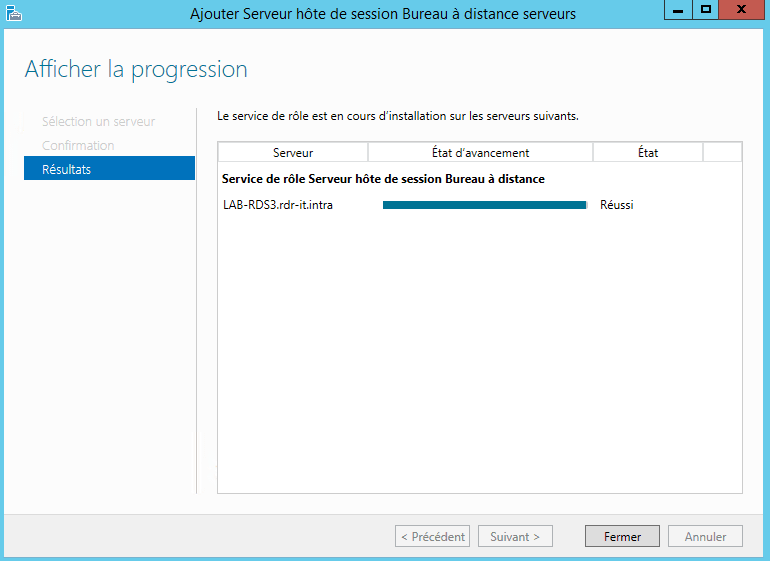
The installation is complete. Exit the wizard by clicking Close 1 .
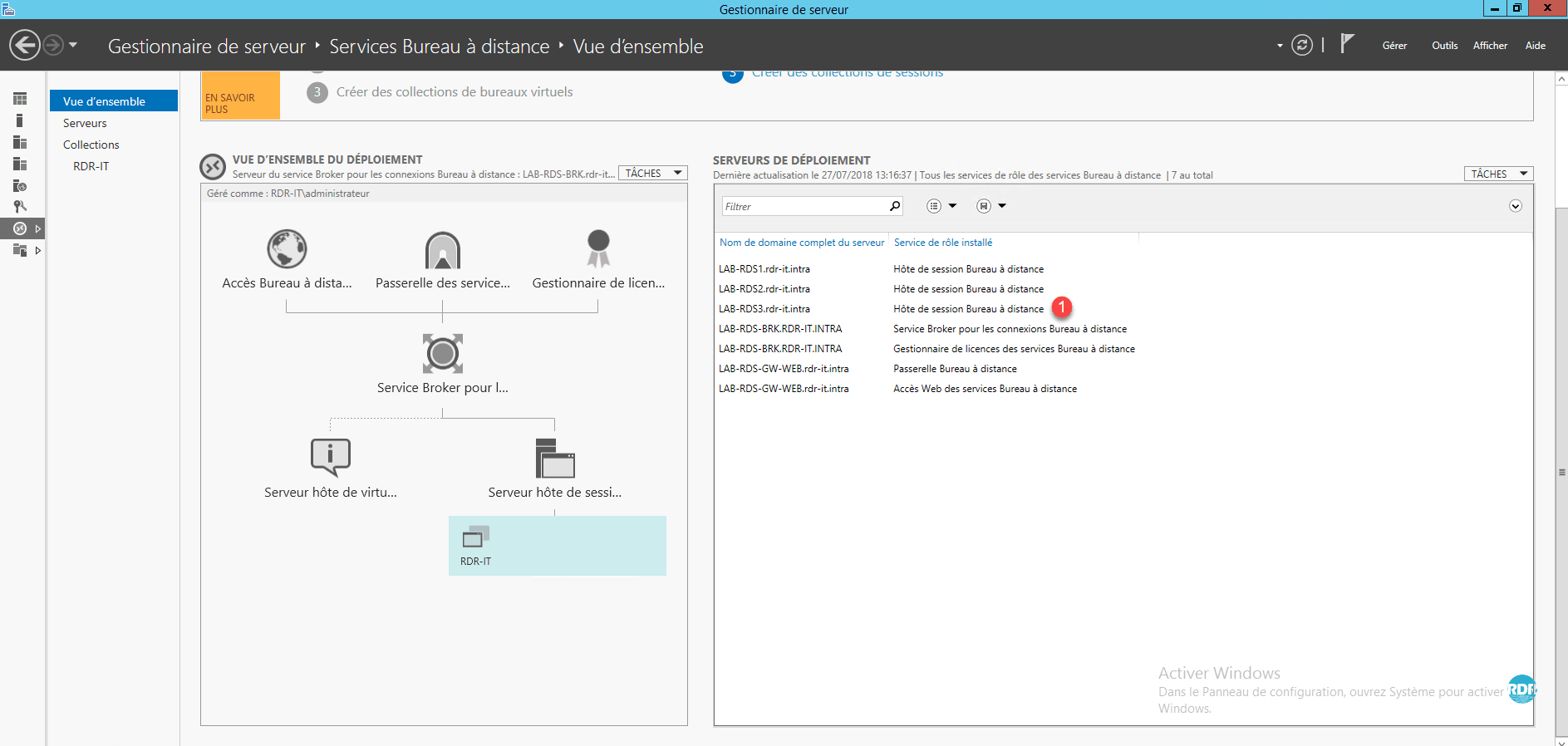
In the DEPLOYMENT SERVERS section, the new server is visible 1 .
Add server to collection
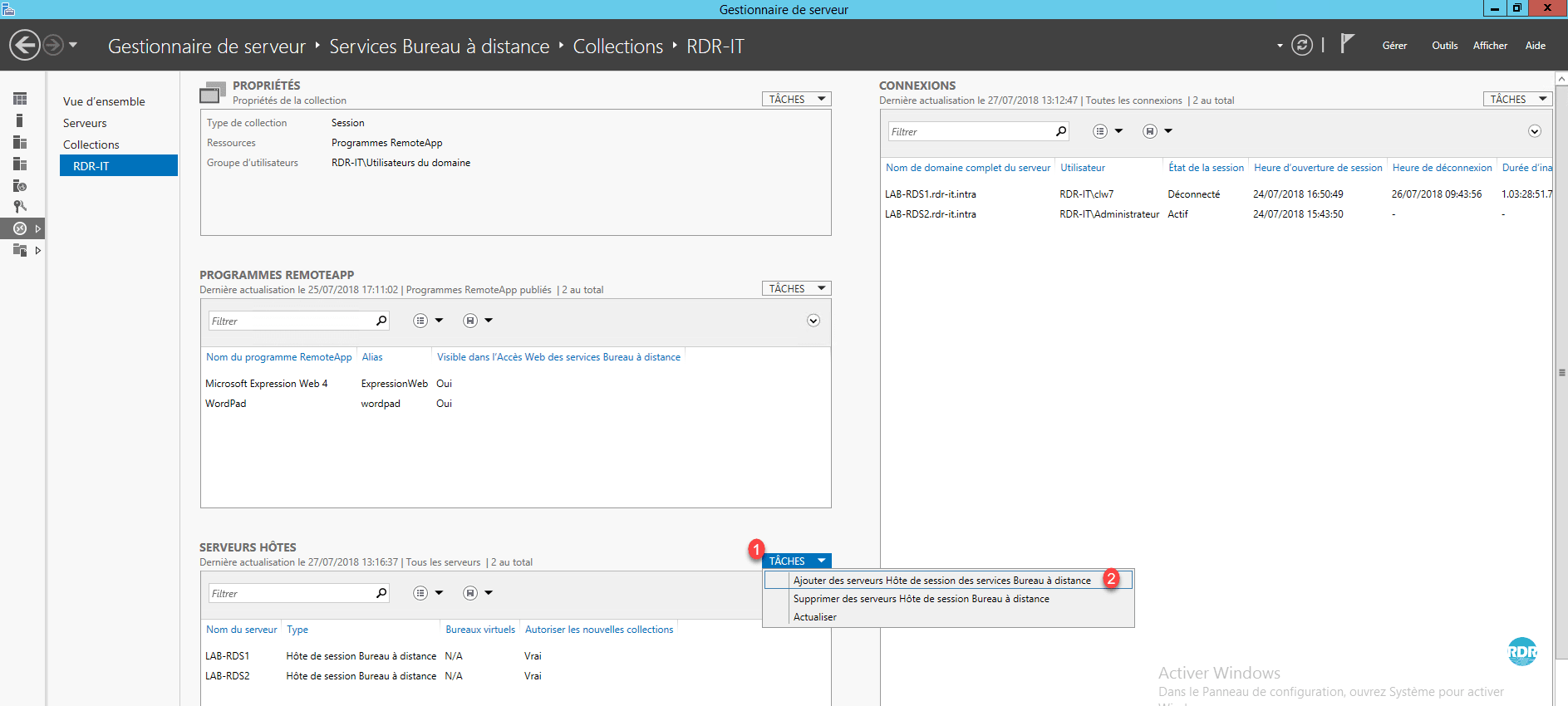
From the server manager, go to the collection administration, in the HOST SERVERS section, click on TASKS 1 then Add Remote Desktop Services Session Host 2 servers.
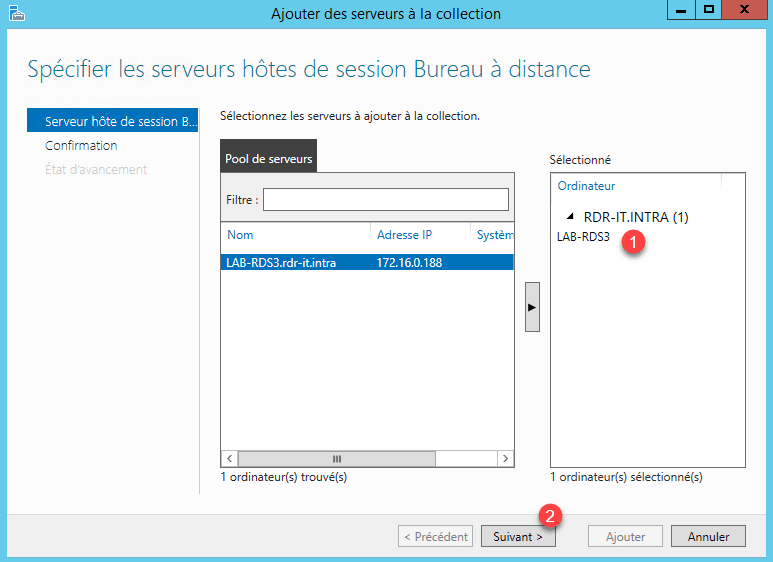
Select the server to add to collection 1 and click Next > 2 .
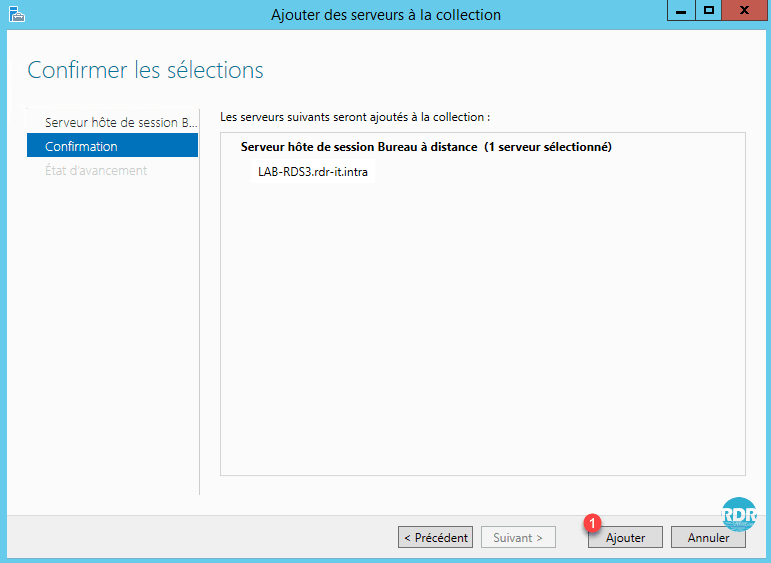
Confirm the action by clicking Add 1 .
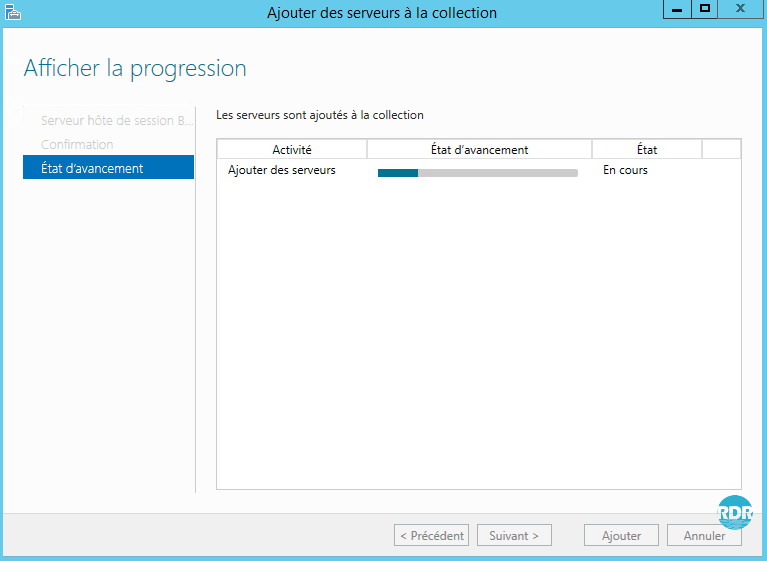
Wait while the RDSH server is added to the collection.
The RDSH server is added to the collection, click Close 1 to exit the wizard.
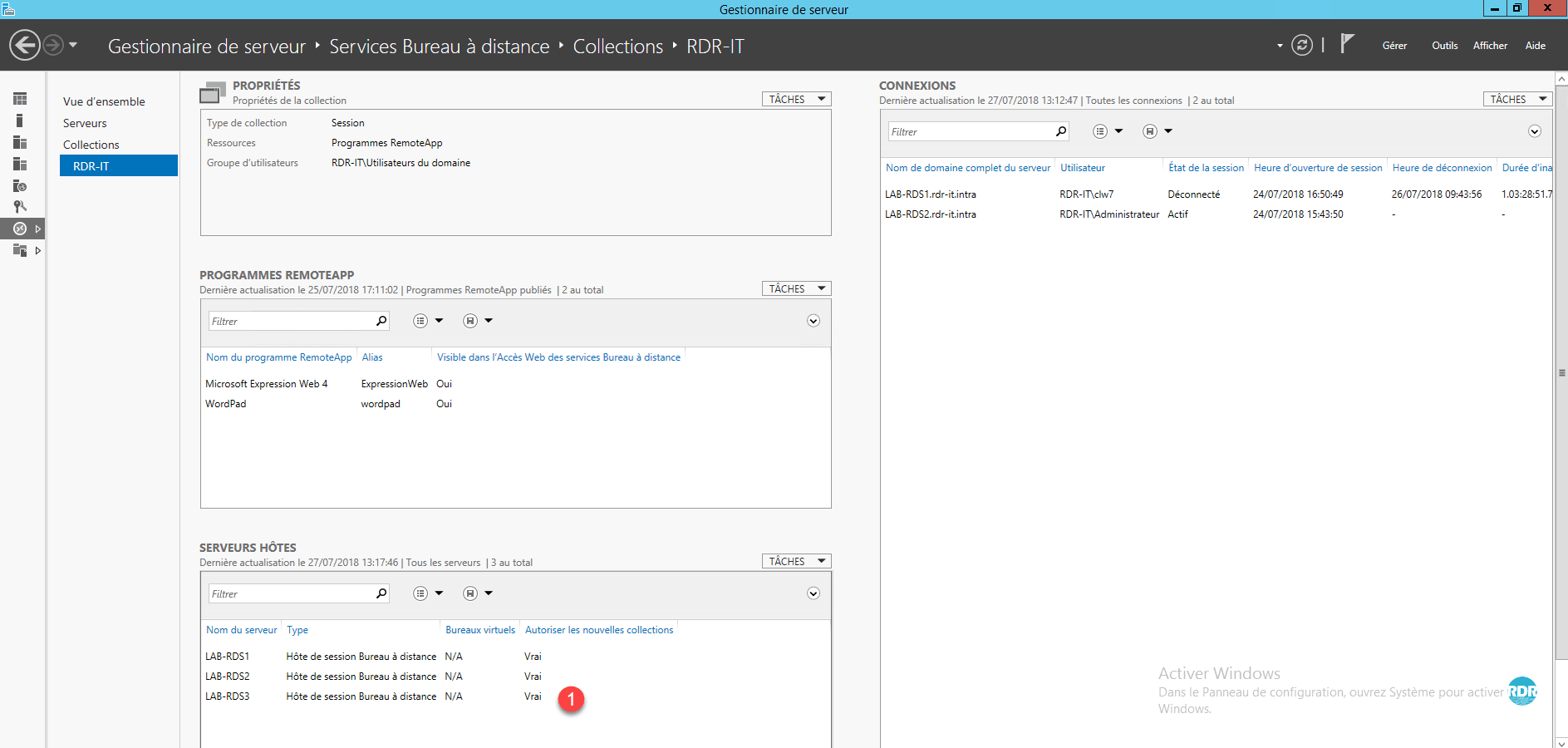
The RDSH server is added to the collection, click Close 1 to exit the wizard.
If the server is not ready for use, it is possible to not allow connections to it, right-click on the server and click on Do not allow new connections.
If your collection uses a DNS alias, you must add a record for the new host.