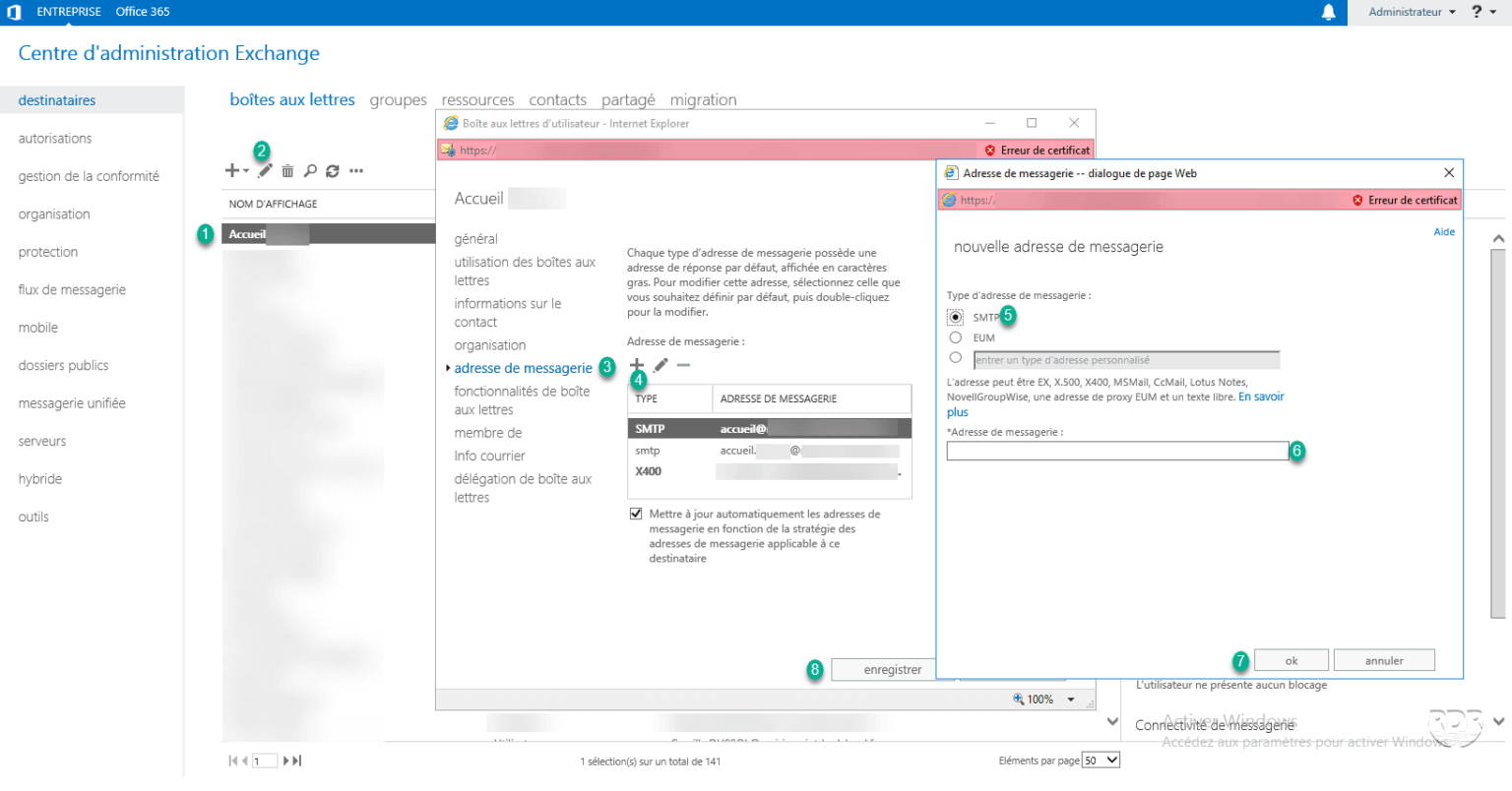
In this article, we will have how to add an alias to a ball through the Exchange administrative interface (ECP).
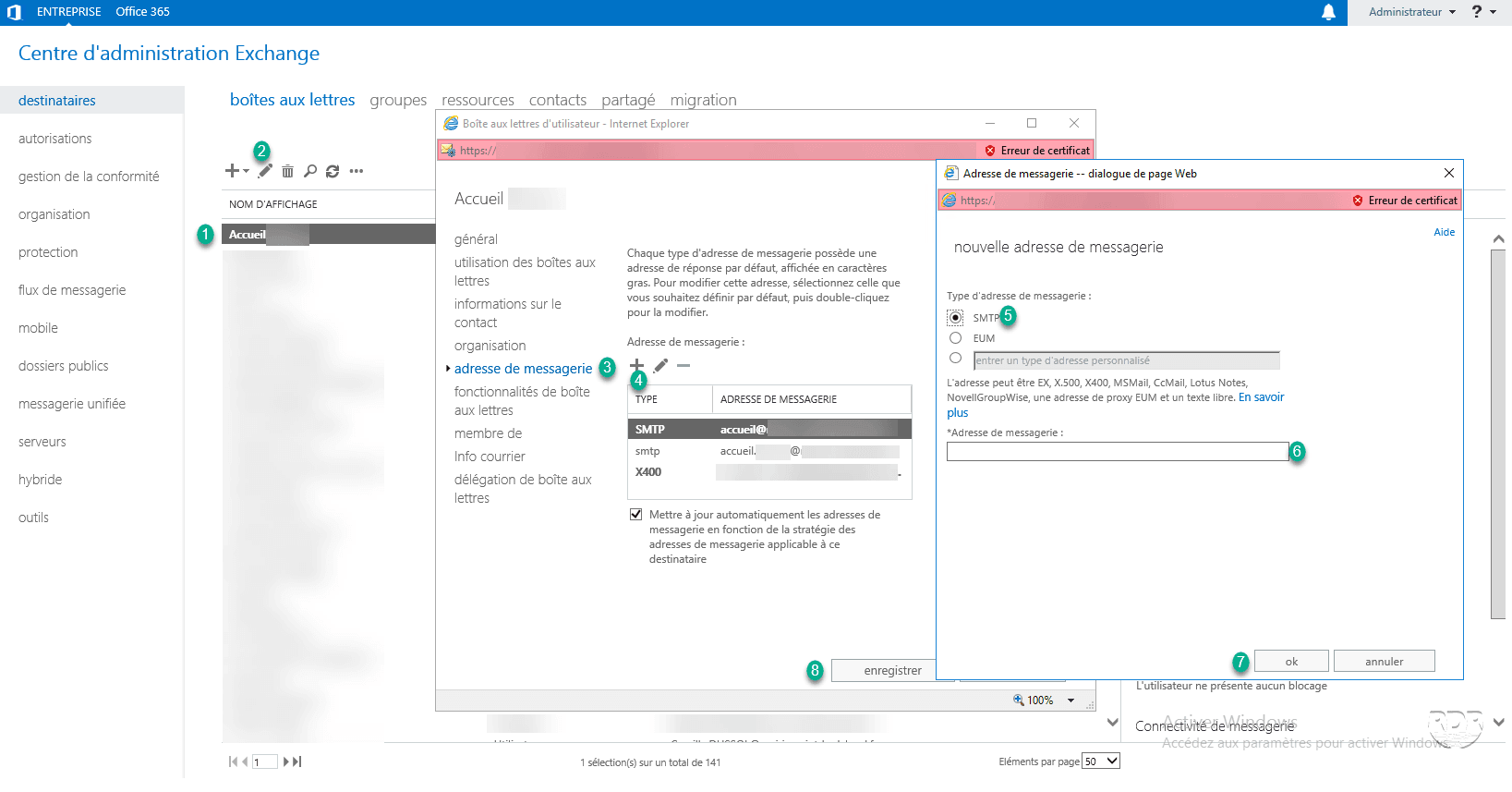
1. Go to the Exchange administration interface (2013/2016/on-line).
2. Select box 1 then click on style 2 . In the new window go to email address 3 and click on + 4 . This opens another pop-up, choose SMTP address type 5 , enter the alias 6 then click on OK 7 and Save 8 .