Configure a central store
In this “How” tutorial, I will explain how to create a central store
to centralize the group policy definition files (ADMX / ADML).
The central store allows file replication using the SYSVOL directory of domain controllers and therefore having the same configuration on all the controllers.
The manipulation is to be done on a domain controller.
Create the PolicyDefinitions folder in the C: \Windows\SYSVOL\domain\Policies folder
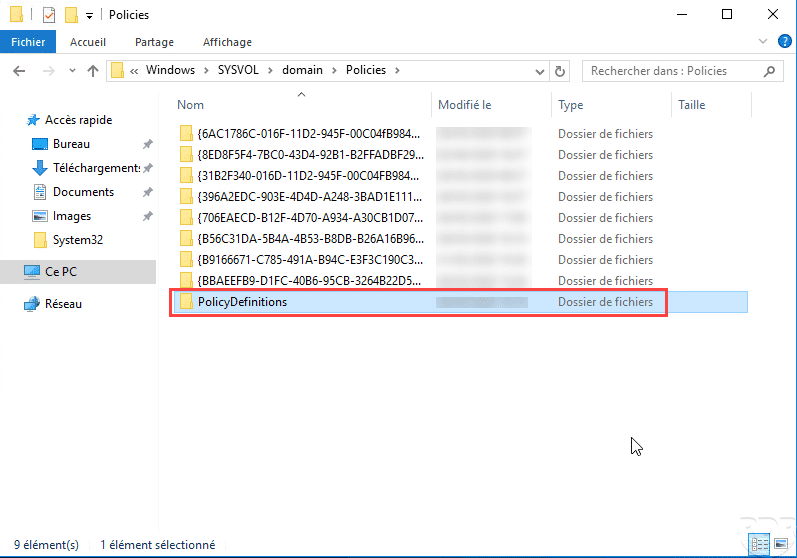
Open Windows file explorer and go to the folder C:\Windows\SYSVOL\domain\Policies, create a new folder and name the PolicyDefinitions.
For information, this folder is accessible in UNC \\domainAD\SYSVOL\domainAD\Policies, it contains group policies and it is replicated on all domain controllers.
Copy (ADMX / ADML) policy definition files
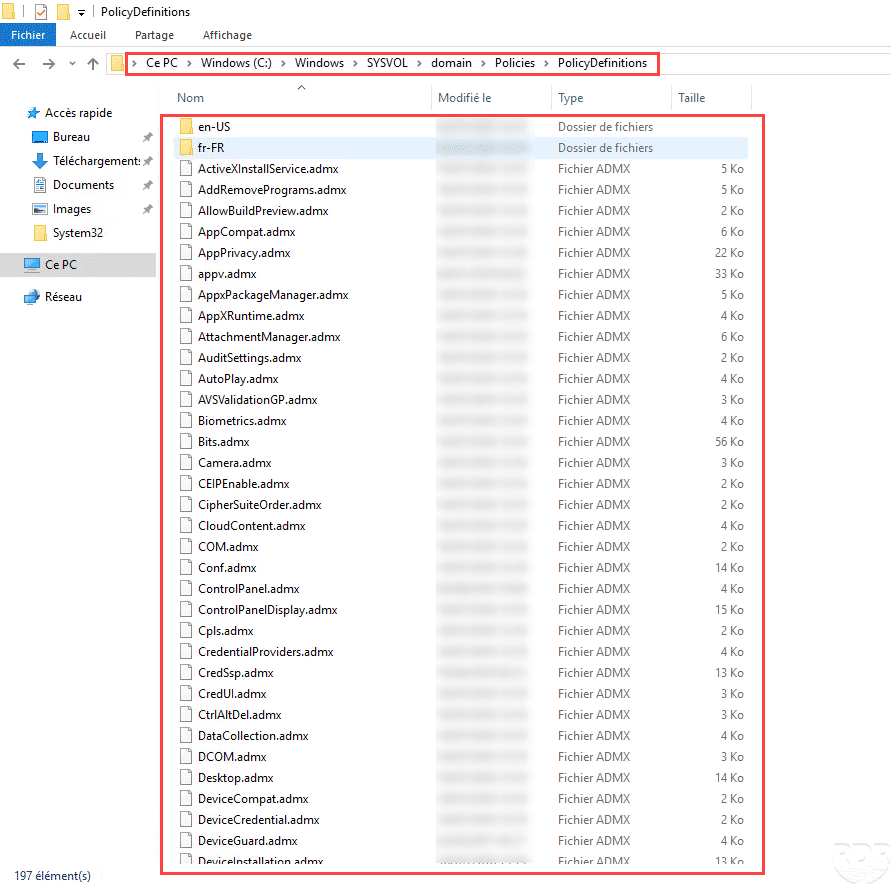
Copy the contents of the C:\Windows\PolicyDefinitions folder to C:\Windows\SYSVOL\domain\Policies\PolicyDefinitions.
Edit a group policy
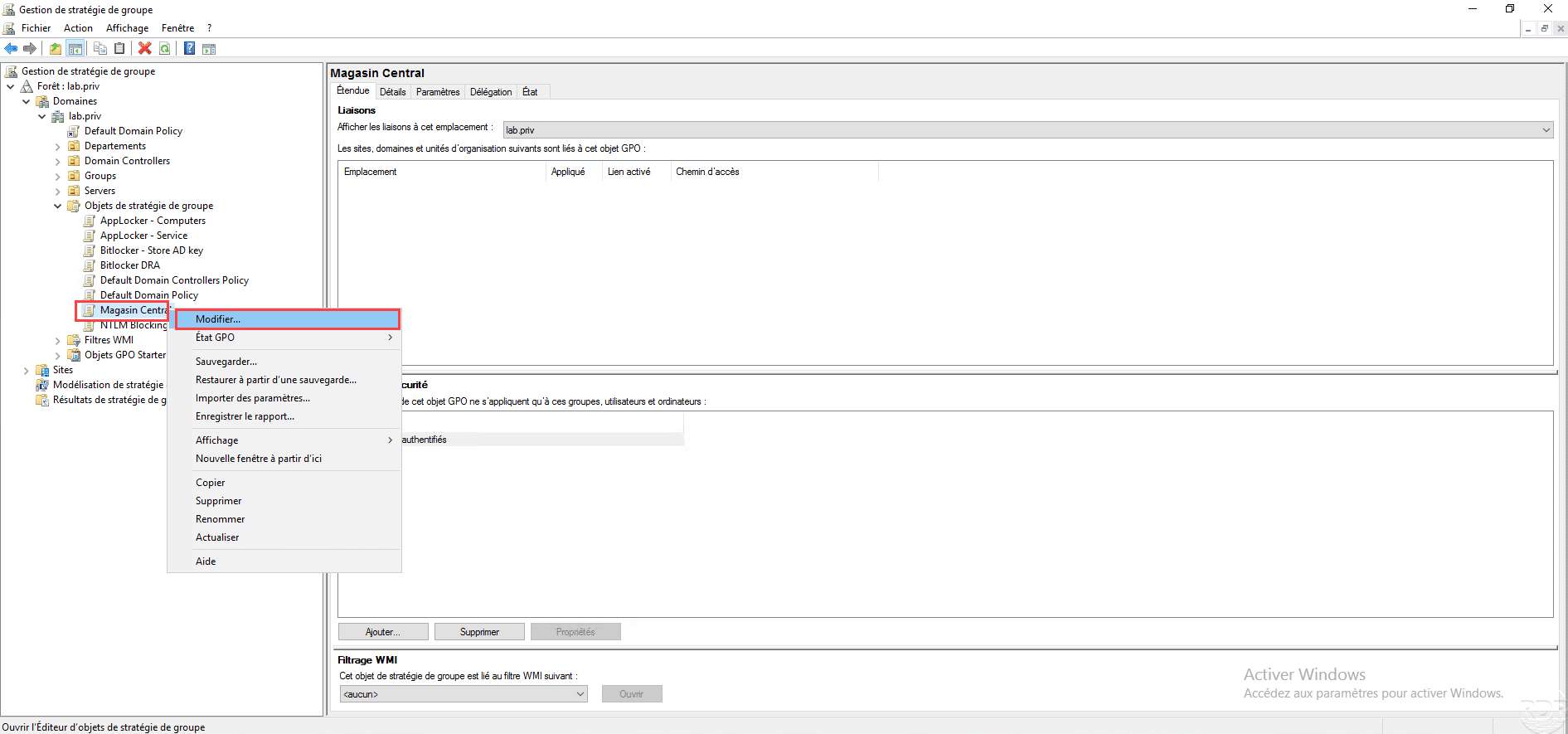
From the Group Policy Management console, right-click on a group policy and click on modify to open the group policy editor.
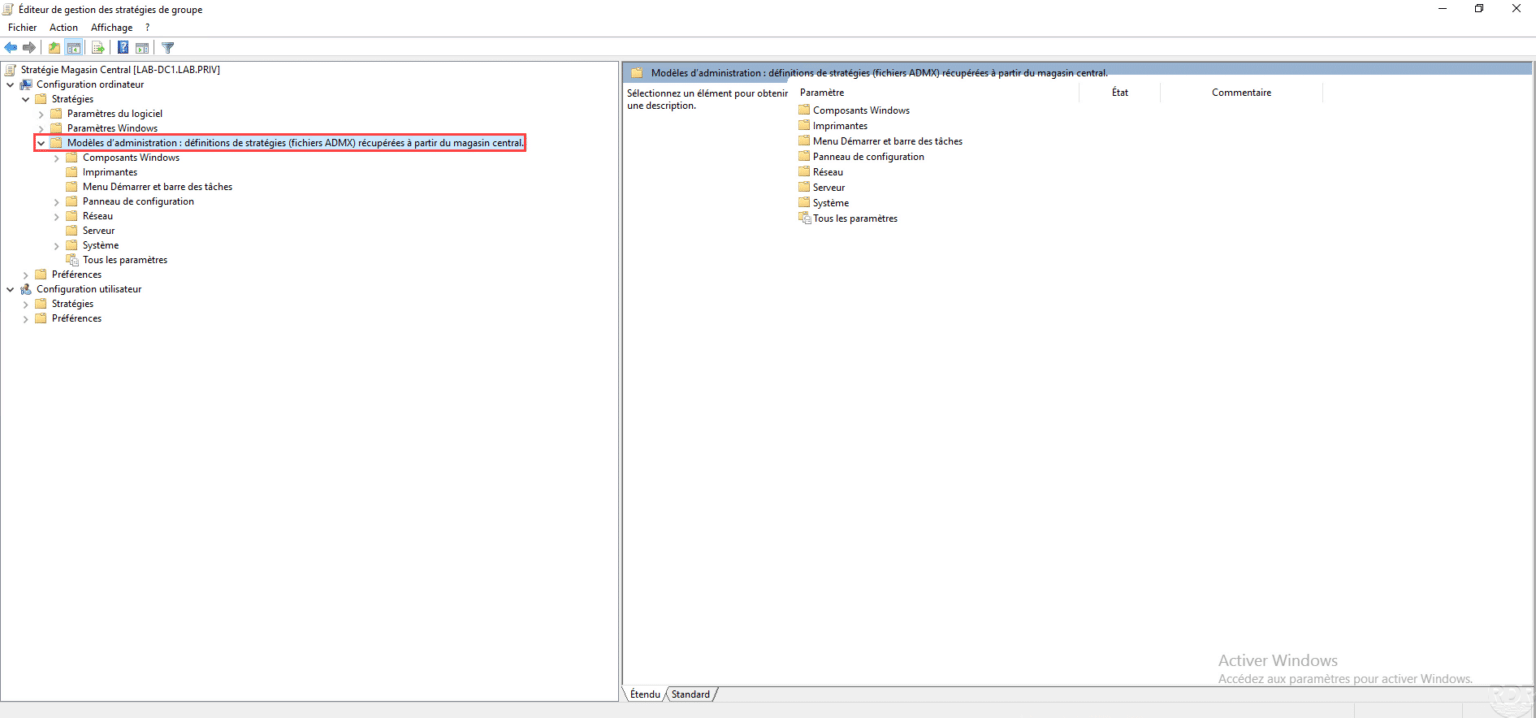
Check definitions are loaded from the central store
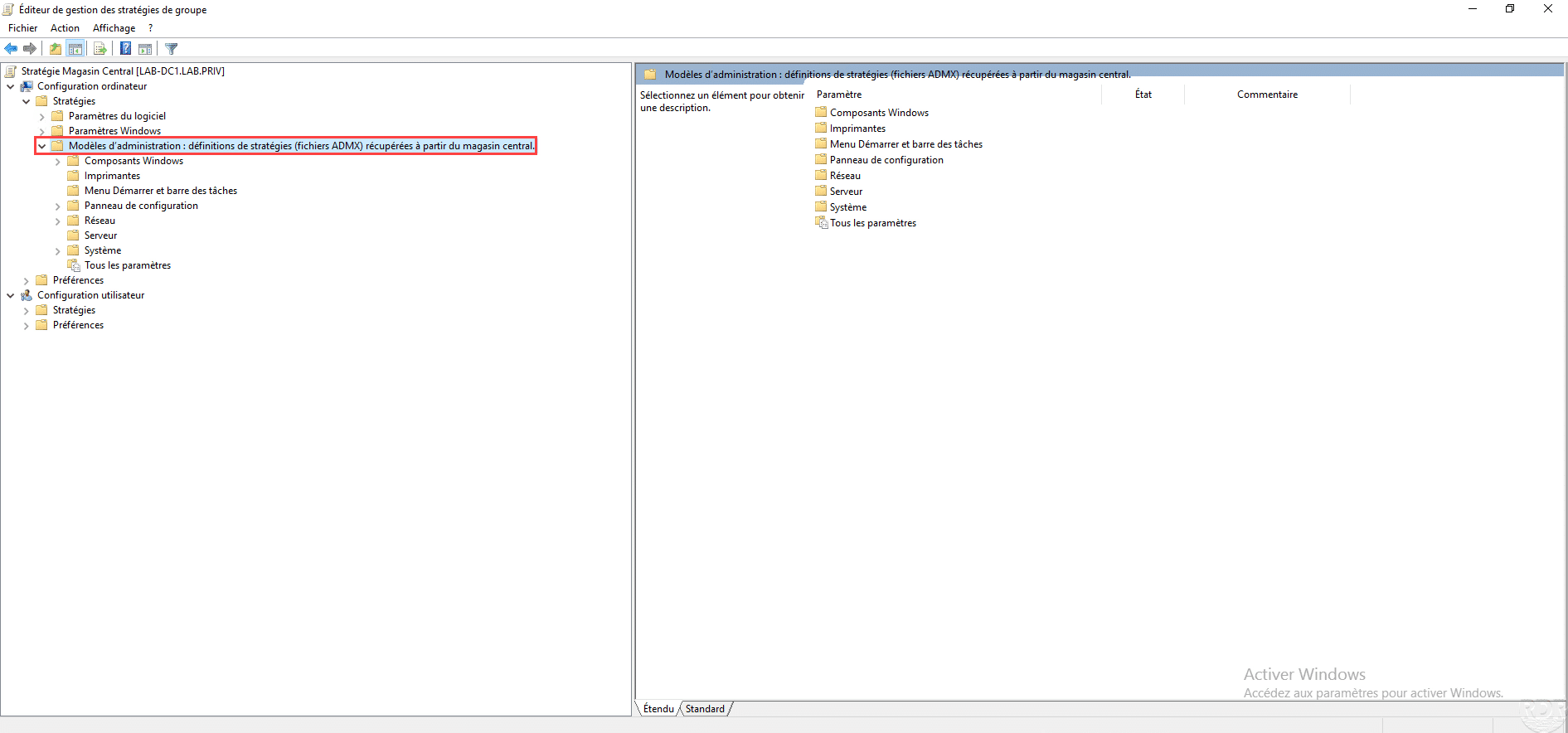
In Computer Configuration or User Configuration, go to the following location: Policies / Administrative Templates and verify that it is loaded from the central store.